I need help figuring out if Recuva is safe before I install it. I accidentally deleted some important files and found mixed opinions online about malware, bundled software, and whether it can damage data during recovery. I’m trying to recover my files without making things worse, so I’d appreciate advice from anyone who has used Recuva safely.
People ask this all the time, and I don’t think a clean yes or no tells the whole story. If you want the short version, yes, Recuva is safe to run. It is not malware, it is not some fake recovery app, and it is not built to trash your PC. But 'safe' splits into a few diff things once you look closer. One part is malware risk. Another is privacy. The last part, and the one most people mess up, is whether your own recovery attempt makes the lost files harder to get back.
I’ve been testing recovery tools on old SSDs, flash drives, and a couple of disks I should have retired years ago. Recuva still works for some jobs. It also shows its age fast.
About the old malware scare
A lot of the worry comes from the 2017 CCleaner breach. Same developer family, same name people remember. Piriform got hit in a supply chain attack, and a poisoned CCleaner update went out through official channels. It was bad. Millions were exposed. So when people see Recuva from that same company, they get nervous. Fair.
Still, 2026 is not 2017. The company moved under Avast, then into Gen Digital. The current Recuva installer is widely scanned, and if you check it with VirusTotal, you’ll usually see a clean result or one stray alert from a fringe engine. I saw one flag last time, and it looked like a heuristic hit, not a real infection. Recovery apps poke into low-level file structures, so some scanners get twitchy. If you grab Recuva from the official CCleaner or Piriform page, the virus risk is low.
Privacy is a separate issue
This is where some people shrug and some people uninstall on sight. Recuva itself is not spying in some dramatic movie way, but the parent company does collect standard app and device data. Think IP address, device identifiers, OS details, and location info used for licensing and fraud checks.
If you hate telemetry, change the setting right after install. Open Options, then Privacy, and turn off the box for sending usage data. I do this on first launch. No reason not to. Their policy says IP addresses stay around for 36 months before anonymizing. If that bugs you, you should know it before you click through setup half asleep.
The part where people ruin their own recovery
This matters more than the malware question.
Recuva is safe. Your workflow might not be.
If the deleted files were on drive C, do not install Recuva to drive C. Do not save recovered files back to drive C either. Windows usually does not erase deleted data right away. It marks the space as free. Then new writes start landing there. So if you download the installer onto the same drive where your missing photos sit, you might overwrite the data you wanted to save. I’ve seen people do this, then blame the app. Kinda brutal.
The safer move is the portable build. Put it on a USB stick. Run it from there. Save anything recovered to another drive, external disk, or at least a different physical device. A different partition is better than nothing, but another device is what I’d pick.
What Recuva still does well
For simple mistakes, it’s fine.
Deleted a folder from a healthy Windows drive. Emptied the Recycle Bin ten minutes ago. Need a free tool with no recovery cap. Recuva is still one of the easier options. It launches fast. The wizard is simple. You don’t need a manual. On straightforward undelete jobs, I’ve had it pull files back fast enough where I thought, yep, still got it.
It also stays lightweight. No bloated interface, no giant install, no weird account wall. I miss software like this, tbh.
Where it starts falling apart
Now the less fun part.
Recuva has not had a major rebuild in ages. It got small maintenance work so it still runs on modern Windows, but under the hood it feels old. More like an undelete utility from the Windows 7 era than a full recovery package built for messy failures.
Once the job gets complicated, results get shaky. If a drive shows up as RAW, or Windows asks you to format it before use, Recuva often won’t do much. It usually wants a visible and mostly healthy partition. On formatted USB media, I’ve seen published tests put it around 63 to 67 percent recovery success. That lines up with what I saw. It finds files, sure. Opening them is another story.
One thing I kept running into was false hope. Recuva would list a JPG as recoverable, even mark it in good shape, then Windows Photos would throw an error and refuse to open it. Same with docs. Same with videos. You think you won, then nope.
Folder recovery is messy too. Sometimes you get your files back in one giant heap with names stripped down to stuff like 00001.jpg, 00002.jpg, and so on. If you lost 10,000 images, good luck sorting that by hand. I did that once for a friend. Never agian.
When free stops being cheap
My rough rule is simple. If the files matter, don’t spend hours forcing Recuva to be something it isn’t.
If you lost throwaway downloads or duplicate phone pics, okay, take a shot. If it’s your only wedding album, tax records, client files, or footage from a paid shoot, I would not keep hammering away with a basic undelete tool after the first miss. Each scan adds wear, and on a dying drive, time counts.
For RAW volumes, damaged partitions, Mac file systems, or bad fragmentation, you need something with deeper scanning and better file reconstruction. In my use, Disk Drill handled those cases better than Recuva.
What stood out for me was imaging. Disk Drill includes Byte-to-Byte Disk Imaging, which lets you clone the failing disk first and work from the image instead of the original hardware. That is the kind of feature I wish more people knew about before they start poking a sick drive. If the source disk quits during recovery, the clone still gives you a second shot.
It also did better for camera files and video. Recuva tends to struggle with fragmented clips and proprietary RAW formats from brands like Nikon and Canon. On media work, the gap is not small. You feel it fast. If you'd rather see it than read about it, this side-by-side YouTube review covers it well.
What I’d do
If your case is basic and you need a free first try on Windows, I’d still use Recuva with a few precautions.
- Get it from the official site only.
- Use the portable version when possible.
- Turn off usage sharing in the privacy settings.
- Do not install it to the drive you’re trying to recover.
- Do not save recovered files back to the same drive.
If it finds nothing, or the files come back broken, stop writing to the disk. Don’t keep retrying random tools in panic mode. At that point I’d move to something with disk imaging, better partition handling, and stronger support for damaged file systems.
So yes, Recuva is safe in the malware sense. It’s also still useful for easy jobs. I wouldn’t treat it like a miracle app, though. For low-stakes mistakes, it’s a decent first swing. For anything painful, I’d move on fast.
43 Likes
People ask if Recuva is safe for 3 reasons.
- Old trust issues. Piriform had baggage after the CCleaner mess years ago. People still connect the names.
- Junk bundling history. Older installers from a lot of free Windows apps pushed extras. That made users suspicious of everything in the same lane.
- Recovery fear. Users worry the scan itself will chew up the deleted files.
My take, Recuva is safe if you get it from the official source. I don’t fully agree with @mikeappsreviewer on one point though. I think the bigger risk is not telemetry. It’s false confidence. Recuva often says a file looks fine, then the file opens broken or not at all. That’s what burns people.
The app itself is lightweight. It does not act like malware. It reads the file system and hunts for deleted entries. A normal scan is read-heavy, so the scan alone is not the part that hurts your data. The damage happens when you install to the same drive, keep using the PC, or restore files back onto the source. That part gets ppl every time.
If your files matter, stop using the drive first. Then pick the tool based on the problem. Recuva is okay for simple undelete jobs on healthy Windows drives. For damaged partitions, RAW drives, bad USB sticks, or photo and video recovery, Disk Drill is often the safer first pick because it handles tougher cases better and is easier for non-tech users. If you want a solid list of data recovery tools worth checking, see top data recovery software for deleted files and damaged drives.
Short version. Recuva is safe to install. Your process matters more than the installer. If the data is important, don’t treat Recuva like your only shot.
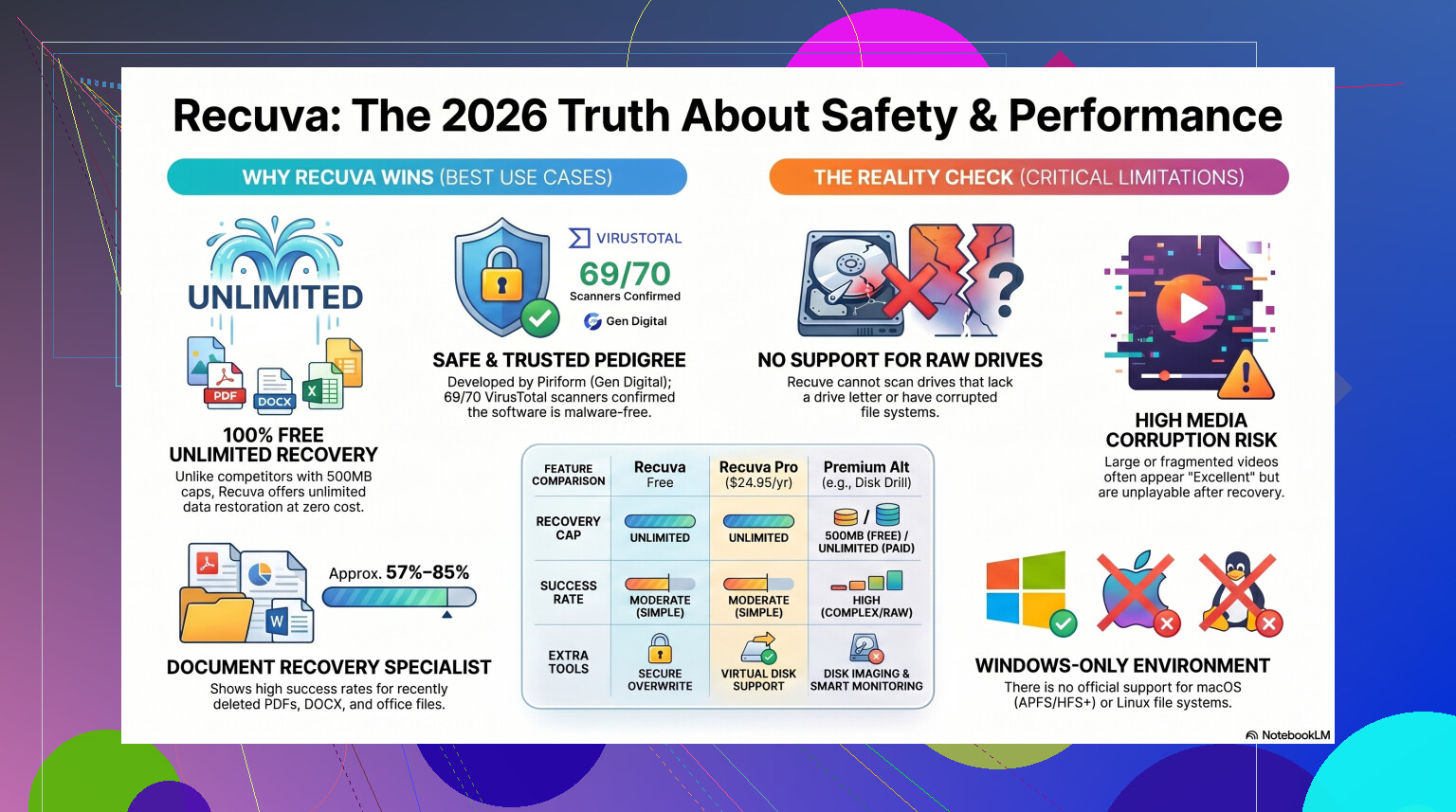
People ask if Recuva is safe because ‘safe’ means 3 diff things at once: safe from malware, safe from junk installs, and safe for the deleted data itself.
On the first one, yes, Recuva is generally safe if you download it from the official source. The app has been around forever, and a lot of the fear is leftover from Piriform baggage and old freeware trust issues. That part is real history, but people sometimes lump every Piriform product into the same panic bucket. I think @mikeappsreviewer is slightly overplaying the privacy angle, honestly. For most people, the bigger practical risk is user error, not telemetry.
On the data side, I agree more with @kakeru. Recuva usually does not damage files just by scanning. Scanning is mostly reading. The actual danger is installing it onto the same drive where the deleted files were, continuing to use that drive, downloading stuff, browsing, updating Windows, all that. That can overwrite the data before recovery even starts. So the app is not the thing ‘eating’ your files. Normal drive activity is.
Where I slightly disagree with both is the bundled software fear. These days that concern is a bit overstated compared to older freeware days. Still worth paying attention during install, sure, but not the main reason I’d hesitate.
My bigger issue with Recuva is that it can give a false sense of success. It may list files as recoverable, then they come back corrupted, unnamed, or unusable. That’s not malware, just a limitation of an aging tool. Fine for simple accidental deletes on a healthy Windows drive. Not my first pick for damaged partitions, RAW drives, or important media.
If the files are actually important, I’d lean toward Disk Drill first because it handles tougher recovery cases better and is less likely to waste your time with half-recovered junk. Also, if you want a quick background read, this Recuva data recovery software overview gives the basic history.
Short version: safe to install, yes. Safe to use carelessly, nope. That distinction is why people keep asking.
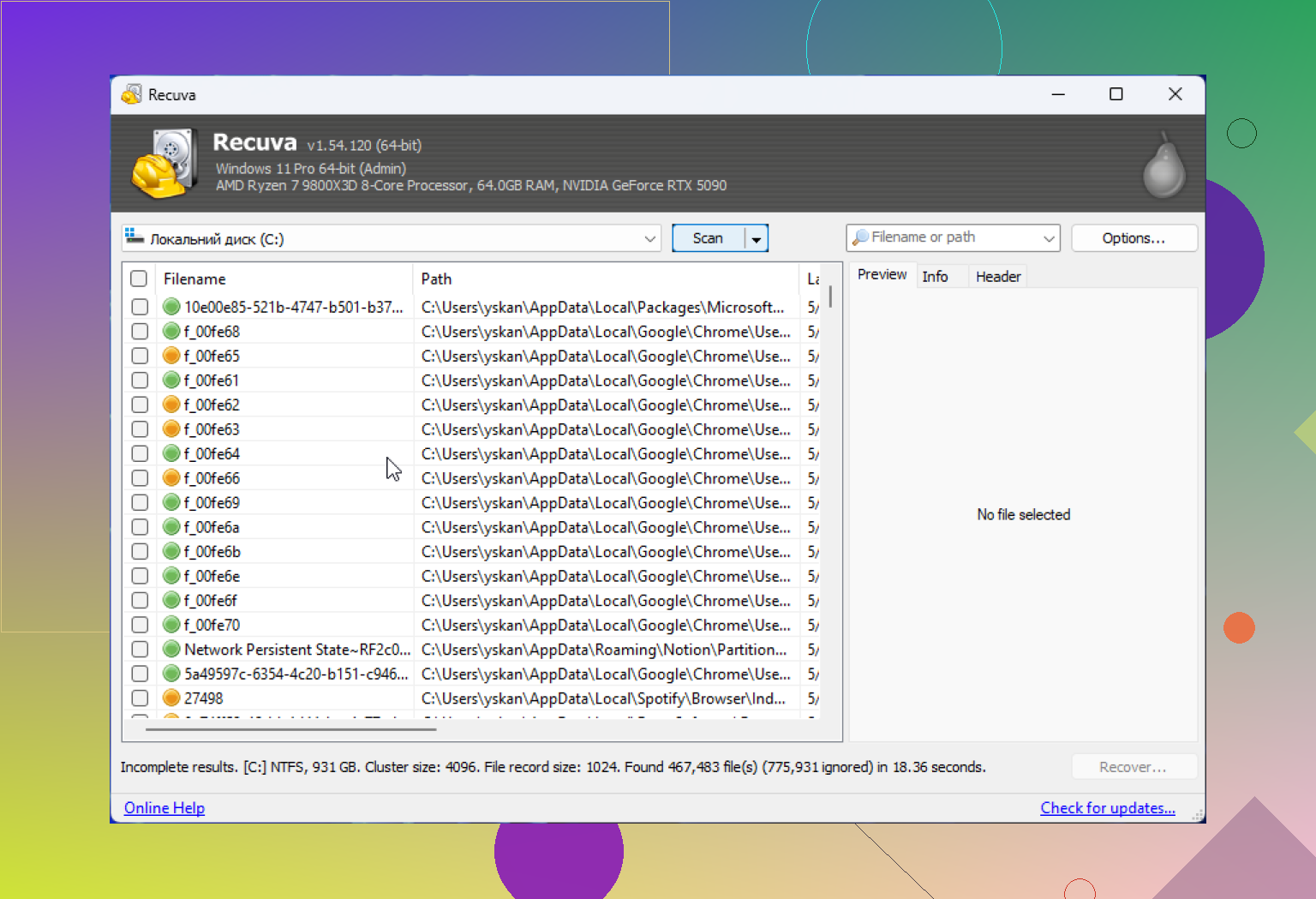
People mostly ask because Recuva sits in an awkward category: old freeware from a company people half-trust, doing low-level disk work that sounds scary. So suspicion is normal.
I agree with @kakeru that the scan itself is usually not the dangerous part. I also agree with @mike34 that people mix up app safety with recovery safety. Where I differ a bit from @mikeappsreviewer is this: I would not put privacy near the top of the risk list unless you are already very strict about telemetry. For most users, the real issue is whether Recuva is the right tool for the job.
My take:
Why people worry
- old Piriform reputation baggage
- memories of bundled offers in older Windows freeware
- fear that “recovery software” might overwrite deleted data
- confusion between “safe to install” and “safe result”
What is actually true
- Recuva itself is generally safe if downloaded from the official source
- it is not known as malware
- a normal scan is mostly read-only
- the bigger risk is recovering from the same drive you are still actively using
One small disagreement with the usual advice: people say “just try Recuva first” a little too casually. That is fine for a recently deleted document on a healthy drive. It is not fine if the drive is clicking, showing RAW, disconnecting, or the files are genuinely valuable. In those cases, every extra attempt can make the situation worse.
Recuva’s weak point is reliability in harder cases. It can find file entries that look promising but recover junk. That makes it feel safe while still wasting your best recovery window.
If you want an alternative, Disk Drill is often the better choice when the case is more than a basic undelete.
Disk Drill pros
- better with damaged partitions and tougher recoveries
- cleaner preview and file organization
- disk imaging feature is genuinely useful
Disk Drill cons
- not as lightweight
- free version is limited depending on platform/use case
- interface is broader, which some people may find less simple than Recuva
So yes, Recuva is safe to install. The real question is whether your situation is simple enough for it. That is why people keep asking.
Recuva is safe when downloaded from its official site, but your recovery steps matter more. Stop using the affected drive. Never install or restore files onto it. Recuva suits recent deletions from a healthy Windows drive, not RAW, clicking, or disconnecting disks.
A simpler option is checking existing backups first. Open Recycle Bin, OneDrive’s online recycle bin, Windows File History, or folder Properties, then Previous Versions. Restoring an older copy avoids disk scans and overwriting risks. Check email attachments and cloud storage too. You might already have the orginal file without running recovery software agian.
If your deleted files were sitting on an SSD, brace yourself for disappointment no matter which tool you pick. Most modern SSDs run TRIM, which tells the drive to wipe the deleted blocks in the background, often within minutes. Once that happens the data is physically gone, not just marked free. Recuva, Disk Drill, whatever, none of them can pull back what the controller already zeroed out. Everyone in this thread is talking about overwrite risk on spinning drives and USB sticks, which is right, but on an internal SSD the clock is way shorter and you usually can’t beat it.
So before anyone burns an afternoon on tool choice, figure out what kind of drive you lost the files from. HDD or plain flash stick, you’ve got a real shot and the advice about running from a separate drive holds. Internal NVMe or SATA SSD, temper your expectations hard.
On the actual Recuva question, I lean with @kakeru and @mike34 that the false-confidence problem is the real annoyance, not malware. A tool that lists a file as ‘excellent’ and hands you a corrupt JPG wastes your best window. That’s where the disk imaging point from earlier is worth taking seriously. Cloning the drive first, which Disk Drill can do, means you scan a copy and stop stressing failing hardware. Handy on a drive that’s clicking or dropping out, less relevant if you just emptied the Recycle Bin ten minutes ago. For that simple case Recuva is fine and I wouldn’t overthink it.