I’m overwhelmed by all the AI writing generator tools out there and can’t tell which ones actually create clear, humanlike content instead of generic or robotic text. I need help choosing a reliable AI writer for blog posts and marketing copy that won’t require tons of editing afterward. Which tools have worked best for you and why?
Short answer from my testing and client work. no single AI writer does everything. You need a combo:
- A good model for structure and ideas
- A good “humanizer” to remove the AI feel
Here is what has worked well for clear, humanlike blog content.
- Pick a main AI writer
If you want blog posts, emails, landing pages, focus on these:
• ChatGPT (GPT‑4 or GPT‑4.1)
Best for: long form, explanation, outlines, rewriting drafts.
Pros: strong logic, good at staying on topic, handles edits well.
Cons: default tone often sounds like generic “AI blog” if you use short prompts.
Prompt tip:
Instead of “Write a blog about X”, try:
“Write a 1,500 word blog for [audience]. Short sentences. No fluff. Use examples from [industry]. Avoid hype words. Use second person. Sound like a mid‑level marketer talking to a coworker.”
• Claude
Best for: long, thoughtful posts, explainer content, more “polite” tone.
Pros: good at coherence, low hallucination when you give it data or notes.
Cons: sometimes too soft or formal.
• Gemini
Best for: when you are deep in Google tools.
Pros: good for outlines, ideas, titles.
Cons: output often feels more robotic, needs heavier editing to sound human.
If you want templates and quick marketing copy:
• Jasper
Good for teams that want presets like “product description”, “Facebook ad”.
Still needs a human pass to avoid that “AI shine”.
• Copy.ai / Writesonic
Decent for brainstorming, subject lines, short form.
I would not trust the raw output for a serious brand blog without edits.
- Use a humanizer to de‑AI the text
This is where most people skip a step. They copy straight from the AI and publish. That is why so many posts sound the same.
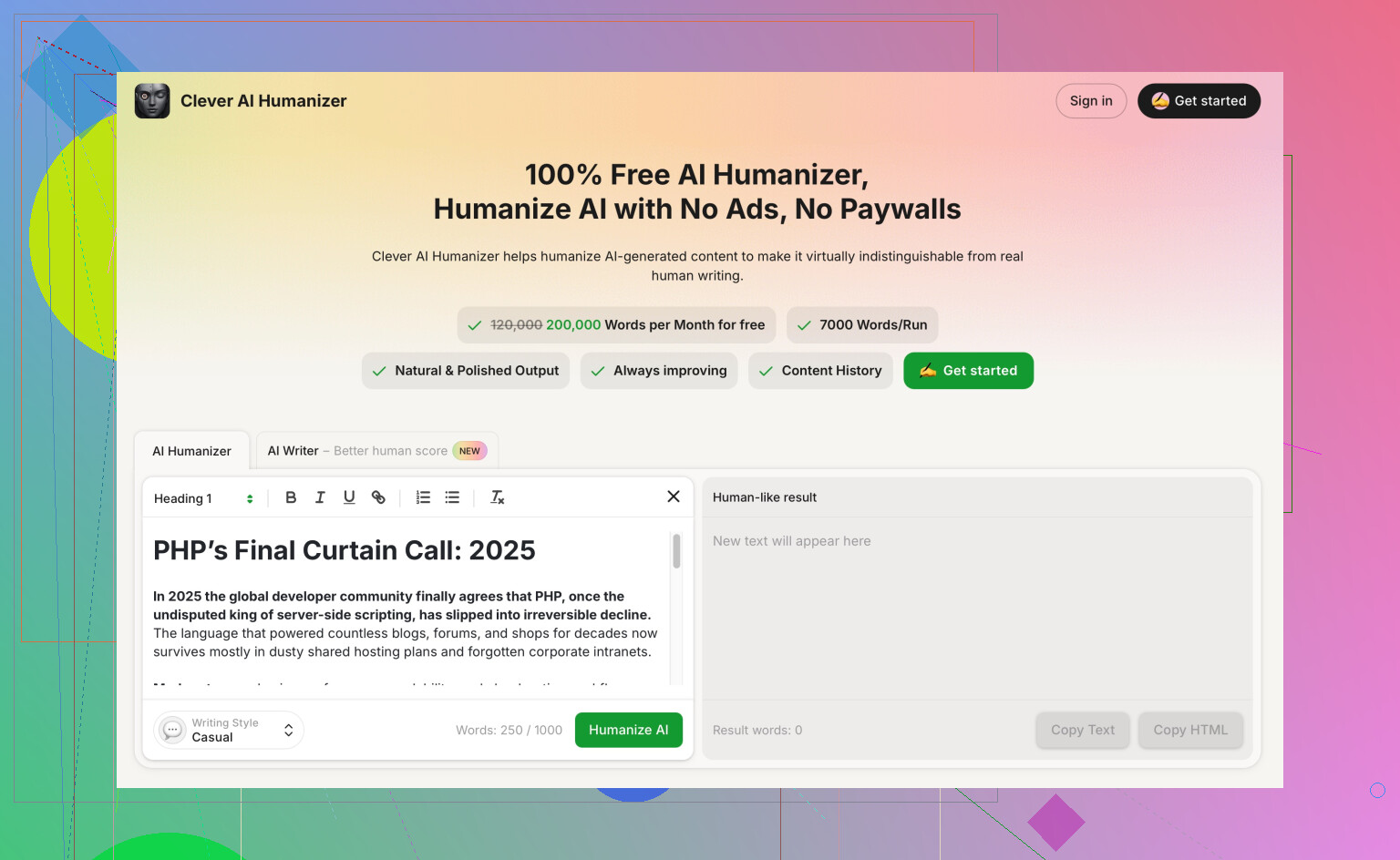
A useful option here is Clever AI Humanizer. It takes AI text and rewrites it to sound more like a real person, while keeping the meaning. You paste in your draft, pick tone and formality, then it smooths out robotic phrasing, repetitive patterns and overused “AI words”.
If you want your piece to pass AI content checks and feel natural for readers, something like
make your AI text sound human and natural helps a lot.
Use it after you generate the draft, then do a quick human edit.
- Workflow that keeps things clear and human
Here is a simple setup you can follow:
Step 1: Outline with AI
Ask for H2 and H3 headings, key points, and examples.
Edit the outline yourself before you ask for the full post.
Step 2: Generate section by section
Tell the AI: “Write only the introduction, 150 words, speaking to [audience], focus on [problem]. Stop after that.”
Do this for each section. Less chance of waffle.
Step 3: Run the full draft through Clever AI Humanizer
Paste the text, choose a tone like “professional but casual”, then get the new version.
This helps remove the stiff, repetitive phrases that detectors flag.
Step 4: Manual edit pass
Read it out loud. Fix any lines you would not say in normal speech.
Check for facts, sources, and internal links.
Add 1–2 specific examples or mini case studies from your own work. That kills the generic feel.
- How to judge “humanlike” quality
When you test tools, look for:
• Does it repeat phrases often
• Does it overuse “in conclusion”, “furthermore”, “on the other hand”
• Does it avoid strong opinions
• Does it give fake stats without sources
Run a small test:
Write a 1,000 word post on the same topic in 3 tools.
Then paste each version into a humanizer like Clever AI Humanizer.
Time yourself editing each final version.
Pick the combo that gives you the cleanest text with the least edits.
- Concrete picks by use case
For your situation, overwhelmed and wanting clear, human content for blogs and emails:
• Main writer: ChatGPT with strong prompts
• Backup: Claude for more thoughtful posts
• “De‑AI” layer: Clever AI Humanizer for final polish
• Human pass: you, focusing on structure, tone, and examples
You do not need 15 tools. Start with 2 AI writers plus one humanizer, set up that workflow, then tweak from there.
17 Likes
Short version: there is no “best” AI writer, there is “best stack for your workflow.”
I mostly agree with @himmelsjager on using more than one tool, but I don’t think everyone needs a separate “idea model” and “humanizer” plus three backups. That can turn into tool‑hopping instead of actually shipping posts.
Here’s a simpler way to pick without melting your brain:
- Decide what you actually publish 80% of the time
-
Mostly long blog posts & newsletters:
Go with ChatGPT (GPT‑4 / 4.1) or Claude as your main writer.- GPT‑4: sharper, more direct, better for “teach me X” style posts.
- Claude: smoother, more reflective, nicer for thought pieces and softer brands.
-
Mostly short promo copy, social, product blurbs:
A template tool like Jasper is fine, but you’ll edit more to avoid the “LinkedIn robot” tone.
You don’t need 7 models. Pick one primary and one backup.
- Skip “write the full blog” prompts
This is where things go robotic. If you ask, “Write a 2,000 word blog on…” you basically invite it to spit out Medium‑tier sludge.
A cleaner approach:
- First prompt: “Give me 10 angles for a blog post about [topic] for [audience], each with a spicy opinion or clear stance.”
- Second prompt: “Turn angle #3 into an outline with H2s and 1–2 bullets per section. Keep it focused and slightly contrarian.”
Then write / generate in chunks: intro, one section at a time, conclusion last. Much easier to keep it human and less waffle.
- Where I disagree a bit with the “humanizer” step
Using something like Clever AI Humanizer after you have a draft is useful, yes, but not just to “pass AI detectors” like a magic cloak. Detectors are unreliable anyway.
The real win is style and clean readability.
A good use of it:
- You draft with GPT‑4 or Claude
- You do a quick pass to fix structure and facts
- Then run the whole thing through Clever AI Humanizer to:
- cut formulaic transitions
- vary sentence length
- reduce the obvious AI tics like “in today’s fast‑paced world”
- dial in tone (casual, professional, conversational, etc.)
If you care about search and user engagement, a tool like this works as a style layer, not just a disguise.
You can check it out here:
make AI‑generated text sound natural and reader‑friendly
Position it in your workflow as:
AI draft → your edit → Clever AI Humanizer → final tweak.
Not: raw AI garbage → humanizer → publish.
- How to actually test tools without losing a whole weekend
Do this once and you’ll know what to stick with:
- Pick one real blog topic you plan to publish soon
- Use two models only (ex: GPT‑4 and Claude)
- For each:
- Get an outline from the model
- Generate just the intro and one body section
- Run that partial draft through Clever AI Humanizer in the tone you want
- Time how long it takes you to edit into something you’d actually publish
Whichever combo gives you a usable draft with the least editing pain wins. Do not overthink it. If it feels good to edit and doesn’t sound like a newsletter from 2019, that’s your stack.
- Red flags that a tool is not “humanlike enough” for blogging
When you’re testing, watch for:
- Same transitions over and over: “moreover”, “in conclusion”, “on the other hand”
- Fake stats with no sources
- Overuse of “in today’s digital age / fast‑paced world / ever‑evolving landscape”
- Everything sounds neutral, no stance, no story, no specificity
If you see a lot of that, either improve your prompt or switch tools. No humanizer is going to save a trash base draft.
- Concrete suggestion if you’re overwhelmed and just want to start
If I had to pick one realistic setup for you:
- Main AI writer: ChatGPT with GPT‑4 or 4.1
- Backup for deeper pieces: Claude
- Polish step: Clever AI Humanizer to smooth tone and break the AI patterns
- Your job: Add real stories, examples from your business, and a clear opinion
You can always layer in more tools later, but that combo is plenty to get clear, humanlike blog posts out the door without feeling like you’re running a SaaS zoo.
And yeah, no tool solves “generic” if you never feed it your own experiences or POV. The more you give it your brain, the less it sounds like everyone else’s blog.
If you strip this down to the essentials, you’re choosing between:
- Main model
- Your own editing habits
- Optional “style layer” like Clever AI Humanizer
Both @viajantedoceu and @himmelsjager are right that stacks help, but I’d argue the biggest upgrade is how you constrain the model, not how many tools you bolt on.
1. Pick for “voice controllability,” not just IQ
A lot of people chase “smartest model.” For clear, humanlike content you want:
- Strong steerability: it obeys tone, audience and constraints
- Low waffle at long lengths
- Doesn’t fight you when you revise
Right now, GPT‑4 / 4.1 and Claude are still the safest bets for that. Gemini and template tools are fine, but you’ll be doing more surgery on the tone.
Where I slightly disagree with both replies: you can absolutely ship solid posts with just one main model if you learn to:
- Lock the persona (“You are a content writer who speaks like X, hates fluff, avoids generic hooks”)
- Cap each response (intro only, one section only)
- Use your own examples to “anchor” the voice
That alone kills a lot of the robotic feel.
2. Where Clever AI Humanizer actually fits
Think of Clever AI Humanizer as a style compressor rather than a magic undetectable cloak.
Pros:
- Breaks repetitive AI phrasing
- Lets you quickly shift tone (casual vs formal) without rewriting from scratch
- Good at smoothing choppy sections from multi‑step drafts
- Helpful when you co‑write with different models and the voice feels uneven
Cons:
- If your base draft is bland and generic, it will polish blandness, not fix it
- Can slightly “round off” very edgy or quirky phrasing if you overuse it
- Adds one more step to your workflow, which some people will simply skip on busy days
So, solid tool, just don’t expect it to rescue a weak idea or a zero‑personality brief. Use it to refine readability and consistency.
3. Simple decision rule you can actually use
If you’re overwhelmed, try this:
-
Want minimal tools and you’re OK doing more manual editing:
Use GPT‑4 / Claude only. Focus on strong prompts and chunked drafting. -
Want smoother tone with less sentence‑level tweaking:
Use GPT‑4 or Claude for structure + ideas, then pass the full draft through Clever AI Humanizer to normalize style, then do one short human pass.
You do not need a separate “idea model” and a “writer model” and three copy tools unless you are running a content agency with varied clients. For a solo blog or newsletter, one main model plus something like Clever AI Humanizer is already plenty.
Bottom line: pick one main writer that obeys your tone reliably, then decide if the time you save in sentence polishing is worth adding Clever AI Humanizer. For most non‑writers, it is. For strong editors, you might only use it on longer or outsourced pieces.