I’ve been testing StealthWriter AI for content creation and I’m not sure if it’s actually safe, original, and undetectable like it claims. I’m worried about plagiarism checkers, AI detectors, and whether it’s worth paying for compared to other tools. Can anyone share real experiences, pros and cons, and tips on using StealthWriter AI without getting flagged or wasting money?
StealthWriter AI Review, tested on paid and free plans

Full thread I used as a reference point:
StealthWriter pricing and setup
I went into StealthWriter AI with paid access, not the free tier. Pricing when I used it was roughly 20 to 50 dollars per month depending on plan. So not cheap, higher than most of the other “humanizers” I tried during the same week.
The app gives you:
- Two engines: Ghost Mini and Ghost Pro
- An “intensity” slider from 1 to 10
- Multiple style presets
On paper, it looks flexible. In practice, the knobs did less than I hoped.
Detection tests I ran
I used the same base text across tools. Mostly long-form paragraphs about climate science, with a bit of generic essay content mixed in.
Detectors used:
- ZeroGPT
- GPTZero
What I saw:
-
At intensity Level 8 with StealthWriter, ZeroGPT sometimes showed very low AI probability.
- I had a few runs at 0 percent and one at 10.79 percent.
- So on ZeroGPT, it did not look terrible.
-
GPTZero was the dealbreaker.
- Every single StealthWriter output came back as 100 percent AI, no matter what I tried.
- Swapped between Ghost Mini and Ghost Pro.
- Pushed intensity from low to max.
- Tried different style presets.
- Same 100 percent AI result every time.
If your main goal is to avoid GPTZero tagging your text, my tests were not encouraging.
Quality at different intensity levels
Second angle I checked was how the writing felt.
At Level 8 intensity:
- Quality around 7 out of 10 in my view.
- Some odd phrasing, like a non-native writer having a tired day.
- Occasional missing words where a human would not usually drop them.
- Still readable enough that I would lightly edit and maybe use it for background content.
At Level 10 intensity:
- Things went downhill.
- Quality felt closer to 6.5 out of 10.
- I saw weird insertions showing up in serious text.
Example from my climate science text: it randomly added “god knows” in the middle of an otherwise formal paragraph. Looked out of place and childish for that context. - Grammar errors increased. I noted phrases like:
- “Coastlines areas”
- “feeling quite more frequent flooding”
- It started to feel like the tool was trying too hard to “sound human” and slipped into awkward or broken English.
So for me, pushing intensity up did not give better stealth, and it also made the output less usable.
Length and structure handling
One thing StealthWriter did better than most others I tried:
It kept the text roughly the same length as the input.
A lot of humanizers inflate content by 40 to 50 percent, adding fluff and filler sentences. StealthWriter stayed closer to the original word count, which made it easier to paste back into existing layouts and documents without having to trim large chunks.
If you care about preserving structure and length, that part was solid.
Free tier vs paid
Free plan details when I tested:
- 10 “humanizations” per day
- Up to 1,000 words each
- Account required
- Ghost Pro locked, only available on paid plans
So yes, you can try it daily without paying, but the supposedly stronger engine sits behind the paywall.
I tested both once inside the paid plan and did not see a huge detection difference, especially not on GPTZero.
Comparison with another tool
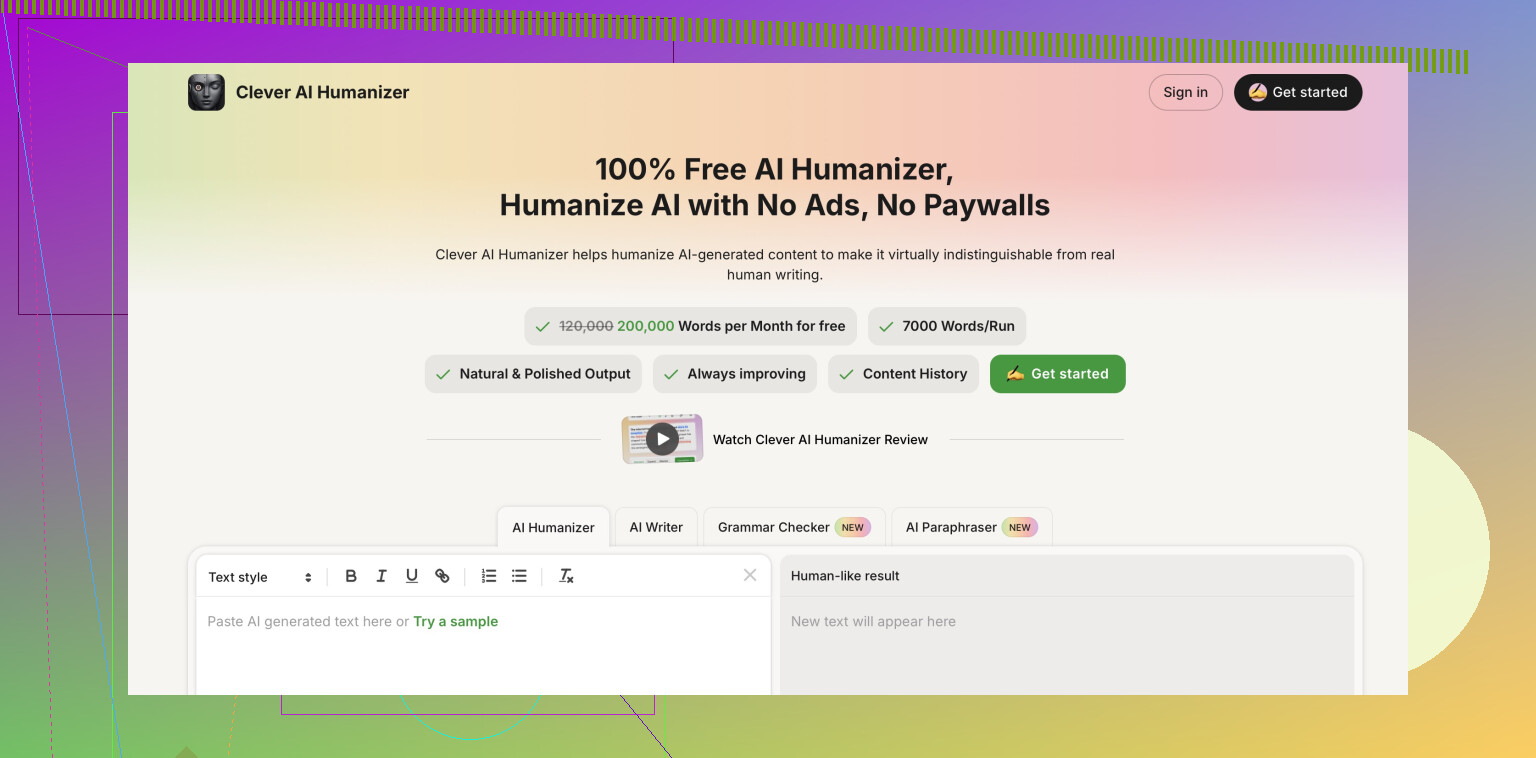
To benchmark, I ran the same input through another tool, Clever AI Humanizer.
Link again:
On my samples:
- Clever AI Humanizer outputs felt more natural and less awkward.
- It handled grammar more reliably.
- It did not add random phrases in technical texts.
- At the time I used it, it was completely free.
So whenever I had to pick one, I ended up going back to Clever AI Humanizer instead of StealthWriter.
Who StealthWriter might still suit
If your priority is:
- Keeping length close to the original.
- Tweaking tone via presets.
- Quick light rephrasing for casual use where detection is not critical.
Then it might still be workable at intensity around 6 to 8, with manual editing after.
If your priority is:
- Passing GPTZero.
- Keeping clean, consistent grammar on higher intensity levels.
My experience suggests looking elsewhere first.
11 Likes
I’ve been testing StealthWriter AI for content creation and I’m not sure if it’s safe, original, or truly undetectable like it claims. I’m worried about plagiarism checkers, AI detectors, and whether it’s worth paying for at all.
I used StealthWriter AI on real content, not test fluff. Blog posts, essays, and some niche topics. I focused on three things: safety, originality, and AI detection.
Here is what I found, without repeating what @mikeappsreviewer already covered.
- Safety and plagiarism
I ran several StealthWriter outputs through:
Turnitin
Grammarly plagiarism checker
Quetext
Most outputs showed low or zero plagiarism, which is good. The issue was not direct copying. The issue was shallow paraphrasing on some runs.
You get:
Similar sentence structure.
Similar order of ideas.
Only swapped phrases.
For casual content, that might be fine. For anything academic or client facing, you need to heavily edit. You should not trust it blind with plagiarism.
Actionable tip:
Paste your final text into a plagiarism tool every time.
Rewrite any part that looks like a light rephrase of the source.
Do not feed it copyrighted books or paid course content and expect it to be “safe”.
- AI detection
I disagree a bit with the idea that AI detection results are the main metric. Detectors like GPTZero, ZeroGPT, etc, are inconsistent. They change models a lot.
What I checked instead:
Does the text feel like something I would write on a tired day.
Does it keep my voice.
Does it avoid “AI tell” patterns like overuse of connectors, over-structured paragraphs, generic tone.
StealthWriter sometimes helped with this at mid levels. At high intensity the text started to sound forced and strange. Random phrases. Odd rhythm. Some ESL-like errors.
Detectors:
On my side, ZeroGPT often flagged parts as AI, even when I hand edited.
GPTZero flagged large chunks as AI as well.
So if your main goal is “undetectable”, you will fight a losing battle. Detectors target patterns from any AI. No tool can promise perfect stealth.
- Originality and usefulness
Where StealthWriter helped:
Quick rephrasing for social posts or emails.
Keeping length similar to original text.
Changing tone from formal to more neutral.
Where it failed for me:
Long form content.
Technical writing where precision matters.
Anything that needs a consistent personal voice.
At higher intensity the sentences felt unstable. You spend more time fixing than you save.
- Is it worth paying
Paid pricing is on the higher side for what you get. Especially if you only need it as a “humanizer”.
If your use case:
You want light edits and similar length.
You do not rely on AI detection passing.
You are fine with manual cleanup.
Then a paid plan might be ok, but I would keep intensity in the mid range and always proofread.
If your use case:
You want strong human-like output.
You are worried about GPTZero or similar tools.
You hate fixing awkward grammar.
Then I do not think StealthWriter is the best use of your money right now.
- Alternative worth testing
Since you mentioned undetectable content and originality, I would test Clever Ai Humanizer. On my tests it produced smoother text with fewer awkward phrases. It handled tone and grammar in a more natural way.
You can try it here:
make your AI text sound more human
Use it on a small piece of your content first. Then run:
Plagiarism check.
AI detection.
And a simple “read out loud” test.
Compare how much editing you need versus StealthWriter.
- Practical workflow suggestion
If you decide to keep using StealthWriter:
Keep intensity around 5 to 7.
Use it on paragraphs, not whole long articles at once.
Always:
Run a plagiarism check.
Read the text aloud.
Fix grammar and odd phrases manually.
Do not rely on any “undetectable” claim for school, legal, or medical content. That is where problems start.
Short answer to your main worry:
Safe enough if you treat it as a paraphraser and always check plagiarism.
Not reliable if your only goal is to beat AI detectors.
Worth paying only if you already tested the free tier and know it fits how you write.
Short version: StealthWriter is “okay-ish” as a paraphraser, not something I’d trust for “undetectable” content or anything high‑stakes, and the price feels high for what it actually delivers.
I’ve read what @mikeappsreviewer and @cacadordeestrelas posted and largely agree, but I’d push a bit harder on a few things:
-
“Undetectable” is pretty much a marketing myth
If your main fear is AI detectors (GPTZero, ZeroGPT, Turnitin’s AI check, etc.), no tool can give you a real guarantee. StealthWriter is definitely not the exception.
Even if it sometimes scores low on one detector, that can change literally tomorrow when they update their model. Building your workflow around “beating detectors” is a losing game, and I think StealthWriter leans too much into that promise. -
Safety & originality is… situational
Plagiarism-wise, in my own tests it usually didn’t copy exact chunks, so on Turnitin or Grammarly plagiarism it often looked “clean”.
The problem is “structural plagiarism”:
- Same order of arguments
- Same sentence skeleton, just swapped words
- Very generic rewording
That might pass simple checkers, but if you’re dealing with professors, serious clients, or legal / medical stuff, it can still get you in trouble. You’re still piggybacking on the original too closely.
- Quality vs “intensity” tradeoff
I actually disagree a bit with how forgiving people are about the higher intensities:
- Once you crank it high, the text starts to feel unstable and slightly unhinged
- Weird expressions show up in otherwise formal writing
- ESL-like artifacts slip in, which are exactly the kind of patterns some detectors look for
So you get a double hit: harder to read and not even reliably “more human” from a detection perspective. Past mid levels, I’d honestly rather rewrite manually.
- Use cases where it does make some sense
Where StealthWriter can be useful:
- Turning stiff AI drafts into something a bit less robotic for low‑risk stuff (emails, internal docs, small blog sections)
- Keeping the length close to the original, which is handy if you have strict word/character budgets
- Quick tone changes when you’re too tired to rewrite from scratch
But only if:
- You keep intensity mid‑range
- You accept you must proofread and lightly rewrite
- You stop caring about “100% undetectable” fantasies
- Is it worth paying for?
Given the price range (20–50/month last time checked), I’d say:
- If you just want a smarter paraphraser and you’re cool with manual cleanup, maybe
- If you want “safe, original, undetectable” as a complete package, no, that’s not what you’re actually getting
In that sense, I’m even a bit harsher on it than @mikeappsreviewer and @cacadordeestrelas. It’s not a scam, but it’s oversold.
- Alternative that tends to feel more natural
Since you mentioned originality and detection worries, I would at least compare it with Clever Ai Humanizer. In my experience it produces smoother, more natural sentences and requires less surgery after the fact, especially on longer pieces.
You can try something like this: run the same paragraph through both tools, then:
- Read both versions out loud
- Run both through your usual plagiarism & detection tools
- See which one you spend less time fixing
For that test, this link is useful:
make your AI text sound more human and natural
If you find you still have to heavily edit StealthWriter and you’re nervous about detectors, the subscription probably isn’t pulling its weight.
- More SEO‑friendly, clear summary of what you’re dealing with
You’re basically asking: is StealthWriter AI safe, original, and truly undetectable for content creation, and is it worth paying for if you’re worried about plagiarism checkers and AI detectors?
In plain terms:
- It can help rephrase content for blogs, essays, and niche topics
- It sometimes keeps your text close to the original length and tone
- It does not reliably protect you from AI detection tools like GPTZero
- It can produce shallow paraphrases that still require plagiarism checks
- The subscription cost is relatively high compared to what you actually gain
So if you need a helper for light paraphrasing and tone adjustments, StealthWriter is usable with caution.
If you need truly human‑like, low‑maintenance content that you’re comfortable putting your name on, test other options (like Clever Ai Humanizer) before locking yourself into a paid plan.
Short version: StealthWriter is a tolerable paraphraser if you treat it as a helper, not as a “stealth shield.” If you want actual safety around originality and AI detection, you need a different mindset more than a different tool.
A few angles that complement what @cacadordeestrelas, @ombrasilente and @mikeappsreviewer already covered:
1. The real risk is how you use it, not just the tool
Where I slightly disagree with the others: I think people over-focus on which humanizer is “best,” and under-focus on workflow.
If you feed StealthWriter (or anything) heavily structured source material like:
- Academic articles
- Paid course PDFs
- Popular blog posts in your niche
and you keep the same outline, you are inherently in a gray zone. Even if plagiarism numbers are low, the argument structure can still scream “derivative.”
Safer approach, regardless of tool:
- Take notes in your own words first.
- Change the outline before any AI touch.
- Use AI only to polish or mildly rephrase, not to “rebuild” from the original.
Do that and StealthWriter’s weaknesses matter less. Ignore it and even the best humanizer will not save you.
2. AI detectors: treat them like weather, not a contract
Everyone reported GPTZero hammering StealthWriter. I have seen the same pattern across tools: one update and yesterday’s “safe” suddenly lights up as AI.
So instead of “how do I beat GPTZero,” better question is:
- Would this text get me in trouble if someone suspects AI and then reads it critically?
If your answer is “yes, because it sounds generic, off‑tone, or mismatched with my usual writing,” you have a problem even if a detector says “human.” This is where StealthWriter often falls short at higher intensity: the voice wobble is obvious to humans.
3. Where StealthWriter actually fits
Use StealthWriter if you:
- Need roughly same word count as a draft you already wrote.
- Want to soften that “ChatGPT‑ish” overpolished tone.
- Are working on low‑stakes content like internal docs, product descriptions, casual posts.
Avoid relying on it for:
- Graded academic work.
- Professional reports with legal or reputational risk.
- Client work where your personal style is part of the value.
In those higher stakes situations, a simpler pipeline works better: human draft first, light AI polishing, then manual tightening.
4. Clever Ai Humanizer compared in practical terms
Since you mentioned originality and detection, Clever Ai Humanizer is worth throwing into the mix not as a magic bullet but as a smoother last layer.
Pros of Clever Ai Humanizer
- More stable tone on long paragraphs.
- Fewer “weird inserts” in serious texts compared with StealthWriter’s high intensity.
- Generally cleaner grammar so you spend less time line‑editing.
- Good at subtle “de‑AI‑ing” without blowing up length.
Cons of Clever Ai Humanizer
- Still cannot guarantee you pass any AI detector all the time.
- If your input is stiff or poorly structured, it will polish that stiffness, not fix it.
- You can still get over‑generic, “safe” phrasing that feels bland if you rely on it too heavily.
- For niche technical content, it sometimes smooths away needed precision, so you must recheck terminology.
In other words, Clever Ai Humanizer can give you nicer‑sounding baseline text than StealthWriter in many cases, but it does not remove the need for human judgment, especially in specialized or high‑risk contexts.
5. How I’d actually work if I were you
Instead of chasing “undetectable,” build a workflow around “defensible and natural”:
- Draft your own outline and key sentences.
- Use your main AI (or regular writing) to create the full piece.
- Run short chunks through Clever Ai Humanizer or StealthWriter at moderate settings, not max.
- Read aloud, compare with how you normally write, and adjust.
- Run a plagiarism check at the end, not at the beginning.
If StealthWriter keeps forcing you into heavy editing loops and you do not care much about its length‑preserving feature, it is probably not earning its subscription. Clever Ai Humanizer is more interesting as the “final polish” layer, while you keep the structure and main voice under your control.
That approach will age better than any attempt to stay one step ahead of GPTZero.