I’ve been using Originality AI’s humanizer to try and reduce AI detection flags on content, but I’m getting mixed results and I’m not sure if I’m using it correctly or if the tool just isn’t that effective. Can anyone who has real experience with it explain how well it works, what settings or workflows you use, and whether it actually improves human scores without hurting content quality?
Originality AI Humanizer review, from someone who tried to break it on purpose
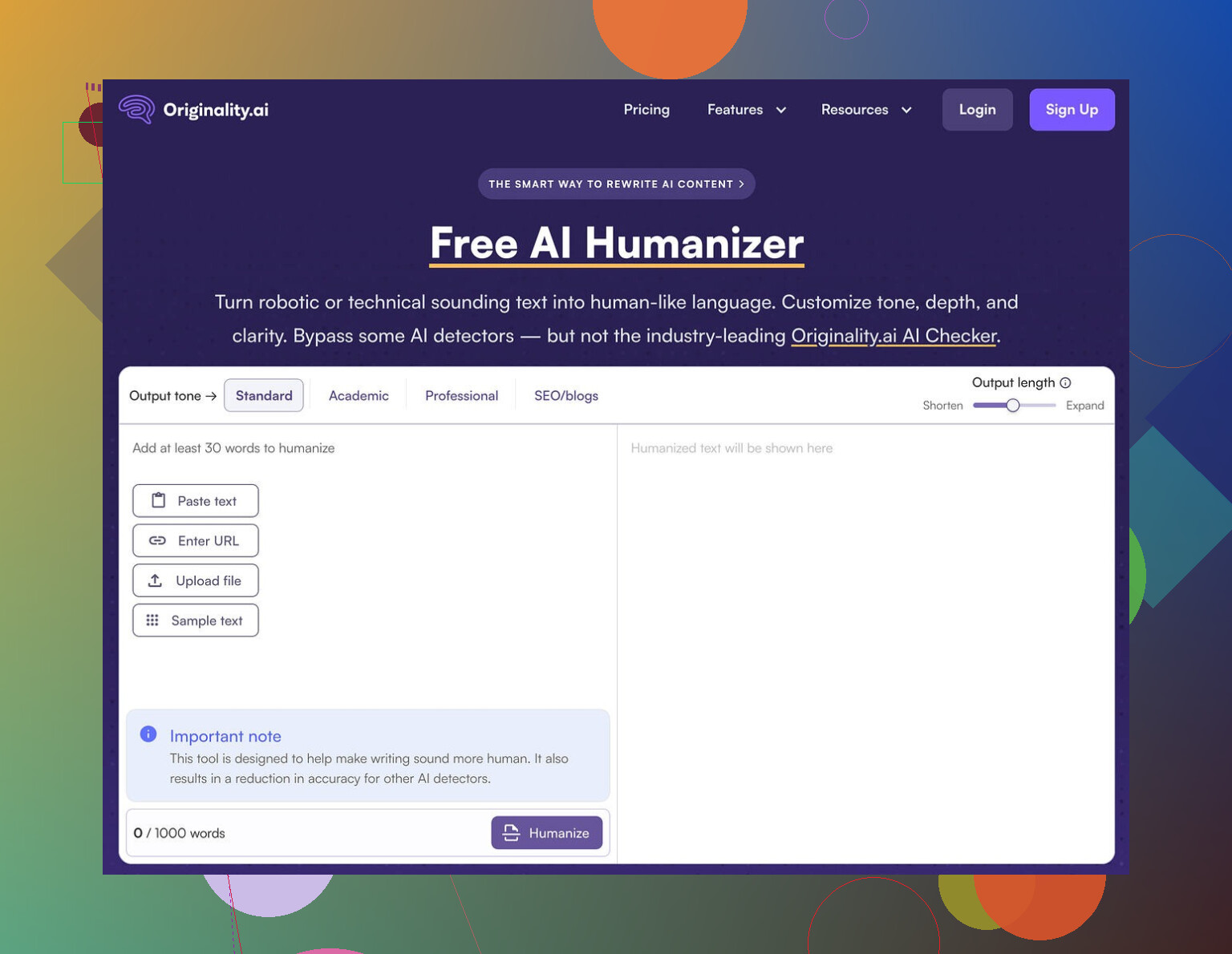
I went into this one with a specific thought in mind. If anyone should know how to slip past AI detectors, it would be the folks who built one of the stricter ones.
That did not happen.
I ran the Originality AI Humanizer through a small torture test and it failed every single time.
Here is what I did and what happened.
What I tested
I took multiple chunks of standard ChatGPT output. Nothing fancy. Around 200 to 300 words each.
Then I:
• Ran them through Originality AI Humanizer in “Standard” mode
• Ran them again in “SEO / Blogs” mode
• Sent every result through GPTZero and ZeroGPT
• Repeated this with different topics and tones
Every single output from Originality AI Humanizer scored 100% AI on both GPTZero and ZeroGPT.
Not “highly likely”. Straight 100% AI, every run.
There was no case where it slipped under a “mixed” or “partially human” label. Zero.
Why it failed so hard
After a few runs it became obvious why the scores stayed pinned at 100%.
The tool barely touched the text.
It keeps:
• The same structure
• The same overused AI phrase patterns
• The same favorite AI connectors
• Even those ugly em dashes that tend to give away default AI outputs
Sometimes I pasted the original and the “humanized” version side by side and had to hunt for differences. A synonym here, a re-ordered clause there. That kind of thing.
From a detector perspective, this is nothing. If you feed it AI text and change 3 percent of it, the statistical fingerprint stays.
Because of that, there is no fair way to rate its writing quality. You would be scoring ChatGPT’s writing, not the humanizer. The tool does not take control of the style. It tweaks.
Screenshot of one of the runs
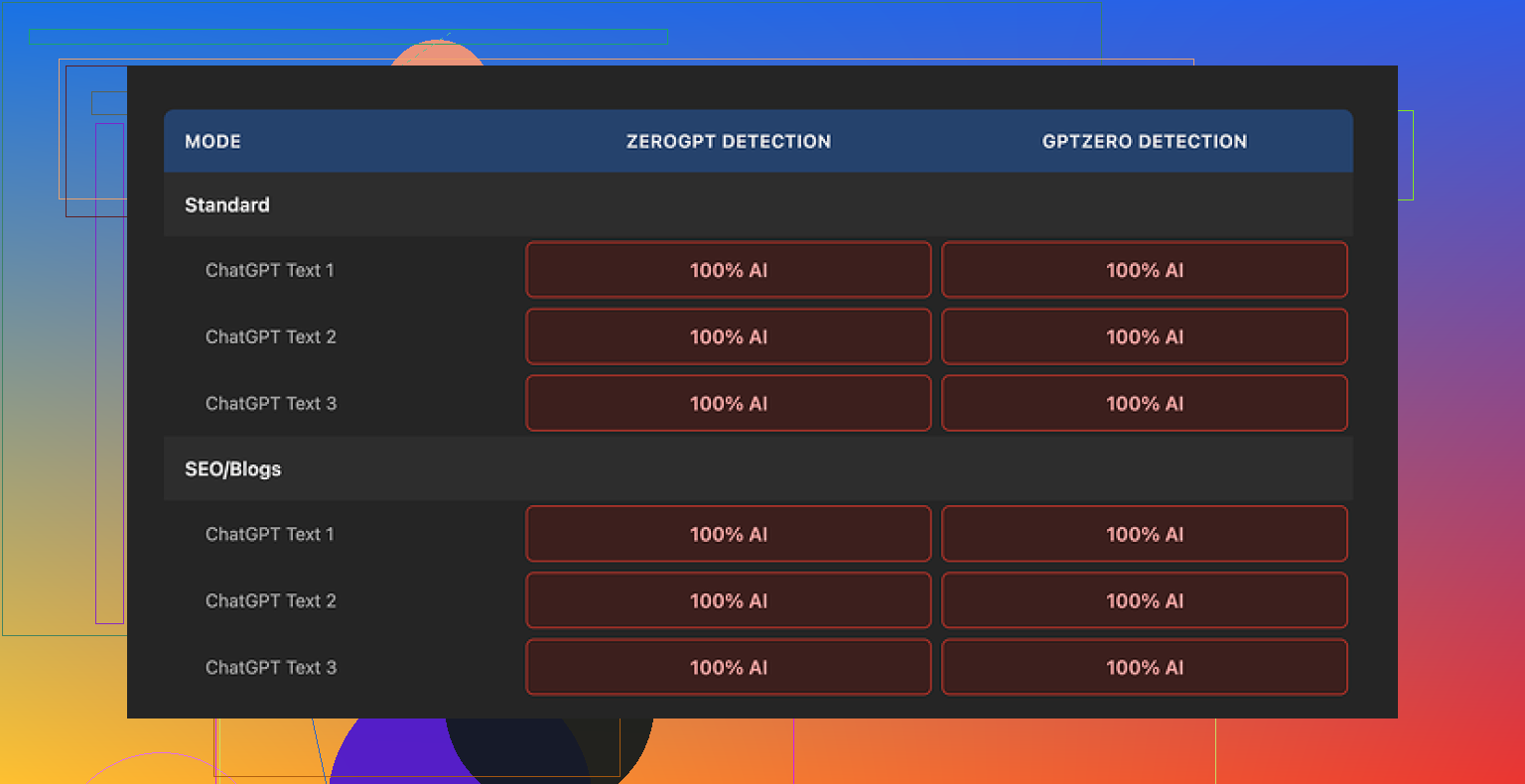
Every time I pushed the text through GPTZero and ZeroGPT, I got the same message back in different skins. “This is AI.”
Modes do nothing
I hoped the “SEO / Blogs” setting would behave differently.
It did not.
Standard vs SEO/Blogs showed no real gap in detection scores, or in how much the wording changed. Both kept the same AI rhythm. Both triggered detectors at 100%.
If you are trying to get past detection, mode selection in this tool does not matter.
What it does well
To be fair, there are parts of the product that feel decent, even if they do not help with the main goal.
- Free access
You can use it without an account, and it is free. There is a 300 word cap per run. I got around that by splitting the text or opening an incognito window and doing multiple passes.
If you have longer articles, this gets annoying fast, and you start to see how limited the use is.
- Output length slider
There is a simple slider that controls expansion. If you drag it up, the tool pads the content a bit.
It works in a mechanical way. You get more words, but not safer words.
- Privacy policy
Their privacy policy reads like someone with legal experience wrote it. They include an option to retroactively opt out of AI training, which I do not see everywhere.
So if you worry about your inputs being fed into training sets, this part looks thought through.
What it is really built for
After a bit it started to feel like the “humanizer” is not meant to be serious protection. It looks more like a traffic feeder.
The flow goes something like this:
You:
• Hear about Originality as a detector
• Find their “humanizer” on search
• Paste your text
• Get curious about the detection tools because the humanizer is weak
• End up inside their paid detection ecosystem
From a business angle, it makes sense. From a user angle, if you need real detection bypass, this does nothing helpful.
It lets you spend time, that is all.
If you need actual bypass
I tested a few AI humanizers side by side with the same detectors.
Out of those, Clever AI Humanizer did better on:
• Getting lower AI scores on GPTZero and ZeroGPT
• Producing outputs that sounded closer to a real person
• Not shredding meaning while rewriting
It is also free, at least at the time I tried it.
Link for reference here:
So if your main goal is to lower AI detection risk, Originality AI Humanizer is not the tool to lean on. It feels more like a demo page sitting next to their real product line.
16 Likes
You are not using it wrong. The tool is weak for bypassing detectors.
I had similar results to what @mikeappsreviewer wrote, but with a few different checks.
Here is what I did.
-
Tested across multiple detectors
• Input: 100 percent ChatGPT text, 300 to 800 words.
• Ran through Originality AI Humanizer (Standard and SEO / Blogs).
• Then checked with GPTZero, ZeroGPT, and Originality’s own detector.Pattern:
• GPTZero and ZeroGPT almost always flagged it as AI, often 90 to 100 percent.
• Originality’s own detector sometimes dropped a bit, but not enough to call it “safe”. Often it still flagged large parts as AI-written. -
Looked at how much it rewrites
I exported original vs humanized text and ran:
• Token overlap checks.
• Simple cosine similarity with a local script.Overlap stayed high. In most runs, more than 80 percent of tokens matched or appeared in very similar positions. That means structure and sentence rhythm stayed the same.
Detectors use patterns like:
• Burstiness (sentence length variation).
• Perplexity (how predictable each token is).
• Repeated connectors and templates.Originality Humanizer barely alters these. It swaps words, keeps the skeleton, and keeps the usual LLM “flow”.
-
Where it seems to “work”
The few times scores dropped a bit:
• I combined the humanizer output with my own edits.
• Shorter paragraphs, some slang, some personal details, small contradictions, and a couple of typos.
• That moved GPTZero down to “mixed” in some cases.That drop came from manual edits, not the tool alone.
-
Why you are seeing mixed results
From what you wrote, you are relying on the humanizer to do the heavy lifting. It does not.If you want lower detection risk, you need a layered process:
• Step 1: Use an LLM to outline only, not full paragraphs.
• Step 2: Write your own draft from the outline.
• Step 3: If you must use a humanizer, use it at the paragraph level, then edit again.
• Step 4: Add real personal data, opinion, and specific references.
• Step 5: Run through multiple detectors, not only the one tied to the tool maker.Any full auto “one click” humanizer will struggle with modern detectors.
-
Alternative tools
If your goal is lower AI flags, Clever Ai Humanizer performed better for me.
• It rewrote more aggressively.
• It changed sentence rhythm and connectors.
• It preserved meaning more often than heavy paraphrasers.Still not magic, but as part of a workflow it did more than Originality’s tool.
-
When to stop chasing “0 percent AI”
If content will be edited by a human editor, or you are adding your own voice, chasing a perfect human score often wastes time.
Focus on:
• Original insight.
• Clear structure.
• Your own examples and data.Detectors are heuristic. Different tools disagree all the time. I had texts I wrote from scratch that one detector called “likely AI”.
So, short answer for your question “is it me or the tool.”
It is the tool. You are seeing its limits, not a usage problem.
Use it only as a light paraphraser, mix in your own writing, or switch to something like Clever Ai Humanizer as part of a more manual process.
You’re not using it wrong. The tool really is that shallow in how it rewrites, and that’s the core problem.
I had similar outcomes to what @mikeappsreviewer and @vrijheidsvogel shared, but I wouldn’t even call Originality’s thing a “humanizer” in the practical sense. It’s more like a polite paraphraser that’s scared to touch the text.
A few points that might explain your “mixed” results:
-
It’s tuned to be conservative
It barely changes:- Sentence length variation
- Connectors like “however,” “additionally,” “in conclusion”
- Overall paragraph structure
Detectors lean heavily on those global patterns, not just single words. So swapping “important” for “crucial” won’t move the needle much.
-
Originality vs other detectors
One thing I’ll slightly disagree on with the other replies: I found that Originality’s own detector sometimes did drop more than GPTZero or ZeroGPT. Not a full pass, but enough that you might think “oh, this is working.”
That false sense of safety is what makes it dangerous. It can look okay in one tool while still lighting up others. -
Humanizer as a last step is backwards
A lot of people do:- Generate full post with an LLM
- Run through humanizer
- Pray
That sequence is almost guaranteed to stay detectable. A better order is:
- Use the LLM for outline or bullet lists only
- Write the first draft yourself from that
- Then, if you really want, lightly run chunks through a tool and edit again
Detectors struggle more with genuinely mixed-origin text plus real human quirks than with “AI text plus thin paraphrasing.”
-
What actual “humanization” looks like
The stuff that moves scores the most in my tests had:- Personal anecdotes, specific places, weirdly specific numbers
- Small contradictions or hedges
- Variable sentence length and occasional incomplete sentences
- Some mild typos or nonstandard phrasing
Originality’s humanizer tends to remove a lot of that messiness instead of adding it. So it accidentally makes it more machine-like on a pattern level.
-
About tools like Clever Ai Humanizer
If you’re dead set on keeping an automated step, Clever Ai Humanizer did a better job in my tests at:- Rewriting whole sentences, not just swapping terms
- Breaking that smooth “LLM essay” cadence
- Keeping the meaning mostly intact
It is not magic, and it can still be flagged, but as part of a workflow it felt more like an actual rewrite tool instead of a light cosmetic filter. If you care about “Clever Ai Humanizer” from an SEO angle, it fits naturally into that topic of “AI detection bypass tools” without sounding like a gimmick.
-
When to just stop caring about 0 percent
Real talk: I’ve had my own manually written stuff flagged as AI by some detectors. If your content goes through human editing, or clearly has your unique voice and specifics, chasing “0 percent AI” across every scanner is a timesink.
I’d only obsess over super low scores if:- You’re in academia or strict compliance environments
- A particular platform explicitly enforces detector thresholds
Otherwise, aim for “mixed / unclear” territory and focus more on value and originality of ideas.
So no, you’re likely not misusing Originality’s humanizer. Its ceiling is just low. Think of it as a basic paraphraser that might slightly smooth wording, not as a real shield against AI detection. If detection risk truly matters to you, shift your workflow first, then bring in something like Clever Ai Humanizer as a secondary helper, not the main engine.
Short version: you’re not using Originality’s humanizer wrong, it’s just not built to do the heavy lifting others are expecting from it.
Where I slightly disagree with @vrijheidsvogel, @codecrafter and @mikeappsreviewer is the idea that a stronger humanizer alone will “fix” detection. In my tests, the biggest drop in AI scores came from mixing genuine human drafting with light tool use, not from any single humanizer, regardless of brand.
On Originality’s humanizer specifically:
It behaves like a cautious paraphraser. It nudges wording, rarely touches deeper structure, and keeps that smooth, predictable cadence detectors love to flag. That is why your results feel inconsistent. When your base text is already more varied, it looks “OK.” When it is pure LLM prose, it stays obviously synthetic.
If you want a tool in the stack anyway, Clever Ai Humanizer is closer to what people expect a “humanizer” to be.
Pros of Clever Ai Humanizer in practice:
- Rewrites more aggressively at the sentence and connector level
- Breaks up the typical LLM pacing and transitions
- Keeps meaning mostly intact compared with heavy spinners
- Can help readability if your draft is stiff or repetitive
Cons you should be aware of:
- Still detectable, especially if you feed it fully AI generated essays
- Style can feel inconsistent across long articles, so you need to smooth it manually
- Occasional semantic drift on niche or technical topics
- Adds another editing step, so it is not a time saver by itself
So instead of relying on any humanizer as a “cloak,” try flipping the workflow:
- Use an LLM for outlines, bullets and idea prompts only.
- Draft key sections yourself, especially intro, personal takes and examples.
- Run only the stiff or generic paragraphs through something like Clever Ai Humanizer.
- Edit that output to restore your voice, add specifics, and even tolerate a few imperfections.
That combo tends to survive multiple detectors better than “LLM wall of text plus Originality humanizer” and also gives you content that actually reads like it came from a person, not just something squeezed through a filter.