I’ve been using NoteGPT’s AI Humanizer to rewrite some of my AI-generated content so it sounds more natural and less robotic, but I’m not sure if it’s actually helping with authenticity or hurting my SEO. Can anyone share real-world experiences, pros and cons, and tips for getting the best results from NoteGPT’s AI Humanizer for blog posts and web content?
NoteGPT AI Humanizer review, from someone who tried to break it on purpose
NoteGPT AI Humanizer Review
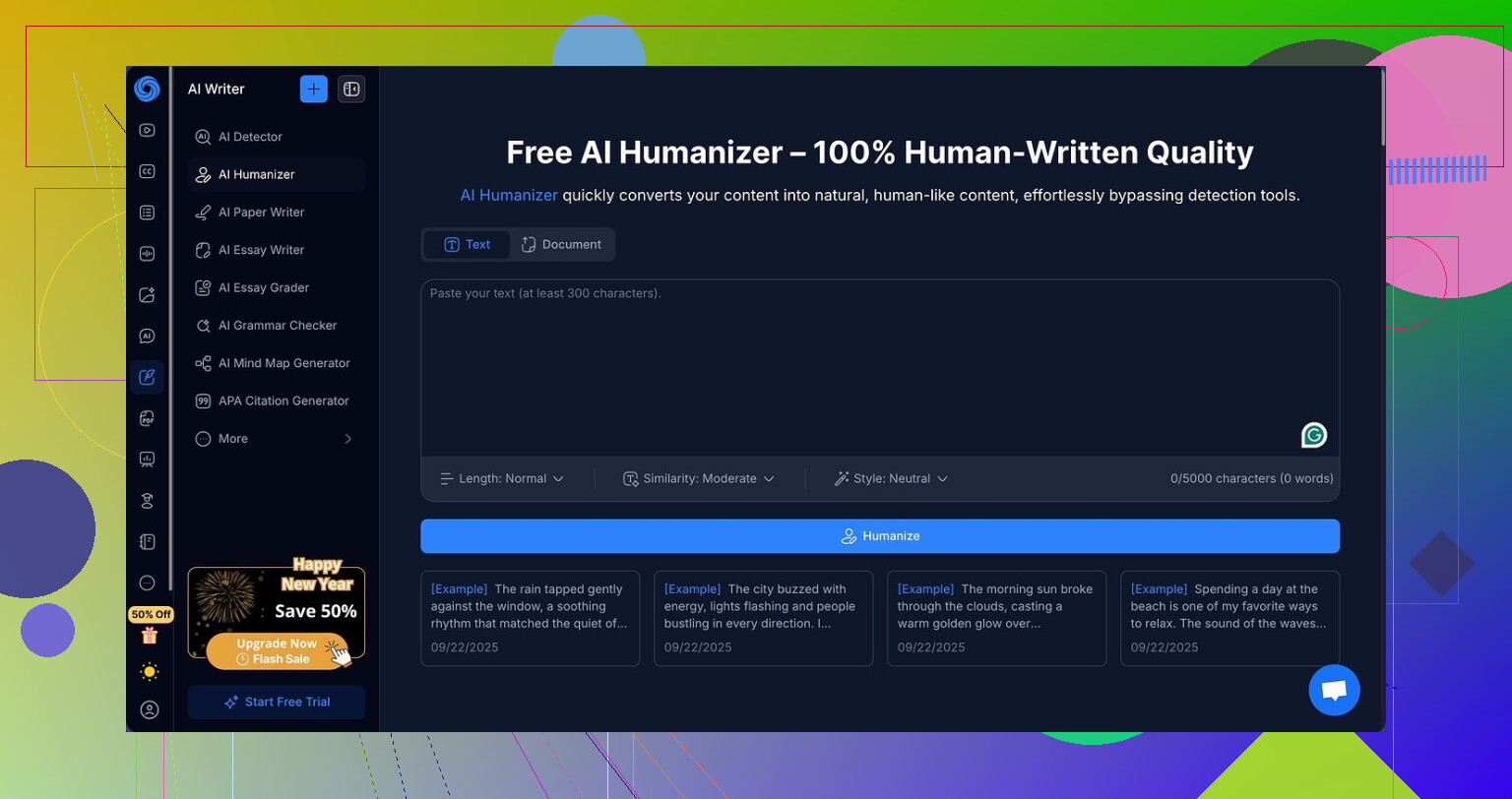
I went into NoteGPT through the side door. It sells itself as a study and research helper, not as an AI detector evasion tool, so I was curious how the “AI humanizer” part would hold up under pressure.
I used this page as my starting point:
https://cleverhumanizer.ai/community/t/notegpt-ai-humanizer-review-with-ai-detection-proof/35
Here is what I found after a few runs and some stubborn testing.
NoteGPT as a product, before the humanizer part
The rest of the tool is aimed at students and researchers. Think:
- YouTube auto summaries
- PDF analysis with Q&A
- Structured note taking tied to content
Those parts felt polished. If your life is mostly lectures, long videos, and academic PDFs, the feature mix makes sense.
The problem starts when you try to use it as a “make this look human” tool.
What the AI humanizer promises on paper
The humanizer has a bunch of knobs:
- Three output lengths
- Three “similarity” levels to the original
- Eight writing styles
The UI suggests you will get a lot of control. I tried to push those settings to see if they move the needle on AI detection at all.
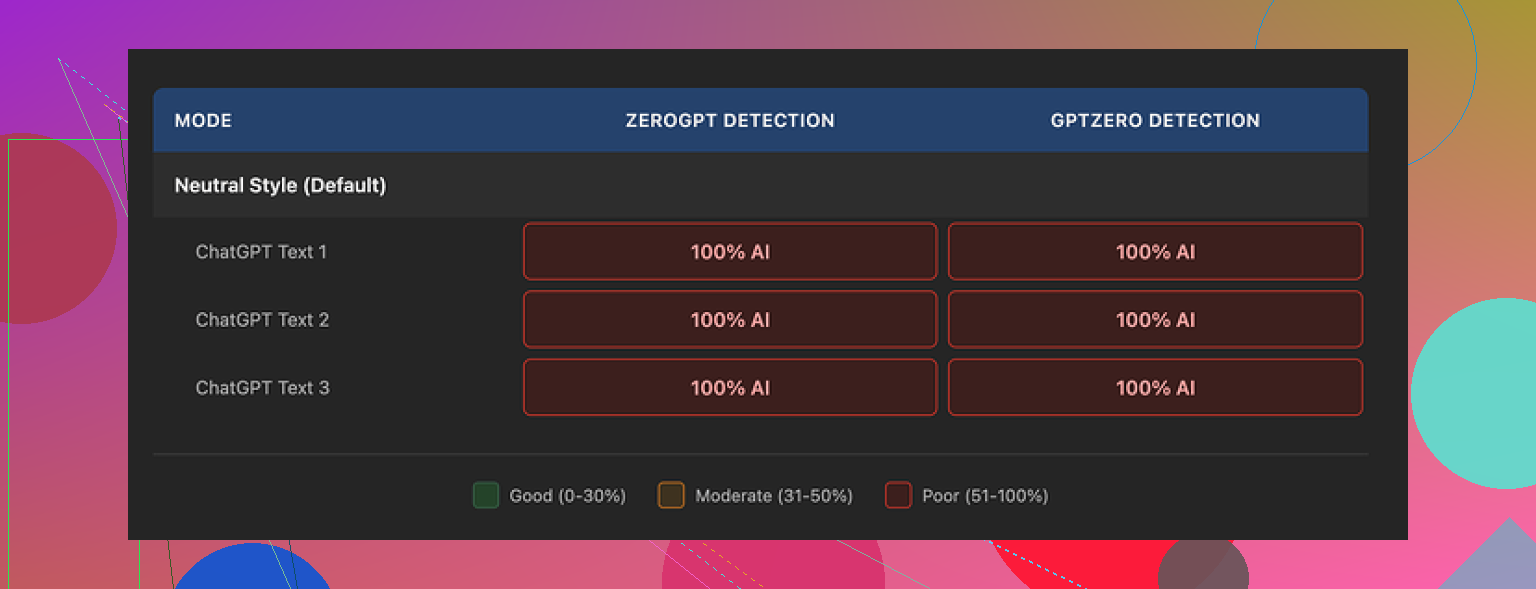
Here is the second screenshot they show:
How I tested it
I took several AI-generated samples, then:
- Ran each through NoteGPT with different output lengths
- Switched similarity from low to medium to high
- Rotated all eight writing styles
- Kept the prompts simple: “humanize this text” style usage, which is what most people do anyway
Then I fed every output into two separate detectors:
- GPTZero
- ZeroGPT
I expected at least some partial drop, even small ones, on some combinations.
Detection results, blunt version
Every single NoteGPT output showed as 100% AI on both GPTZero and ZeroGPT.
Not 96%.
Not 82%.
100%.
Changing length did nothing.
Changing similarity did nothing.
Changing writing style did nothing.
There was no case where the detection score moved down by even 1 percentage point. For a tool that markets “AI humanization” as a feature, that is rough.
Quality of the writing itself
Here is the annoying part. The text reads fine.
I would rate it around 8 out of 10 for quality:
- Sentences are clean and easy to follow
- Structure is logical
- No random weird phrases
- No “AI glitch” wording that you sometimes see from weaker models
You also get a color-coded editing view. It shows you, line by line, what changed between your input and the output. That part is useful if you want to learn how it rewrites or if you want to quickly eyeball the differences.
So the tool is modifying the content. It is not parroting the input text. It is just not modifying it in the way detectors punish.
Why detectors keep catching it
From what I saw, a few patterns probably hurt it:
- It keeps a lot of formal structure in place
- It preserves em dashes everywhere, across samples
- Sentence rhythm stays smooth and uniform
Detectors tend to latch on to consistent rhythm and certain punctuation patterns. Leaving those untouched does not help.
NoteGPT seems tuned for “good looking” text, not for “messy human” output. Detectors do not care about pretty paragraphs. They look for statistical patterns, and NoteGPT leaves too many of those intact.
Pricing vs outcome
Their Unlimited plan, billed annually, lands around 14.50 dollars per month.
If you:
- Want AI-assisted notes
- Need YouTube and PDF support
- Do not depend on beating AI detectors
then the price might line up with your workflow.
If your main goal is humanization that slips past detection, paying that amount for a tool that hit zero successful bypasses in my tests feels hard to defend.
What I used as a comparison
To keep myself honest, I tried a different humanizer on the same sort of inputs, same detectors, same day.
Using Clever AI Humanizer here:
https://cleverhumanizer.ai/community/t/notegpt-ai-humanizer-review-with-ai-detection-proof/35
Its outputs looked more like how I and my coworkers write when we are tired and answering messages fast.
On GPTZero and ZeroGPT, those texts scored lower on AI detection and felt more natural to read. No subscription hit, either, which makes the contrast harsher.
Who NoteGPT’s humanizer is for, realistically
After a handful of passes, I ended up here:
- If your priority is better wording, good structure, and quick rewrites for your own notes or reports, the humanizer is fine.
- If your priority is slipping past AI detectors in a reliable way, it misses the mark. Badly.
So I still use NoteGPT-style tools for summarizing videos and chewing through PDFs. For “make this look like a person typed it” with some chance of passing detectors, I switched to other options and kept NoteGPT parked on the productivity shelf instead of the “AI masking” shelf.
13 Likes
Short version. For authenticity and SEO, NoteGPT’s humanizer is fine as a light editor, weak as a “hide the AI” layer.
Some practical points from what you are asking about.
- Authenticity and “human feel”
If your baseline text is AI written, NoteGPT tends to:
• Keep the same structure.
• Keep the same rhythm.
• Clean up wording, not change the voice.
So your content reads smoother, but it still feels like “polished AI” more than “messy human”. That matches a lot of what @mikeappsreviewer saw, I just do not think that is always bad. For brand blogs or documentation, that neutral voice is sometimes what you want.
If you want more human voice:
• Add your own short stories, examples, or opinions after the humanizer output.
• Insert a few short, blunt sentences.
• Ask it to rewrite only sections, not the whole article, so your own voice stays on key parts.
- SEO impact
The biggest SEO risks are:
• Over rewriting so your own voice disappears across the site.
• Producing text that looks like generic AI at scale.
• Thinning content by compressing too much.
Google cares about:
• Usefulness.
• Originality of ideas.
• Author signals and real expertise.
What I would do with NoteGPT:
• Use it for line edits, not full rewrites. Keep your structure and examples.
• Do not run the same “rewrite everything” pattern on hundreds of pages.
• Keep author boxes, internal links, screenshots, and data unique to you.
If your rankings did not drop after you started using it, you are probably fine. Check:
• Search Console for any “Low value content” or traffic drops by URL.
• A few key articles in a plagiarism checker to ensure you are not getting overlaps with other sites.
- AI detection and risk
Detectors are noisy and not used directly for ranking, but they are used by:
• Clients.
• Editors.
• Some platforms that flag AI heavy content.
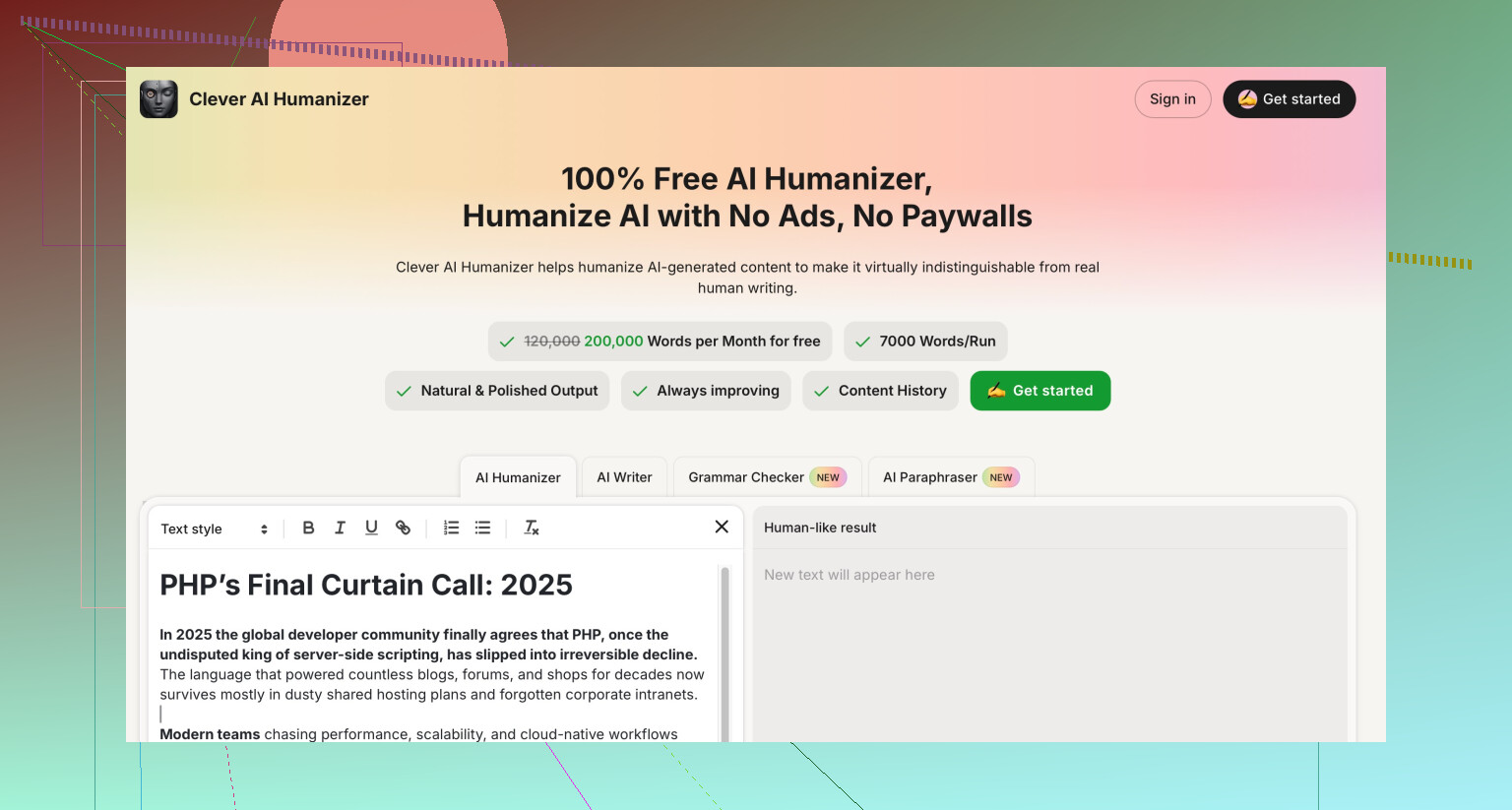
NoteGPT text often triggers detectors because it keeps clean rhythm and structure. If you ever need lower detection scores and more “human messiness”, tools like Clever AI Humanizer tend to inject more variation in sentence length and word choice. That helps a bit with detectors and also gives a more “typed by a person at 11 PM” feel.
- How to use NoteGPT without hurting SEO
Concrete workflow you can try:
• Step 1. Write your draft with AI or yourself.
• Step 2. Run only small chunks that sound stiff through NoteGPT on higher similarity. Avoid changing headings and your examples.
• Step 3. Add at least one original point, story, or data point per section in your own words.
• Step 4. Keep your internal linking, images, and formatting manual.
• Step 5. Track a few URLs in Search Console before and after you change them.
If you need stronger humanization, keep NoteGPT for summaries and notes, and test Clever AI Humanizer on one or two articles. Compare:
• Time on page in Analytics.
• Scroll depth.
• Reader feedback or client comments.
That data will tell you more than any detector.
Short version: NoteGPT is fine for cleanup, not great as an “authenticity” or SEO shield.
Couple of angles that @mikeappsreviewer and @cacadordeestrelas already covered, but from my side:
- Authenticity
If your starting text is already AI written, running it through NoteGPT is basically AI polishing AI. That usually makes it:
- Cleaner
- More consistent
- Less obviously clunky
It does not magically inject your lived experience, opinions, or actual expertise. So in terms of authenticity, it helps with readability, not with “this sounds like a real person who actually did the thing.”
If you want authenticity:
- Add 1 or 2 personal anecdotes per post in your own words
- Drop in specific details: dates, tools you used, real numbers, mini-fails
- Keep some “rough edges” instead of letting NoteGPT iron everything perfectly
- SEO impact
I’d push back a little on the idea that detection scores are the main worry. For SEO specifically, the bigger risks are:
-
Samey tone across the whole site
If every page gets run through the same humanizer pattern, you end up with a “house style” that feels generic. That can hurt user engagement metrics like time on page and scroll depth. -
Idea-level repetition
If the base AI content is derivative, no humanizer fixes that. Google cares more about whether you say something meaningfully different from the top 10 results than whether your sentences sound human. -
Over-optimization
Some rewrites smooth out natural phrasing and accidentally jam in extra keywords or awkward transitions. That can trigger “low value” vibes even if there is no direct AI penalty.
What actually helps SEO in this setup:
- Keep unique angles: your process, failures, comparisons, screenshots
- Use NoteGPT to tidy paragraphs, not to redesign the whole article
- Manually write intros and conclusions so your voice clearly shows up
- Detectors vs reality
The tests shared by the other two pretty much confirm what I have seen: NoteGPT outputs often still hit 100 percent on GPTZero / ZeroGPT. I would not obsess over that for SEO specifically, because:
- Google has repeatedly said they care about quality, not whether AI helped
- Detectors are noisy and easy to fool in both directions
Where it does matter:
- Clients that forbid AI
- Platforms that auto-flag “AI-like” content
If you are in those spaces and you actually need lower AI scores, Clever AI Humanizer is worth testing on a few URLs. It tends to add more variation in sentence length and word choice, which can:
- Feel more “typed by a human”
- Sometimes reduce detection scores a bit
I would still not turn it into a one-click “rewrite whole site” button though. Same risk: uniform voice and generic content.
- Practical approach that keeps you safe-ish
Instead of fully trusting NoteGPT with authenticity and SEO:
-
Use NoteGPT to:
- Fix stiff sections
- Clarify complex sentences
- Clean up grammar and flow
-
Use yourself to:
- Write hooks, opinions, verdicts
- Add original data, screenshots, quotes from your experience
- Decide what is worth publishing at all
-
Use something like Clever AI Humanizer only when:
- A client or platform is strict about AI
- A specific piece keeps getting flagged by detectors
- You are experimenting on 1–2 articles, not your full library
- How to know if it is “hurting” SEO in your case
Instead of guessing:
- Pick 5–10 URLs you edited with NoteGPT
- Compare their organic traffic and rankings in Search Console over 2–3 months
- Check if drop-offs correlate with the rewrite or with algo updates / competition
If traffic is stable or up, NoteGPT is not hurting you in any meaningful SEO way. If specific pages tank after heavy AI rewrites, that is your sign to pull back and add more real, firsthand value rather than switching to yet another humanizer and hoping it fixes thin content.
So: keep using NoteGPT as a line editor if it saves you time, but do not rely on it as your authenticity layer. Authenticity is you, not the tool. For stricter detection scenarios, Clever AI Humanizer is a decent extra option, but it is still just a band aid if the underlying content is cookie-cutter.