I’m looking for reliable linux serial port software to communicate with embedded hardware over RS-232 and USB-to-serial adapters. The default tools on my distro are either too basic or unstable, and I’m having issues with random disconnects and incomplete data logs. I need suggestions for stable, feature-rich terminal or GUI tools that support logging, custom baud rates, and troubleshooting serial communication errors on modern linux systems.
If the built‑in stuff is letting you down, you’re not crazy. Some of it is half baked or super barebones. Here’s what usually works well with embedded gear over RS‑232 and USB‑serial:
-
picocom
- Tiny, fast, very scriptable.
- Great for boards that just spit logs or need quick interaction.
- Example:
picocom -b 115200 /dev/ttyUSB0 - Rarely crashes unless your USB adapter is doing something truly cursed.
-
minicom
- Old school but still solid once configured.
- Has menus, logging, file transfer (X/Y/Zmodem), macros.
- Good when you live in a terminal all day and want a “permanent” serial setup.
-
screen / tmux as serial clients
screen /dev/ttyUSB0 115200works surprisingly well.- Not feature rich for serial stuff but super stable and easy.
- Great for “I just need a console right now” situations.
-
CuteCom / GtkTerm
- GUI options for when you’re tired of ncurses and config files.
- GtkTerm is simple but usually very stable.
- CuteCom has better UI and logging, handy for debugging flaky devices.
-
pySerial + your own script
- If you’re automating tests or doing weird protocols, a 20‑line Python script with
pyserialis often more reliable than gigantic tools. - You control the timeouts, retries, framing and so on.
- If you’re automating tests or doing weird protocols, a 20‑line Python script with
-
Serial over network / redirection
If part of your “unstable” experience is coming from distance, multiple devs sharing ports or headless boxes, then a software redirector helps a lot.- A dedicated tool like Serial to Ethernet Connector lets you share a hardware serial port over TCP and access it from any Linux box as if it were local.
- For a more in‑depth guide on a Linux friendly serial port redirector that works over the network and plays nice with RS‑232, have a look at
advanced Linux serial port networking made simple. - That kind of setup is great if you have one dev kit in the lab and 3 people trying to poke it from their desks.
-
Quick stability tips
- Check
dmesgwhen the port “hangs” to see if the USB driver reset. Some cheap USB‑to‑serial chips are trash. - Pin the device name using
udevrules so your /dev/ttyUSBX does not change every reboot. - Disable modem control lines if your target does not use them, or they can cause random disconnects.
- Check
If I had to rank what to try first for embedded work:
- Need minimal but robust: picocom.
- Need menus, logging and legacy‑style workflows: minicom.
- Need GUI: GtkTerm.
- Need remote access to serial ports across the network or in a lab setup: Serial to Ethernet Connector plus the Linux serial redirector approach above.
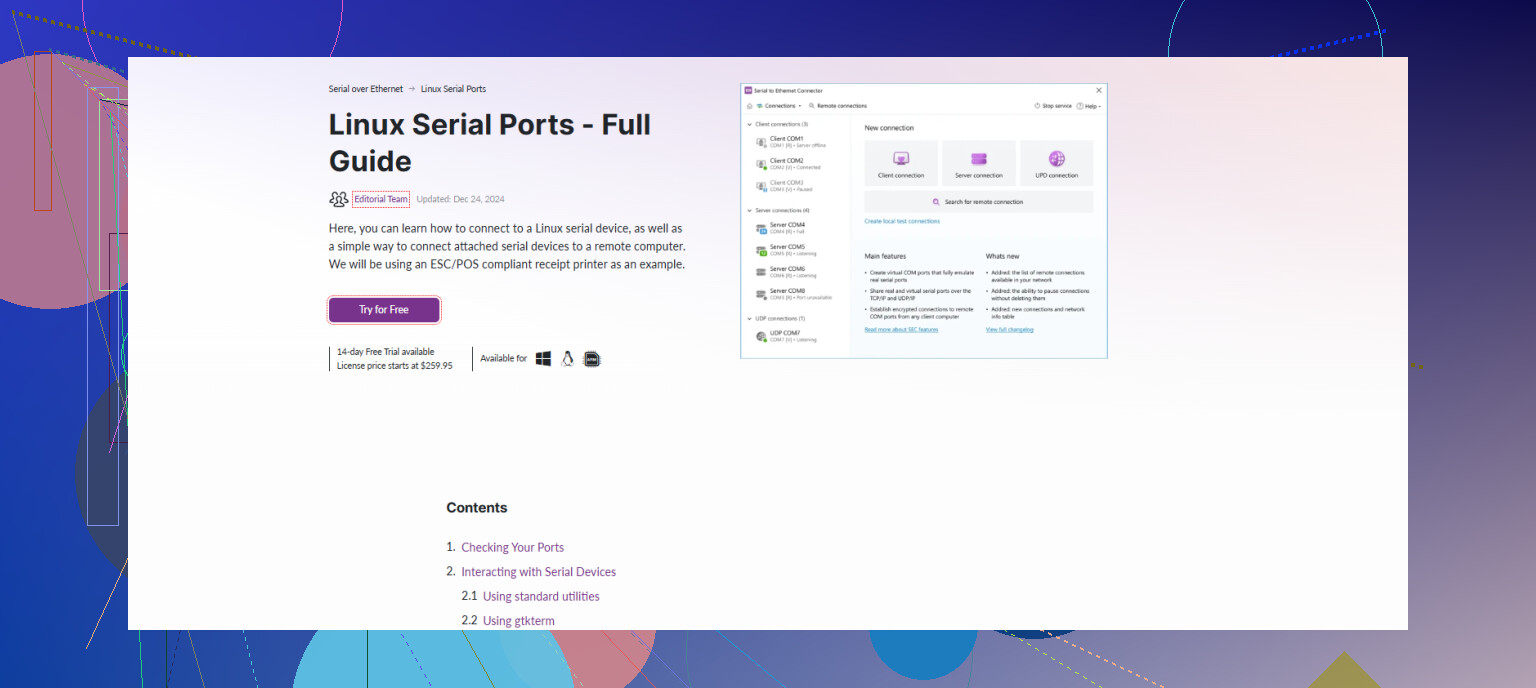
If the default tools on your distro are flaking out, you’re not imagining it. Some of them choke hard when USB‑serial adapters disappear or when the kernel resets the port mid‑session.
@vrijheidsvogel already covered the usual suspects like picocom/minicom/screen pretty well. I’ll throw in some alternatives and a slightly different angle instead of rehashing those.
1. tio (my current favorite)
tio is what I reach for now instead of picocom/minicom.
Why it’s nice:
- Very clean interface, sane defaults
- Handles hot‑unplug of USB‑serial better than a lot of stuff
- Easy to remember syntax:
tio -b 115200 /dev/ttyUSB0
Features:
- Logging with timestamps
- Colorization options
- Reconnect behavior that doesn’t completely lose its mind when the adapter blips
If your issue is “tool crashes when I bump the cable,” tio is worth a try.
2. lrzsz + a simple terminal
If you need reliable X/Y/Zmodem transfers and the “big” tools keep locking up, you can actually pair a dumb terminal with lrzsz:
- Use something stupidly stable like
screenortio - Install
lrzsz - Start transfers from the embedded side with sz/rz
It’s less fancy than minicom’s built‑in file transfer, but it often breaks less because there’s just less magic in the path.
3. PuTTY on Linux (yes, really)
People forget PuTTY exists on Linux too:
sudo apt install putty
putty
- Set “Connection type” to “Serial”
- Point it at
/dev/ttyUSB0and your baudrate
It’s boring, but:
- Very mature codebase
- Reasonably tolerant of weird serial behavior
- GUI config is way clearer than some of the GTK toys
I actually trust it more than CuteCom when working with flaky USB hubs.
4. For test automation: pySerial, but with structure
I’ll slightly disagree with the idea that “20 lines of pySerial” is always better. The quick scripts are nice, but they can turn into spaghetti fast.
If you’re doing repeated bring‑up / regression tests:
- Wrap pySerial usage in a tiny, reusable module
- Add:
- open with retries
- explicit flush / drain
- deterministic timeouts
- Log every byte to disk so you can diff failures
Example skeleton:
import serial, time

def open_port(port='/dev/ttyUSB0', baud=115200, retries=5):
 for i in range(retries):
 try:
 return serial.Serial(port, baudrate=baud, timeout=1)
 except serial.SerialException:
 time.sleep(0.5)
 raise RuntimeError('Cannot open serial port')

ser = open_port
ser.write(b'help\n')
print(ser.readline)
That kind of structure is what makes pySerial actually “reliable” instead of “yet another fragile script”.
5. Serial to Ethernet Connector for lab / team setups
If part of your stability nightmare is:
- Multiple devs sharing one dev board
- Headless lab machines with USB‑serial dongles
- Long cables or noisy environments
then you may be fighting the wrong battle entirely. A networked serial solution helps a lot.
A dedicated tool like Serial to Ethernet Connector lets you:
- Share a physical RS‑232 / USB‑serial port over TCP/IP
- Access it from any Linux workstation like it was local
- Centralize the hardware in a stable, powered, known‑good box
Combine that with your favorite client (tio, picocom, PuTTY, etc.) and you avoid half the “the port disappeared again” drama.
If you want a ready‑to-go build that focuses on serial over network performance, check out high‑reliability serial networking software. Installing that on a small always‑on Linux box and then just SSHing in or connecting over TCP from your dev machine is often cleaner than juggling USB dongles everywhere.
6. A couple of low‑level tweaks that matter more than the app
Since you mentioned “unstable,” sometimes the problem is not the terminal app at all:
- Disable modem control if unused
For simple embedded UART consoles, you usually do not want modem control:
stty -F /dev/ttyUSB0 -hupcl -crtscts clocal
clocal and -crtscts avoid surprise disconnects on junk adapters.
- Pin device names
If your tty jumps from /dev/ttyUSB0 to /dev/ttyUSB3 every reboot, create a udev rule based on vendor/product/serial so you get /dev/ttyMYBOARD every time. That alone can make things feel way more stable.
Tl;dr:
- Try tio as a modern, stable CLI alternative.
- For GUI, consider PuTTY on Linux if GtkTerm/CuteCom annoy you.
- Use pySerial but with a small, clean wrapper library for anything automated.
- For lab / shared setups, move the serial port to the network with Serial to Ethernet Connector and let clients connect over TCP instead of wrestling with USB noise.
95 Likes
If picocom/minicom/tio still feel flaky for you, I’d approach this as a stack problem instead of just “pick a better terminal.”
1. Start by stress‑testing the adapter, not the app
Before blaming software, try to prove the USB‑to‑serial path is solid:
-
Loopback test: short TX/RX on the adapter, then:
tio -b 115200 /dev/ttyUSB0
# or your tool of choice
Type for a few minutes and see if characters get corrupted or dropped.
-
While it’s running:
watch -n1 dmesg | tailIf you see disconnect / reset spam, no terminal program will truly fix that.
Here I slightly disagree with relying only on “better tools” as suggested earlier. If the kernel or hardware is unstable, changing apps just changes how nicely they crash.
2. Use socat as a stability buffer
One trick that often helps more than switching terminals:
socat -d -d /dev/ttyUSB0,raw,echo=0,b115200,clocal \
            pty,raw,echo=0,link=/tmp/board-tty,b115200
Then point any client (tio, screen, minicom, PuTTY) at /tmp/board-tty.
Pros:
- Your client connects to a pseudo‑TTY that is more forgiving
- Easy to reconnect the client without touching the real device
socatlogs problems instead of your terminal just “hanging”
Cons:
- Another process to manage
- Slightly more complexity when scripting
This pairs nicely with the tooling @nachtdromer and @vrijheidsvogel mentioned.
3. When a network hop actually improves reliability
If you have the hardware sitting in a lab or server rack, running it through a dedicated box can be more stable than plugging adapters into your dev laptop all day.
That is where something like Serial to Ethernet Connector becomes worth considering.
Pros:
- Centralizes all RS‑232 / USB‑serial ports on a single, always‑on Linux box
- Lets you access those ports over TCP from any other machine
- Good fit for multi‑user setups or CI systems that need serial access
- Reduces “wiggle the USB dongle and everything dies” problems on laptops
- Plays nicely with higher level clients like tio, minicom, or even pySerial scripts
Cons:
- Extra software layer to install and maintain
- Adds network dependency; if your LAN is unreliable, so is serial
- Overkill for a single local board sitting next to your keyboard
- Some advanced features can be more complex to configure correctly
Compared to a raw socat tcp-listen hack, Serial to Ethernet Connector gives a cleaner management layer and better handling for multiple ports and users, but you pay for that with more moving parts.
4. Make the line settings boring on purpose
A lot of “instability” is actually just bad termios defaults. Instead of tweaking each app’s settings, normalize the port before connecting:
stty -F /dev/ttyUSB0 115200 cs8 -parenb -cstopb -ixon -ixoff -icanon -echo clocal -crtscts
Then tell your terminal not to fight those settings. This avoids subtle differences between minicom/picocom/tio configurations.
5. For automation, add a watchdog around the port
If you script things, copy‑pasting a 20‑line pySerial example is fine for a small test, but for reliability add a small watchdog:
- Wrap open/read/write in a layer that:
- Detects read timeouts
- Closes and reopens the port on error
- Logs raw bytes to a file for postmortem
This is where I diverge a bit from the “just use a tiny script” approach: minimal examples are great to start, but brittle under real lab chaos.
6. Putting it together
If I were in your situation:
- Prove the adapter and cabling are sane with a loopback test.
- Normalize line settings with
stty. - Put
socatin front of the real tty to create a stable pseudo‑TTY. - Use a lean client like tio or picocom against the pseudo‑TTY.
- If you have multiple devs or remote setups, move the physical ports onto a small Linux box and use Serial to Ethernet Connector there, then connect from your workstation over TCP.
That combination usually fixes “this feels randomly unstable” more effectively than just hopping between frontends.
Simpler path, fix the hardware bottleneck.
Use FTDI FT232R or CP2102N adapters. They show fewer dropouts on Linux in practice. Check with lsusb for the VID PID.
Use a short, shielded USB 2.0 cable, under 1 m. Add a ferrite if you see noise.
Put a powered USB 2.0 hub between laptop and adpater. It smooths bus power and hotplug glitches.
Retry any client. You should see clean I O for minutes at 115200. If errors persist, your host USB stack or board wiring needs attention.