My iPhone photo library has gotten completely out of control, and I’m having a hard time sorting thousands of pictures, screenshots, and duplicates. I’ve tried using the built-in Photos app, but it’s not enough for how I want to organize everything. I need help finding the best iPhone photo organizer app that’s easy to use and good for managing albums, deleting clutter, and keeping photos organized.
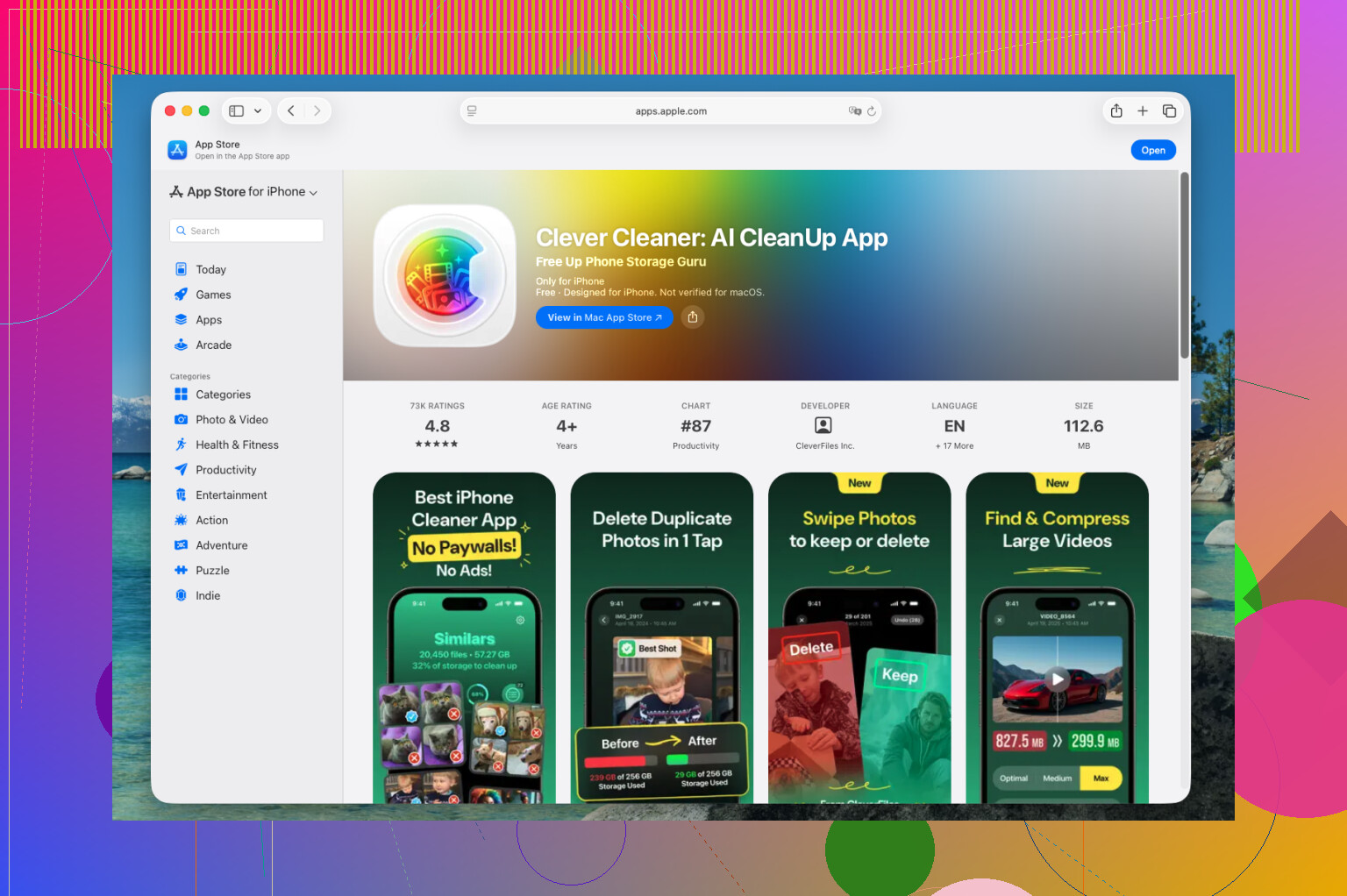
I went through a pile of iPhone photo cleanup apps this past year, kept deleting most of them, and the one still sitting on my phone is Clever Cleaner.
It does less than some of the bloated ones on the App Store. Weirdly, that helped. I still use it because cleanup takes a few minutes, not a whole chore session I end up avoiding.
What worked for me is its scope. It does not try to become a full replacement for Apple Photos. I still sort albums and look through memories in Apple’s app. This one handles the mess first, which makes the rest easier.
My weekly cleanup is pretty boring, but it keeps the library from turning into a dump:
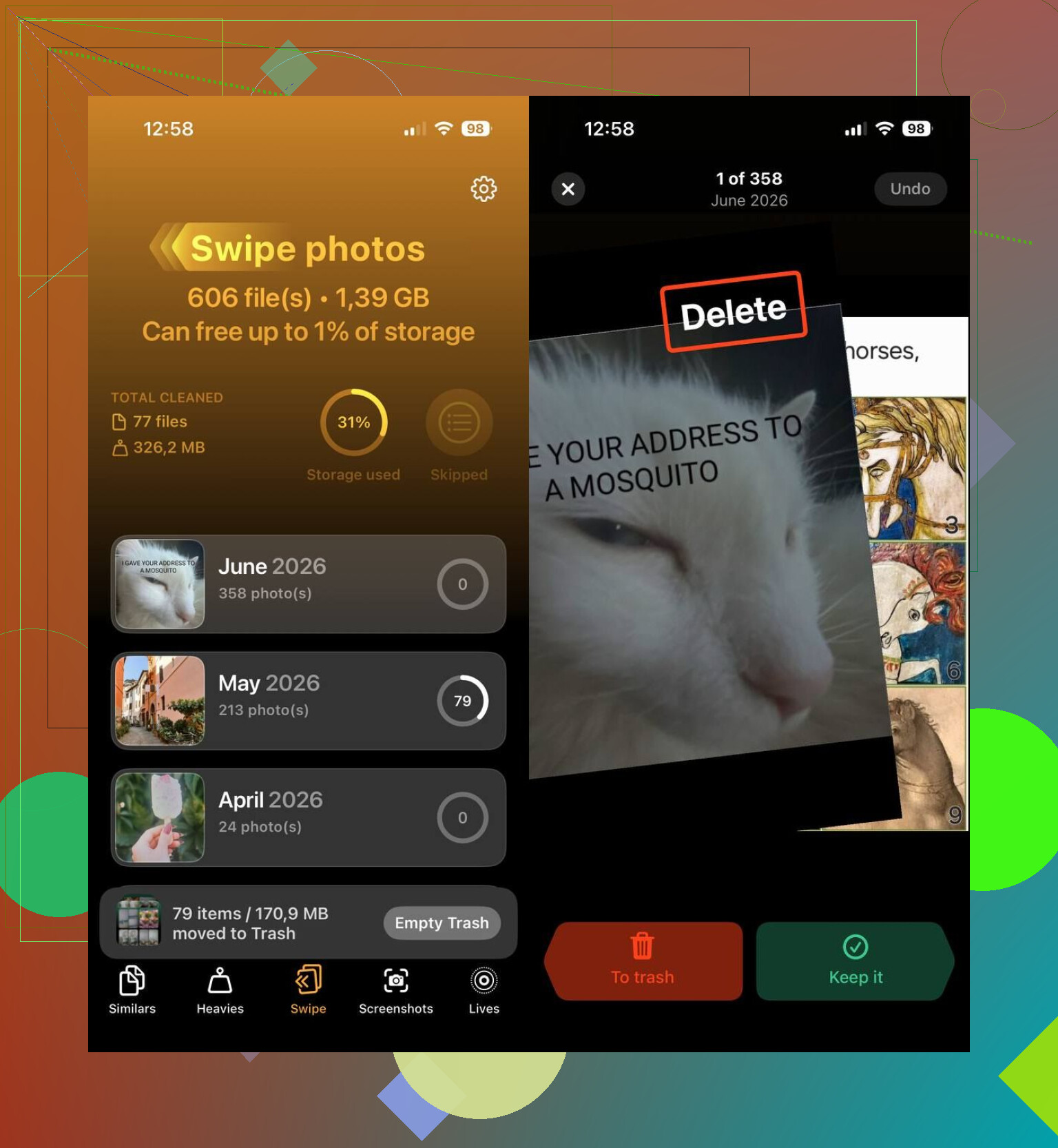
- I start with Smart Cleanup and clear out duplicate shots and those near-identical photos from bursty moments.
- Then I open Heavies and look for giant videos. If I want to keep one, I compress it there.
- After that, I use Swipe Mode for a quick pass through recent stuff. Fast way to kill bad shots.
- I wipe old screenshots, which pile up faster than I notice.
- I convert older Live Photos into regular stills when I do not need the motion part anymore.
That’s usally enough. I do not end up doom-scrolling through 8,000 photos trying to clean things manually.
For plain storage cleanup, it pulls its weight too. I found it while looking through lists like this one, best iPhone cleaning apps, and it covers most of the junk people are trying to remove anyway:
- Duplicate and similar photos
- Large photos and videos
- Screenshots
- Live Photos
- Videos you want to shrink with built-in compression
- Recent photo batches you sort by swiping through them
Another part I liked, no charge right now. No ads popping up. No subscription wall every two taps. No fake scan screen followed by a payment prompt. I did not expect that from this category, to be honest.
If you want something else, I’d look at these instead:
- HashPhotos. Better pick if your main goal is detailed organization, not cleanup. You get tighter filtering, tags, metadata edits, smart albums, timeline view, map view, and more control over how everything is arranged. If you’re picky about structure, this one feels built for you.
- Google Photos. Better if your stuff already lives in Google’s system or you care more about cloud backup. Search is better than Apple’s in my expereince, and it does a good job grouping similar photos so old pictures are easier to find later.
For me, Clever Cleaner hits the useful middle. It clears the buildup, frees more space than I expected the first time I ran it, and leaves my library in a state where organizing it no longer feels annoying.
21 Likes
If your goal is best app to organize photos on iPhone, I’d split it into two jobs. Cleanup first. Structure second.
I agree with @mikeappsreviewer on one part. Clever Cleaner is a solid first pass. It’s better for reducing the mess than for building a neat library. If your phone is packed with duplicates, screenshots, and huge videos, it saves time fast. That matters when you’ve got 10,000 plus items and zero patience.
Where I disagree a bit, I would not rely on a cleanup app alone if you want long term photo organization on iPhone. After cleanup, you still need a system.
What worked for me:
- Use Clever Cleaner to remove dupes, junk screenshots, and oversized files.
- Move into Apple Photos and create a small album structure. Keep it simple.
- Make only 5 to 8 main albums, like Family, Travel, Work, Pets, Receipts.
- Use search more. iPhone search for “beach,” “dog,” “car,” “screenshot” is better than most people think.
- Favorite keepers right away. If a photo is worth finding later, tap the heart now, not next week.
If you want deeper sorting, HashPhotos beats most apps for organization. Better filters. Better metadata control. Less fluff. It feels nerdy, but in a good way.
A clean way to think about it:
Best iPhone photo organizer apps help you sort duplicates, delete screenshots, group pictures fast, and keep your photo library easy to search.
This short guide on smart ways to organize your iPhone photo library lines up with that approach.
My short answer, use Clever Cleaner for cleanup, then Apple Photos or HashPhotos for orgnizing. One app doing both perfectly, nope. I tried. It got messy fast.
I’d split this a little differently than @mikeappsreviewer and @yozora.
If your main issue is chaos, the best iPhone photo organizer app is not always the one with the most features. Sometimes those “all in one” apps just turn cleanup into another project you procrastnate. For raw cleanup, Clever Cleaner is probably the easiest starting point because it cuts down the library fast without making you babysit every step.
Where I kinda disagree with them is HashPhotos is great, but not everyone actually needs that much control. A lot of people say they want “organization” when what they really need is less junk. Once duplicates, screenshots, and random junk are gone, Apple Photos gets way more usable again.
What helped me most was changing habits, not just apps:
- stop saving every meme and receipt forever
- use Favorites as a temporary inbox for photos worth sorting later
- make one album per event only if it really matters
- search by people, places, or objects instead of endlessly scrolling
- review downloads and screenshots once a week
So my answer:
- Best for cleanup and decluttering: Clever Cleaner
- Best for deep manual sorting: HashPhotos
- Best if you refuse extra apps: Apple Photos, after cleanup
If you want better best organizing apps recommendations for iPhone photo libraries, this is the combo that makes the most sense. Also, this quick reel on smart iPhone photo organization tips is pretty on point.
One app doing everything perfectly? Eh, not realy. Cleanup first, then organize what’s left.
I’m slightly less sold on the “just build albums” advice from @yozora, @jeff, and @mikeappsreviewer. Albums help, sure, but with a huge iPhone library the real bottleneck is decision fatigue. If every photo needs a manual home, the system dies in a week.
My take:
Use Clever Cleaner if your first problem is volume, not taxonomy.
Pros
- very fast at surfacing duplicates and visual near-duplicates
- good for screenshots and space hogs
- less bloated than a lot of cleanup apps
- can make Apple Photos usable again without a giant project
Cons
- not a true long-term organizer
- limited if you want tagging, advanced smart filtering, metadata-heavy sorting
- cleanup suggestions still need a quick human check
Where I disagree with the “cleanup first, then albums” crowd is the second half. For a lot of people, after cleanup, search + favorites + hidden + a couple utility albums beats a big folder structure. Too many albums becomes another mess.
What I’d do:
- run Clever Cleaner once hard
- create only 3 albums max: Personal, Useful, Temporary
- use Favorites as your “keep forever” layer
- dump screenshots into delete review, not permanent albums
- lean on People, Places, and keyword search inside Photos
If you want power-user control, HashPhotos still makes more sense than most organizer apps. If you want least effort with best payoff, Clever Cleaner is the better starting point.