I accidentally formatted my SD card before copying off important photos and video, and now I’m trying to figure out if recovery is still possible. I need help finding the best way to recover data from a formatted SD card without making things worse, because some of these files are really important and I don’t have a backup.
I had this happen with a drone card last summer, and yeah, it hit me in the gut.
I was rushing to launch before sunset. The app threw some strange storage warning. I tapped ‘Format SD Card’ to clear it and kept moving. A few seconds later, I remembered I had not copied over any of the morning footage. Felt sick right away. Still, a formatted card does not always mean your files are gone for good.
A lot of people think formatting wipes everything clean. Usually it does not. Unless you ran a full format on a computer, or used one of the few cameras with a hardware wipe routine, like some Sony models with SD_ERASE, the device most likely did a quick format.
The short version is this. A quick format removes the file system map. Your phone, tablet, or computer stops seeing where the photos and videos live, then marks the card as open space. The files often stay in place until new data lands on top of them.
So your stuff is in limbo. Still there, maybe, but exposed. What matters now is avoiding overwrite.
Here is what I would do right now.
-
Eject the card and lock it.
If your SD card has the small write-protect switch on the side, slide it to Lock. Do not shoot more photos. Do not record more video. Any new save operation risks writing over the old data. -
Skip the old CMD fixes.
I have seen people push CHKDSK or attrib in old forum threads. I would not touch either for this. Those tools deal with file system issues and hidden files. They do not reverse a format, and they might change data you are trying to recover. -
Use a USB card reader.
Plug the SD card into your computer through a decent reader. Do not leave it inside the camera and connect the camera over USB. In my case, direct card access worked better, and a lot of recovery tools read raw sectors more reliably this way. -
Use recovery software made for this job.
Manual fixes are a dead end here. You need software that scans the raw card data. Photos are one thing. Video is harder. Drone clips, action cam files, and mirrorless footage often end up fragmented, so weaker tools pull pieces out of order and the final file won’t open. -
Save recovered files somewhere else.
This part matters more than people think. Do not restore anything back onto the same SD card. Save to your computer drive or an external SSD. If you write recovered files back to the card, you risk destroying the rest of what is still sitting there.
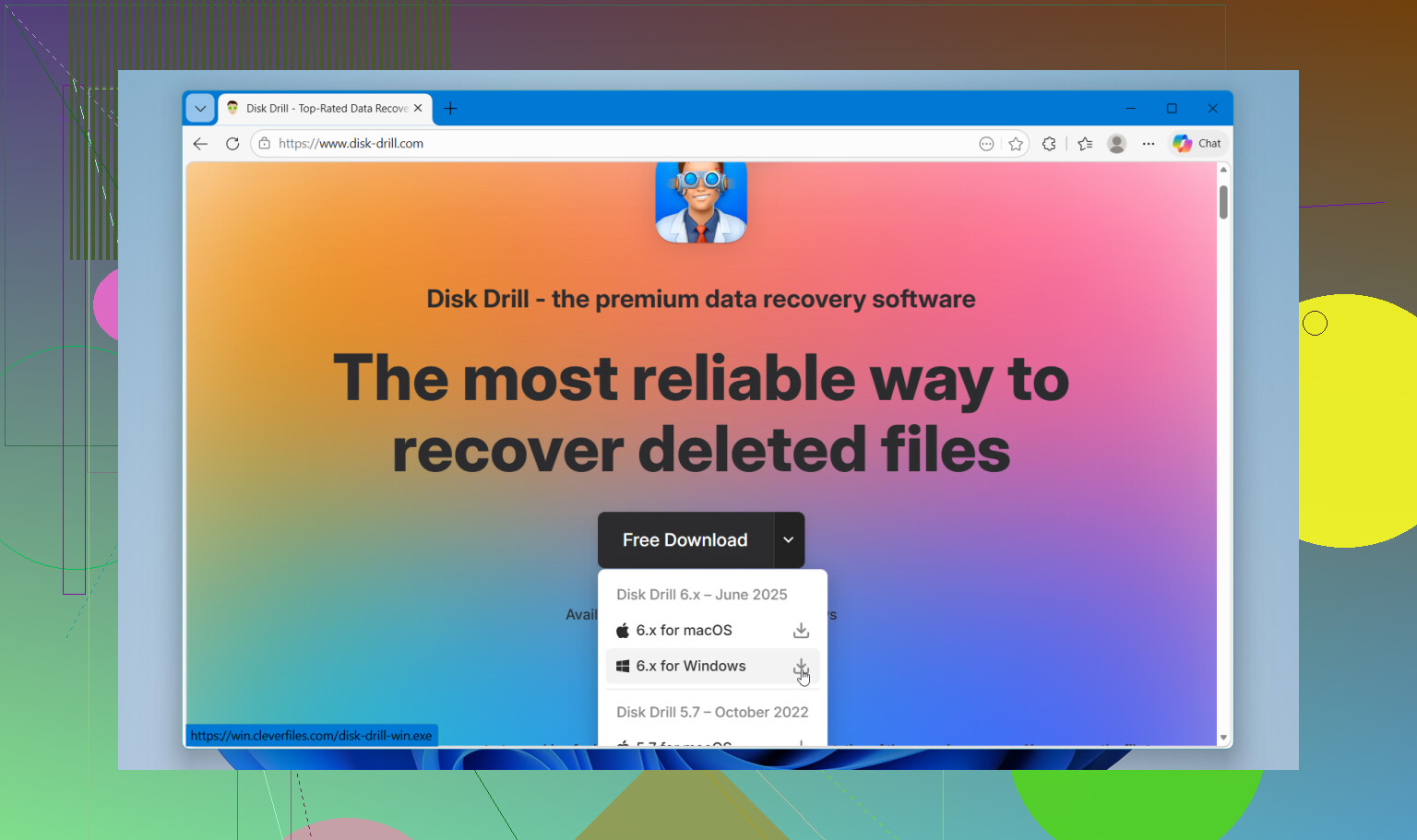
When I dealt with this, I tried a couple of simpler tools first. They found some images, sure, but the videos came back broken. What worked better for me was Disk Drill.
The reason I stuck with it was the camera-focused recovery mode. It handled fragmented video better than the cheap stuff I tested. I was able to preview files before restoring them, which saved time. On Windows, there is also a 100MB free recovery limit, so you get a quick way to test whether the files are intact before going further.
If this were my card again, I would do it in this order. Lock card. Put it in a card reader. Open Disk Drill. Run a deep scan. Recover only to another drive.
Then wait. Deep scans are slow. Mine took a while and looked stuck more than once, but it pulled back more than I expected.
If you have not written anything new to the card, your odds are still decent.
21 Likes
It depends on one thing, overwrite.
If the format was quick, recovery is often doable. On most SD cards, a quick format wipes the index, not the photo and video data itself. If you shot new footage after formatting, your odds drop fast. Photos survive more often than long video files, since video gets split across more blocks.
I agree with @mikeappsreviewer on avoiding writes to the card. I disagree a bit on one point though. Locking the card switch helps, but it is not a true hardware write block on many readers. I would treat it as a reminder, not protection. Best move is to make a full image of the SD card first with a tool like USB Image Tool, R-Studio, or ddrescue, then work from the image. If recovery software crashes or you misclick, your original card stays untouched.
For file recovery, Disk Drill is fine and easy to use. Good for photos, decent with common camera formats, and simple previews. If Disk Drill misses video or returns broken clips, try PhotoRec or R-Studio after. Different tools parse file signatures differently, so one app missing files does not mean they are gone. I’ve seen one tool pull 60 percent, another get 90 percent from the same card. Weird, but it hapens.
Also, skip ‘repair’ features in cameras or phones. Those write to the card.
If you want a simple walkthrough for recovering deleted photos and videos from an SD card with Disk Drill, this see how to recover SD card files with Disk Drill link points to a short visual explainer.
Short version:
Stop using the card.
Image it first.
Scan the image with Disk Drill.
Save results to another drive.
If videos fail, try a second tool before giving up.
So no, it’s not hopeless. Hard? Medium. Time-sensitive? Yep.
Not impossible at all, just annoyingly time-sensitive.
I mostly agree with @mikeappsreviewer and @caminantenocturno, but I would push one extra point harder: the real problem is not the format itself, it’s the SD card type. A lot of newer SD cards are better at internal cleanup than old ones, so sometimes deleted data disappears faster than people expect. That means recovery is still very possible, but not quite as forgiving as it was years ago.
Also, I would not assume every ‘quick format’ is harmless. Some cameras do more housekeeping than you think. So yeah, stop using the card ASAP, but don’t panic yet.
What I’d do:
- check the card on a computer, not in-camera
- if the files are super important, clone/image the card first
- scan with more than one tool if needed
- recover to a different drive only
For actual software, Disk Drill is a solid first try because it’s easy to use and tends to do well with photos and common video formats. If it misses stuff, then try a second-pass tool like PhotoRec or R-Studio. Different scanners find differnt things, annoyingly enough.
One more thing people skip: if your recovered videos exist but won’t play, they may need repair, not re-recovery. That happens a lot with MP4 and MOV.
If you want a simple roundup of top recovery apps, this is decent: best data recovery software for SD cards and drives
Short version: recoverable? Often yes. Easy? Kinda. Guaranteed? Nope. Photos usually come back easier than long videos.