I’m trying to send serial port output over a Telnet connection but I’m not sure how to set this up. I need to access my device remotely through Telnet using data from its serial port. Has anyone done this successfully? Any software or configuration tips would be appreciated.
You want to pipe your serial port output over Telnet, basically turning your serial device into something you can access remotely as if it were plugged physically in front of you? Trust me, you’re not alone—this one trips up pretty much everyone at some point.
Here’s what actually works: you need something in the middle to bridge your local serial port and a Telnet (TCP/IP) session. The classic DIY way on Linux is with socat (or sometimes ser2net), but it can get funky if you’re not comfy with command lines. In essence, you set up socat like this:
socat tcp-l:23,reuseaddr,fork file:/dev/ttyS0,raw,echo=0,b115200
This opens up TCP port 23 (Telnet default) and connects it to your serial port (/dev/ttyS0 at 115200 baud in this case).
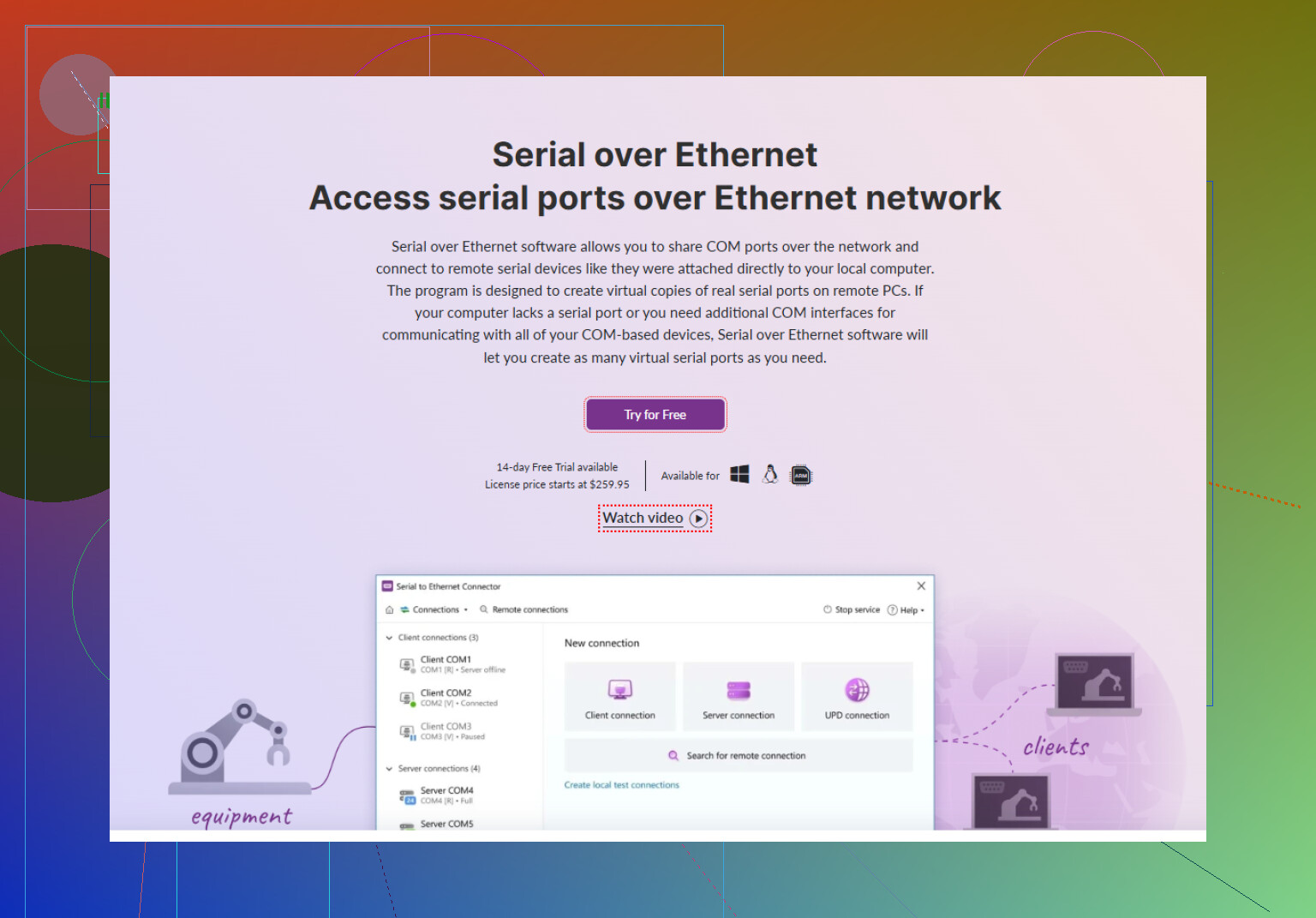
But if you’re on Windows or you want it to be graphical, reliable, and genuinely “it just works” (plus with bonus features), check out Serial to Ethernet Connector. This app lets you share any local COM port to the network over TCP/IP—including via the Telnet protocol! You can access and manage serial devices remotely exactly as if they were local—a ton easier and way more robust than wrestling with scripts. Plus, if you’re working in a mixed environment (Windows ↔ Linux), it saves a lot of headache because you get everything set up via a UI.
If you want to dive into a full comparison of different methods, or just a step-by-step on Windows OR Linux, this deeper guide’s not bad: setting up Telnet access for serial-connected devices.
To round off: “Redirect serial port output to Telnet” usually involves:
- Running a redirector tool (software/utility/app)
- Forward serial data over TCP/IP
- Connecting with a remote Telnet client to the provided port/IP
Trying to homebrew this with netcat or whatever is doable, but why torture yourself when there’s a purpose-built tool? Serial to Ethernet Connector will save you hours (and probably your sanity).
5 Likes
List time. Here’s what’s missing in most of these “redirect serial port to Telnet” threads: they all jump straight to socat or “go download XYZ.” @nachtdromer’s got most of it covered for Linux, but honestly that only gets you halfway there in real-world multi-user or mixed-OS scenarios. I’ve lost whole afternoons trying to kludge netcat into this, then hitting stupid stumbling blocks like failed handshakes or random disconnects nobody warns you about.
Breaking it down—here are your actual choices (pain scale included):
-
socat/ser2net (Linux):
- Pros: Free, flexible, big in sysadmin-land.
- Cons: Nightmares with baud rates, permissions, and if you want it cross-platform… forget it.
- Pain scale:

-
Netcat/MSYS hackery:
- Pros: Fun if you like self-torture.
- Cons: Practically guaranteed to break when your boss shows up.
- Pain scale:
-
Serial to Ethernet Connector (Windows & Linux):
- Pros: Insanely easier. Lets you map that old-school COM port practically anywhere over TCP/IP—and it “just works,” even with info-dense stuff like secure ID badges or barcode readers. Remote connect from another box with a Telnet client, and it’ll look & feel local.
- Cons: Not open source, but you save your sanity.
- Pain scale: (if even that)
Also, if you’re hearing the phrase “COM port Redirector” around, that’s basically an app that mirrors or extends your computer’s serial (COM) port data over a network. The remote system can access and manage serial devices just like they were plugged in locally—think of it as turning your hardware’s serial output into a globally reachable virtual device. If you want to see what I mean, scroll through some options using this link for easy remote access to your serial ports—there’s no shortage of tools but only a few actually make it hassle-free.
My take? Running command line scripts is cool for flexing, but honestly, Serial to Ethernet Connector is a game-changer for reliability and cross-platform pain relief. And yes, I may have a few gray hairs from trying out every “open source” angle first. Don’t be me.
Use a hardware serial-to-Ethernet device server. Connect your device’s RS-232 port to the adapter, then configure baud rate, parity, data bits, and stop bits in its web panel. Enable Telnet server mode, assign a static IP adress, and choose port 23 or 2001.
From your remote PC, run:
telnet 192.168.1.50 2001
This avoids drivers, scripts, and host PC uptime. Match the serial setings exactly. For internet access, connect through a VPN instead of exposing Telnet publicly.
Telnet itself is the part nobody in here flagged, and it matters. It sends everything in clear text, including whatever your device spits out and anything you type back. If that serial data is even slightly sensitive, you’re broadcasting it across the network unencrypted. @shadowspark169one at least mentioned wrapping it in a VPN, which is the right instinct, but I’d go further and say don’t run raw Telnet across anything you don’t fully control.
The hardware device server suggestion is genuinely the least fragile option if you don’t want a PC babysitting the connection. No host uptime, no drivers, survives reboots. The catch is matching baud, parity, data bits, and stop bits exactly, and those little terminal servers are picky. One mismatched stop bit and you get garbage that looks like the wiring is dead when it isn’t. So if you go that route, triple check the serial settings before you blame the network.
On the socat side, I think it’s being sold as more painful than it is. For a quick test on Linux it’s fine. Where it actually bites you is long running use, because a plain socat listener doesn’t handle a client dropping and reconnecting cleanly, and multiple clients get messy fast. That’s where ser2net is the better pick over socat, and honestly people skip over ser2net too quickly in these threads.
Serial to Ethernet Connector fits if you’re stuck on Windows and want the reconnect handling and COM mapping done for you without scripting. Reasonable as a convenience layer. Just don’t expect it to fix the Telnet plaintext problem, that’s on your network setup regardless of the tool.
If it were me and the device supports it, I’d skip Telnet mode and use a raw TCP socket on a nonstandard port instead, then tunnel over SSH or a VPN. Same result, way less exposure. Telnet is only worth it when the far end literally can’t do anything else.