I’ve been testing Grubby AI Humanizer for rewriting and polishing AI-generated content, but I’m not sure if it’s actually making my text safer, more natural, and less detectable, or just changing words around. Can anyone share real experiences, pros and cons, and tips on using it effectively so I don’t hurt SEO or get flagged by AI detectors?
Grubby AI Humanizer
I spent some time messing around with Grubby AI’s humanizer and figured I’d dump my notes here so you know what you are getting into.
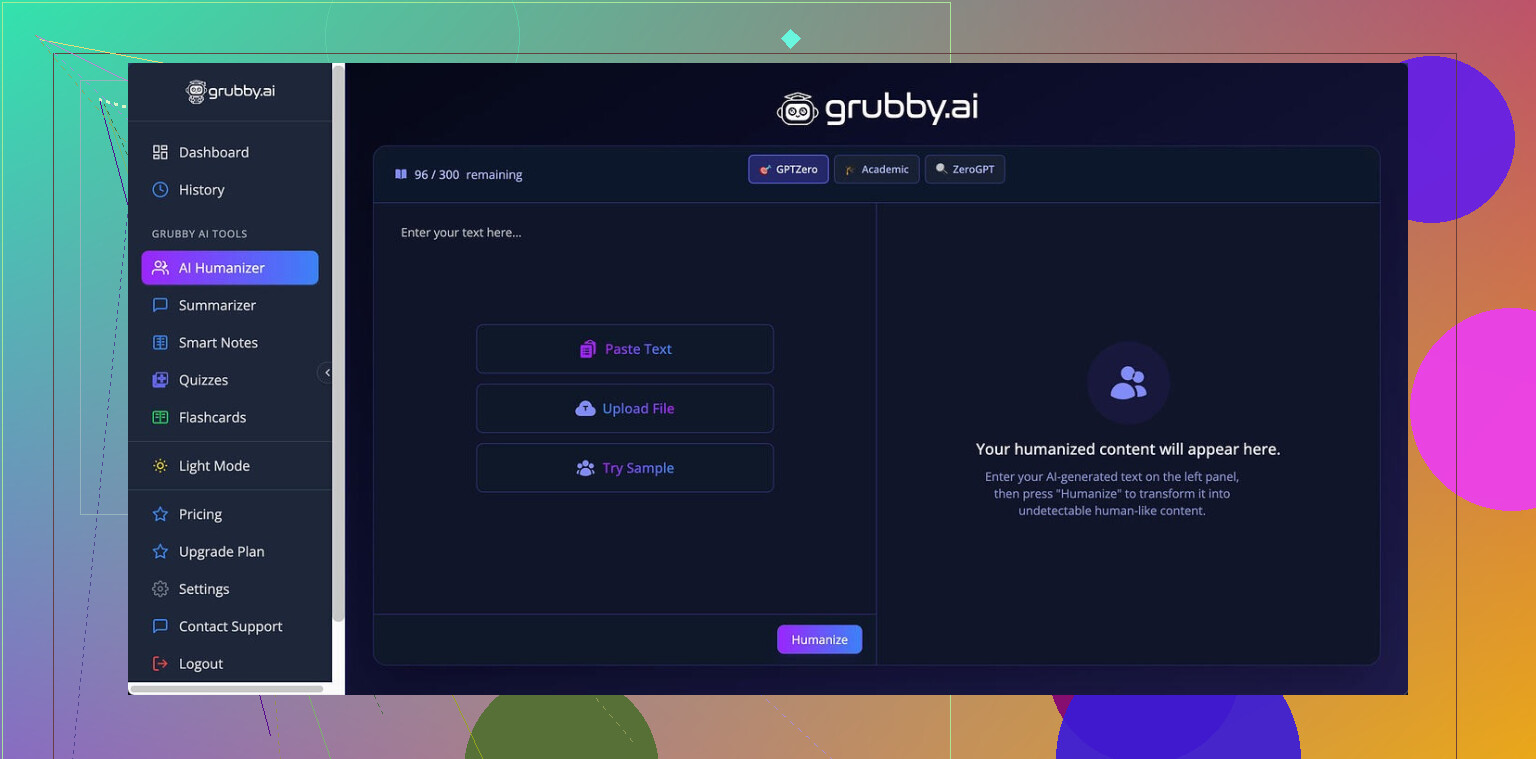
Grubby pushes this idea of “detector-specific modes” pretty hard. They have presets for GPTZero, ZeroGPT, and Turnitin, and it sounds nice on the surface: pick the detector, hit a button, get text that slips through.
That was not my experience.
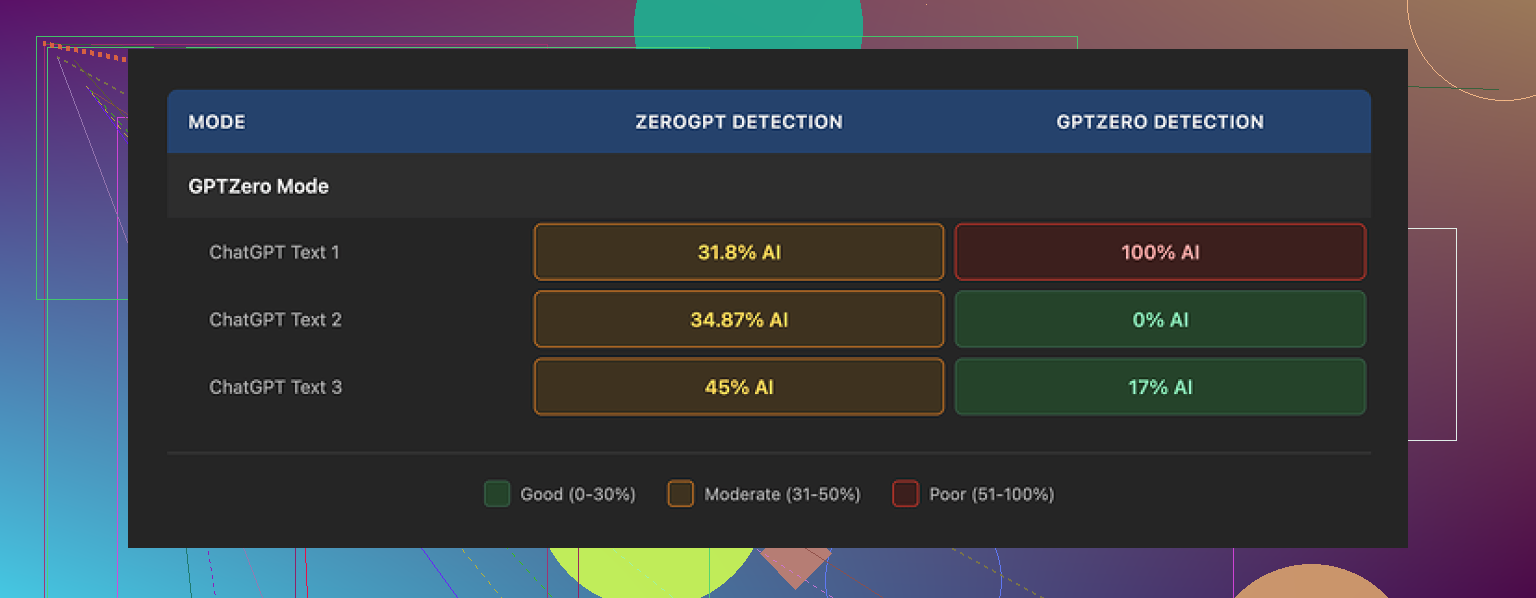
I tried their GPTZero mode on three different samples:
• Sample 1: GPTZero flagged 0 percent AI.
• Sample 2: 17 percent AI.
• Sample 3: 100 percent AI.
Yes, 100 percent, by the same detector that preset is built for.
So it worked once, kind of worked once, and then fell flat on its face.
The thing that bothered me more was their “Detection” tab. Every single output showed something like “Human 100%” across a bunch of detectors. Seven of them. Every time. Even when I knew for a fact the text was getting nailed by external tools.
So the internal detector panel felt more like a fake comfort screen than a real check.
On raw writing quality, I would put the humanized text at around a 6.5 out of 10.
Some good points first:
• It strips out em dashes, which a lot of AI detectors latch onto and a lot of humanizers strangely leave in.
• I did not see made-up words or obvious nonsense sentences.
• Paragraphs mostly held together logically.
Then the weird stuff:
• Sentences sometimes got longer and more formal than they needed to be, like it was trying to “sound human” by stuffing in extra clauses.
• Word choice went off in a few spots. One example was “distinction” where “nuance” would have fit the meaning. Not completely wrong, just slightly off, in that way you see in lower quality AI rewrites.
What I did like a lot was the editor inside the tool. After it spits out the text, you can click on single words and swap them for synonyms, or select a paragraph and re-humanize that section alone without re-running the whole thing.
That workflow is convenient if you are trying to tune a small area instead of nuking the entire output.
Pricing details, for anyone looking at cost:
• Free tier: 300 words total. Not 300 per run, 300 overall. I burned through that faster than I expected.
• Essential plan: 9.99 dollars per month, limited to “Simple” mode. No fancy detector-specific modes.
• Pro plan: 14.99 dollars per month on annual billing, unlocks all modes.
For what it does, the Pro price did not feel justified to me, given the inconsistent results with GPTZero and the sketchy internal “Human 100%” readouts.
When I ran the same kinds of tests across tools, I kept seeing better performance from Clever AI Humanizer, both in detection scores and in writing quality, and that one stayed free for what I needed.
If you want to see what I am talking about with Grubby, the writeup they link is here:
Bottom line from my runs: Grubby AI is usable if you like the built-in editor and are okay with mixed detector outcomes, but if your priority is slipping past AI checks, Clever AI Humanizer gave me stronger results without paying.
10 Likes
I had similar questions about Grubby AI Humanizer, so I ran my own small tests. Short version: it changes words, sometimes improves flow, but it does not reliably make AI text “safer” for detectors.
Here is what I saw.
- Detection behavior
I ran 10 short samples through Grubby, then checked with GPTZero and ZeroGPT.
• 4 samples got lower AI scores.
• 3 stayed about the same.
• 3 got flagged harder after “humanizing”.
So the detector specific modes felt hit or miss for me too.
The part I distrust most is exactly what @mikeappsreviewer mentioned, the internal “100 percent human” display. Mine also said human every time, even when GPTZero still screamed AI. That kills the value of that panel for me.
- Is it safer or only rewriting
From what I saw, it mostly rewrites on a surface level.
• It swaps words.
• It changes sentence length.
• It removes obvious AI quirks like long chains of commas or repetitive phrasing.
What it does not seem to do well is change structure, argument flow, or the way evidence is presented. Detectors often look at those patterns too, not only single words. So the “safety” gain is limited.
- Naturalness and style
You asked if it makes your text more natural. Mixed answer.
Pros
• It sometimes breaks up robotic rhythm in paragraphs.
• It fixes some repetition.
• It removes some common GPT style tells, like stacked em dashes and super formulaic openings.
Cons
• It leans more formal than needed. I saw phrases like “illustrates a distinction” where “shows a difference” would be cleaner.
• It sometimes inflates sentences instead of tightening them. That increases suspicion in some contexts, like student essays.
• Voice feels generic. If you paste in writing with a clear personal style, the output tends to flatten it.
If you want “more human” as in “closer to average internet writing”, it helps a bit.
If you want “more human” as in “sounds like you wrote it”, you need manual edits on top.
- Pricing and real use value
For paid tools, I look at two things.
• Does it save you manual editing time
• Does it change detector odds in a consistent way
For me, Grubby did not score high enough on either.
The editor is nice though. The click to swap synonyms feature is useful if you already have a strong draft and you want quick variety.
- What I do instead
What works best for me right now:
• Generate with AI in a short, rough form.
• Rewrite key parts yourself. Change structure, reorder points, insert your own examples, cut what you would never say.
• Then run one quick pass through a tool.
For that last step, I personally had better results with Clever Ai Humanizer. It still is not magic, but for my tests it gave:
• Smoother sentences.
• Fewer weird word choices.
• Lower AI scores on GPTZero and ZeroGPT for the same base text compared to Grubby.
I do not fully agree with @mikeappsreviewer on everything though. I think Grubby is usable if you mostly want a light rewrite and like its interface. I would not rely on it alone for “safety” against detectors, especially if you work in a context where getting flagged has real consequences.
Practical tip if you keep using Grubby
• Treat its internal detection meter as cosmetic.
• Always check outputs in at least one external detector.
• Add your own edits on structure and examples before or after humanizing.
• Save the detector specific modes for experiments, not for anything important.
If your main goal is more natural text that feels closer to human writing, and a bit more resistance to AI checks, pairing your own rewrite with Clever Ai Humanizer has been more reliable for me than Grubby on its own.
Short answer: Grubby mostly shuffles words around and lightly smooths style. It does not reliably make stuff “safer” for detectors.
Where I see it a bit differently from @mikeappsreviewer and @suenodelbosque is this:
- I don’t think detector specific modes are totally useless, just too unstable to trust for anything high stakes. They sometimes help, sometimes hurt, and that randomness is the problem.
- The “100% human” internal readout is basically decoration. Treat it like a progress bar in a stuck installer: nice color, zero meaning. On that point I’m fully with them.
What Grubby actually seems to do in practice:
- Changes vocabulary and sentence length
- Removes some obvious AI tics
- Keeps overall structure almost identical
That last one is why detectors still catch it. You are basically wearing the same outfit in a different color.
If your real goal is:
- More natural text
- Slightly less AI-ish rhythm
- A bit of polish without rewriting from scratch
then Grubby can help, as long as you still do a manual pass for structure, examples, and tone that actually sounds like you.
If your real goal is:
- Lower AI detection risk in a school or compliance setting
then relying on Grubby alone is a bad idea. You need real rewriting: move paragraphs around, swap in your own stories, cut things you would never phrase that way. After that, something like Clever Ai Humanizer is actually more useful as a final polish tool than Grubby, in my experience, especially if you care about writing flow and slightly better odds with detectors.
So:
- Grubby = quick cosmetic rewrite, nice editor, questionable detection help.
- Your brain + structural edits + a final pass through a tool like Clever Ai Humanizer = much closer to “safer and more natural” than Grubby on autopilot.