I’m trying to pick a reliable AI cleaner app to speed up and protect my phone, but the reviews in app stores seem vague or fake. Some apps boosted performance, while others slowed my device or pushed tons of ads. Can anyone share real experiences, pros and cons, and which AI cleaner apps are actually safe and effective for long‑term use?
Short version from someone who has tried way too many of these.
Most “AI cleaner” apps fall into a few buckets:
-
Fake or useless
• Show huge “junk found” numbers, then delete almost nothing.
• Run constant background scans, drain battery, and slow your phone.
• Spam you with full screen ads and subscription popups. -
Aggressive cleaners
• Clean cache, temp files, big videos, similar photos.
• Help a bit with storage, almost no effect on raw speed.
• If they touch “memory optimizers” or “CPU coolers”, they often kill useful background processes and make apps reload more. -
Ad farms
• Every tap triggers an ad.
• Some try to trick you into yearly subscriptions with trial traps.
• Performance “improvement” is mostly UI animation and fake gauges.
My experience:
Android
• System cleaners from big brands (Samsung, Xiaomi, etc) do enough.
• Files by Google is decent for storage cleanup. No miracle performance changes, but safe and honest.
• Anything promising “AI speed up” or “phone 200% faster” gave me more lag or spam than help.
iPhone
• iOS manages RAM on its own. No app will “speed up” your phone in any deep way.
• The only useful features are storage related. Cleaning screenshots, blurred pics, duplicate contacts, large videos, and similar groups.
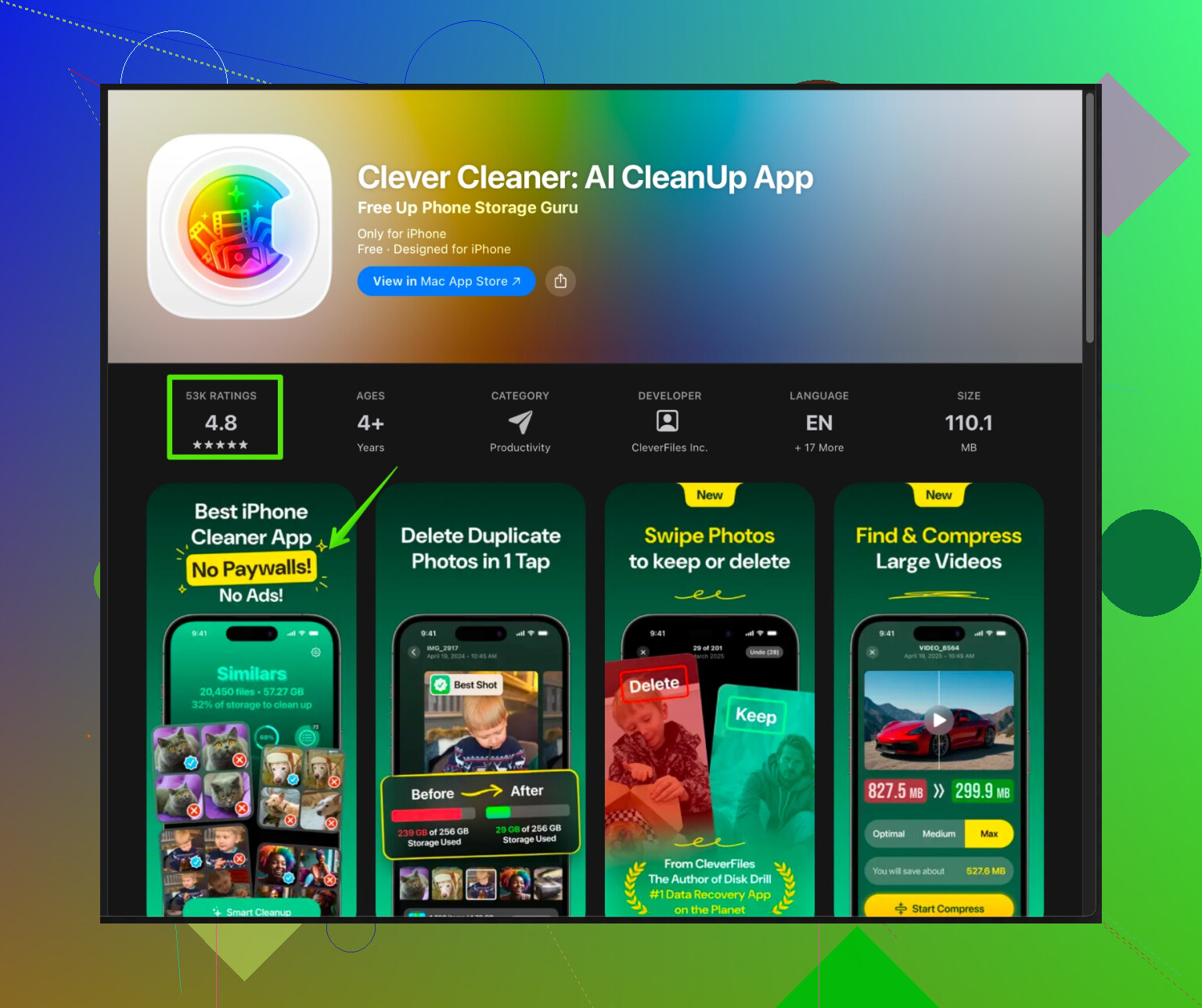
The one third party I keep on my mom’s iPhone now is Clever Cleaner App. Not magic, but it hits the practical stuff:
• Finds duplicate and similar photos.
• Groups screenshots and screen recordings.
• Shows large files and videos so you choose what to remove.
• Helps tidy contacts.
• UI is simple enough for non tech people.
If you want to try it, this link goes straight to it on the App Store:
Clever Cleaner App for smart iPhone clean up
It helped free a few GB on a 64 GB iPhone and stopped the “storage almost full” alerts. No weird slowing, no wild battery drain. Ads are there but not insane, and the paid option exists if you want all the automations.
What I would do on any phone:
-
Do not trust any app that:
• Shows fake “virus found” alerts.
• Forces VPN or “security scan” to use cleaner features.
• Locks basics behind subscription before you test. -
Use built in tools first:
• iOS: Settings > General > iPhone Storage. Remove unused apps, offload, delete old media from Messages.
• Android: Storage / Device care, then use the built in cleaner. -
Use one cleaner at a time
• Multiple cleaners fight each other, scan constantly, and slow the device. Pick one and keep it. -
Expect storage help, not magic speed
• If your phone feels slow, biggest gains come from:- Removing heavy apps like some games or social apps.
- Updating OS.
- Restarting once in a while.
If you want honest experiences, search for reviews that mention: specific storage freed, exact phone model, and some negatives too. “Works great, 5 stars” with no detail is usually fake.
I’m with @himmelsjager on like 80% of what they said, but I’ll add my 2 cents from actually abusing these apps on a few phones over the last year.
Quick verdict:
Most “AI cleaner” apps are lipstick on a pig. A few are actually useful, but only for storage management, not real “speed” or “security.”
My experiences by category
1. The fake AI “boosters” (avoid)
Tried a bunch on Android that promised:
- “AI CPU cooling”
- “RAM +300%”
- “Phone like new in 1 tap”
Every single one:
- Ran in background 24/7
- Pushed super aggressive ads and subscription walls
- “Boosted” speed for like 10 seconds by killing apps, then made everything slower as those apps restarted
Some even threw fake “virus found” warnings to scare you into paying. Instant uninstall.
Here I slightly disagree with @himmelsjager: I’d say any app with animated “speed gauges” or glowing rockets is almost guaranteed garbage. They said “usually” fake; I’d say “basically always” fake.
2. The aggressive cleaners
A few legit-ish apps do help:
- Clear cached files
- Find large videos and old downloads
- Clean WhatsApp/Telegram media
These helped me recover 3–8 GB on a 128 GB Android, but:
- No REAL performance jump
- Sometimes notifications delayed because they killed background services too hard
So yeah, nice for space, not a magic performance pill.
3. On iPhone specifically
iOS does handle RAM really well, so anything promising “AI speed boost” is marketing fluff. Where iPhone cleaners can help is:
- Removing duplicate & similar photos
- Deleting hundreds of old screenshots
- Finding huge videos and forgotten screen recordings
- Cleaning up messy contacts
That’s where Clever Cleaner App actually earns its keep. I’ve put it on two family iPhones:
- 64 GB iPhone XR: freed a bit over 5 GB, mostly from duplicate/similar pics and old screen recordings
- 128 GB iPhone 11: about 3 GB, again mostly photos and random videos
No weird lag, no constant background nonsense. Ads exist but not “every tap = ad” like some others. I don’t use it for “security” or “protection,” just as a smarter file organizer.
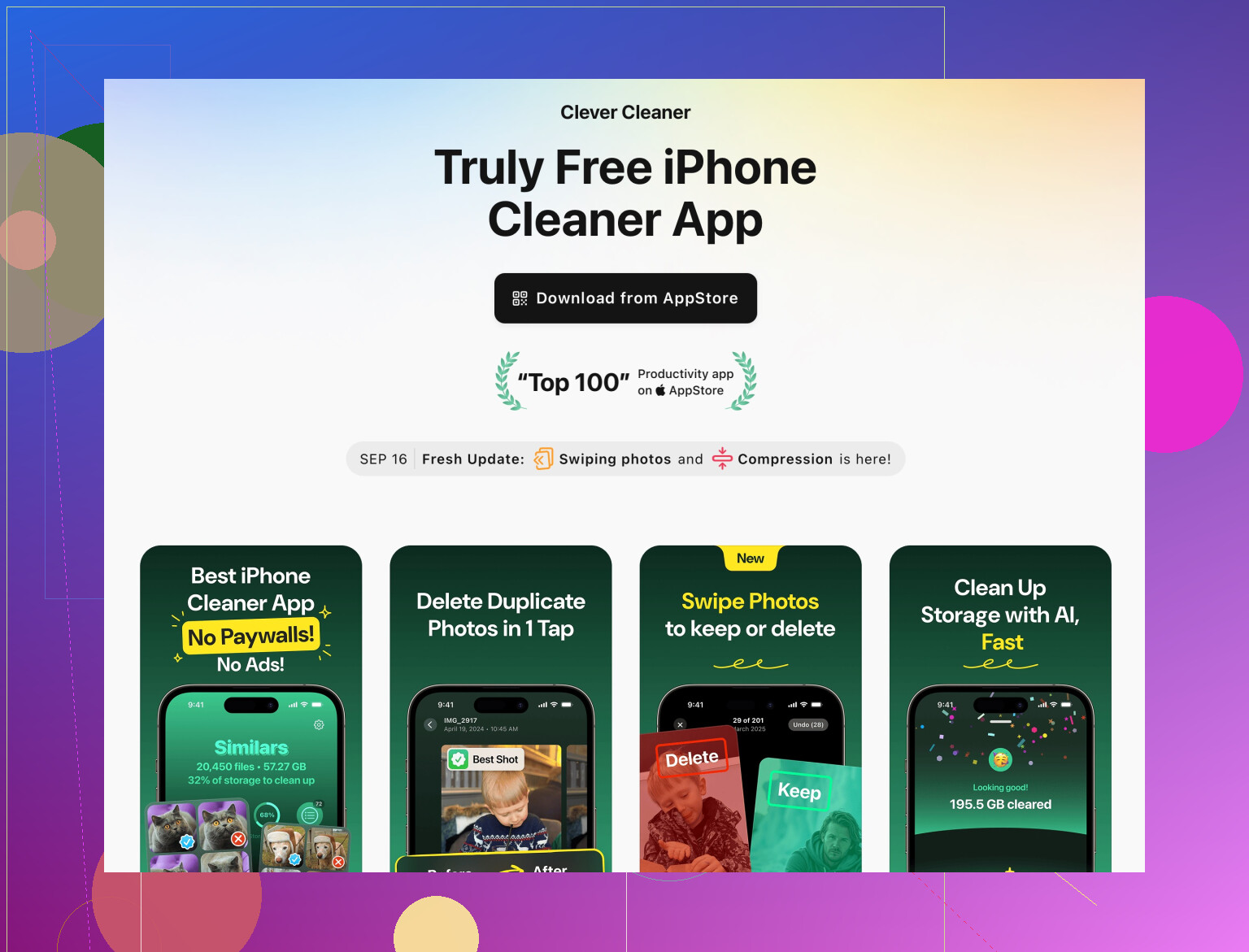
If you want something actually useful, the Clever Cleaner App for iPhone is decent as:
- A photo & video organizer
- A way to quickly identify large, useless files
- A simple contacts clean up tool for non‑techie users
For more details, check this page:
smart iPhone cleanup and storage optimization
How I decide if a cleaner is worth keeping
Instead of just trusting app store reviews (yeah, half of them look botted), I do this:
-
Before installing
- Check permissions. If a cleaner wants location, phone, SMS, or VPN for “speed,” nope.
- Look at recent reviews that mention specific devices and actual numbers (e.g., “freed 4 GB on Pixel 6”), not “Great app 5 stars!!!”
-
After installing
- Turn off anything auto: no auto-boost, no auto-start.
- Run a single cleanup, note:
- Storage before vs after (Settings > Storage)
- Battery usage of the app over 24–48 hours
- If it shows massive “junk found” but storage barely changes, it is fake drama.
-
One cleaner rule
Here I agree with @himmelsjager: using multiple cleaners at once is chaos. I did it once for “testing” and ended up with:- Aggressive app killing
- Notifications coming in late
- More battery drain than before
For speed & protection specifically
If your main goals are “speed up” and “protect” your phone:
-
Speed:
- Uninstall heavy apps you barely use
- Disable auto-play / background refresh on social apps
- Restart the phone every few days
- Keep 10–20% storage free
-
Protection:
- Avoid sideloading shady APKs on Android
- Do not trust “antivirus” built into some random cleaner with pop-up “threats”
- Use built-in Google Play Protect or reputable security vendors if you really need AV
Cleaner apps are tools for storage and tidying, not full security suites.
TL;DR:
Use built-in tools first. If you’re on iPhone and constantly getting “storage almost full,” a targeted app like Clever Cleaner App is one of the few that’s actually practical, mostly for managing photos, videos, and contacts. Just ignore any promises about AI making your phone “300% faster” because that’s marketing, not reality.
121 Likes
Short version from actually living with these on multiple phones:
Where I agree with @sternenwanderer / @himmelsjager
- “AI speed boost,” “CPU cooler,” “RAM +300%” = marketing. Any real benefit is from storage cleanup or killing background apps, which iOS/Android already do reasonably well.
- Built‑in cleaners on Samsung / Xiaomi / Google + iOS storage tools cover 70–80% of what normal people need.
- One cleaner at a time is important. Multiple “optimizers” just fight each other and wreck battery / notifications.
Where I slightly disagree
They focus a lot on space freed. I’ve found the bigger day‑to‑day win is mental clutter reduction: fewer random screenshots, fewer near‑duplicates, cleaner camera roll so backups are faster and cheaper. The “few GB freed” is nice, but having Photos not be a dumpster is actually what changed my usage.
Also, I would not fully write off every app with fancy UI gauges. Some are cringe, yes, but I treat them as skin-deep cosmetics. As long as the app:
- Does not run constant background “boost”
- Does not demand VPN / accessibility just to scan
- Shows realistic numbers that match system storage
…I will at least test it.
My experience with Clever Cleaner App specifically
Used on two iPhones in my circle over about 3 months. I treat it as a smart organizer, not a speed tool.
Pros
- Very good at surfacing:
- Similar photos in bursts (same subject, tiny differences)
- Old screenshots and screen recordings
- Huge forgotten videos
- Preview flow is simple. Non‑tech family member handled it without asking me what every button means.
- No obvious battery drain. Stayed low in Battery stats compared with social apps.
- Contact cleanup actually worked: spotted duplicate entries that iOS did not auto-merge.
Cons
- The “AI” label is overused. It is more “good heuristics + grouping” than some futuristic brain.
- It still occasionally flags aesthetically different photos as “similar,” so you cannot just mass delete blindly.
- Ads in the free tier are tolerable but not invisible. If you are sensitive to ads, you will feel them.
- Like every cleaner, it cannot fix a genuinely slow device with a worn battery or ancient SoC. Some users expect miracles and get disappointed.
So I do recommend Clever Cleaner App for iPhone if your main pain is: storage almost full, messy photos, chaotic contacts. Not as a performance, security, or antivirus solution.
How I personally pick among these apps (beyond what they said)
Instead of repeating the same steps, here are a few different checks I run:
-
Version history check
- I open the “Version history” / “What’s New” section.
- If the app has not been updated for 8–12 months, I skip it. Cleaners need to keep up with OS and app changes.
-
Developer pattern
- If the same dev publishes 10 near-identical “AI cleaner / booster / antivirus” apps with different icons, that is a red flag. Usually ad churn.
-
Network usage test
- After a couple of days, I look at “Mobile data usage”.
- A cleaner that uses a ton of background data is suspicious. It should not need to talk to servers constantly for basic local cleanup.
-
Before / after notification behavior
- I pay attention to whether messages from chat apps start arriving late.
- If notifications come delayed or only when opening the app, the cleaner is too aggressive with background tasks and I uninstall.
-
Honest self-check on expectations
- If the phone is old and near storage / battery limits, I assume:
- Cleaner = makes life less annoying.
- New phone or battery replacement = actual performance fix.
- That mindset keeps disappointment low.
- If the phone is old and near storage / battery limits, I assume:
For your specific “speed up and protect” goals
-
Speed up
- Offload or uninstall big apps you use rarely. Games, bloated social, some shopping apps are common hogs.
- Keep at least 10–15% free storage; below that, both iOS and Android can feel stuttery.
- Restart weekly. It helps more than most cleaners’ “boost” button.
-
Protect
- Stick to Play Store / App Store, no shady APKs.
- Use the OS-level protections (Play Protect, iOS sandboxing) and good habits: avoid sketchy links, modded apps, “free premium” stuff.
- A cleaner app is not a security solution, even if it shows “threat reports.”
Bottom line
- I’m aligned with @sternenwanderer and @himmelsjager that most AI cleaner apps are at best storage tools, at worst adware.
- On iPhone, Clever Cleaner App belongs in the “useful storage & photo organizer” camp with reasonably sane behavior, plus a decent contacts cleanup.
- For Android, I still lean more on built‑in tools and “Files by Google,” then maybe one focused cleaner for messaging media, rather than chasing “AI boosters.”
Your take is solid. Storage hygiene beats flashy gauges. Clever Cleaner works as organizer, not speed or security.
Simpler path, no new apps.
- iOS, turn on Offload Unused Apps. Android, enable App hibernation. Often frees 2 to 5 GB.
- Photos, enable Optimize iPhone Storage or Google Photos Storage saver.
- WhatsApp, set Disappearing Messages to 90 days. Telegram, auto delete, cache limit 1 GB, keep media 3 days.
- Calendar, monthly 10 minute reminder. Review Photos Duplicates, big videos, then clear Safari or Chrome site data.
Fast, boring, it works tho.