I need high‑quality, professional-looking AI headshots I can use on LinkedIn and my portfolio, but I’m overwhelmed by all the iPhone apps and mixed reviews. I’d really appreciate specific recommendations for reliable AI headshot generator apps that work well on iOS, including any pros, cons, and pricing experiences.
Best AI headshot tools I tried so you do not have to
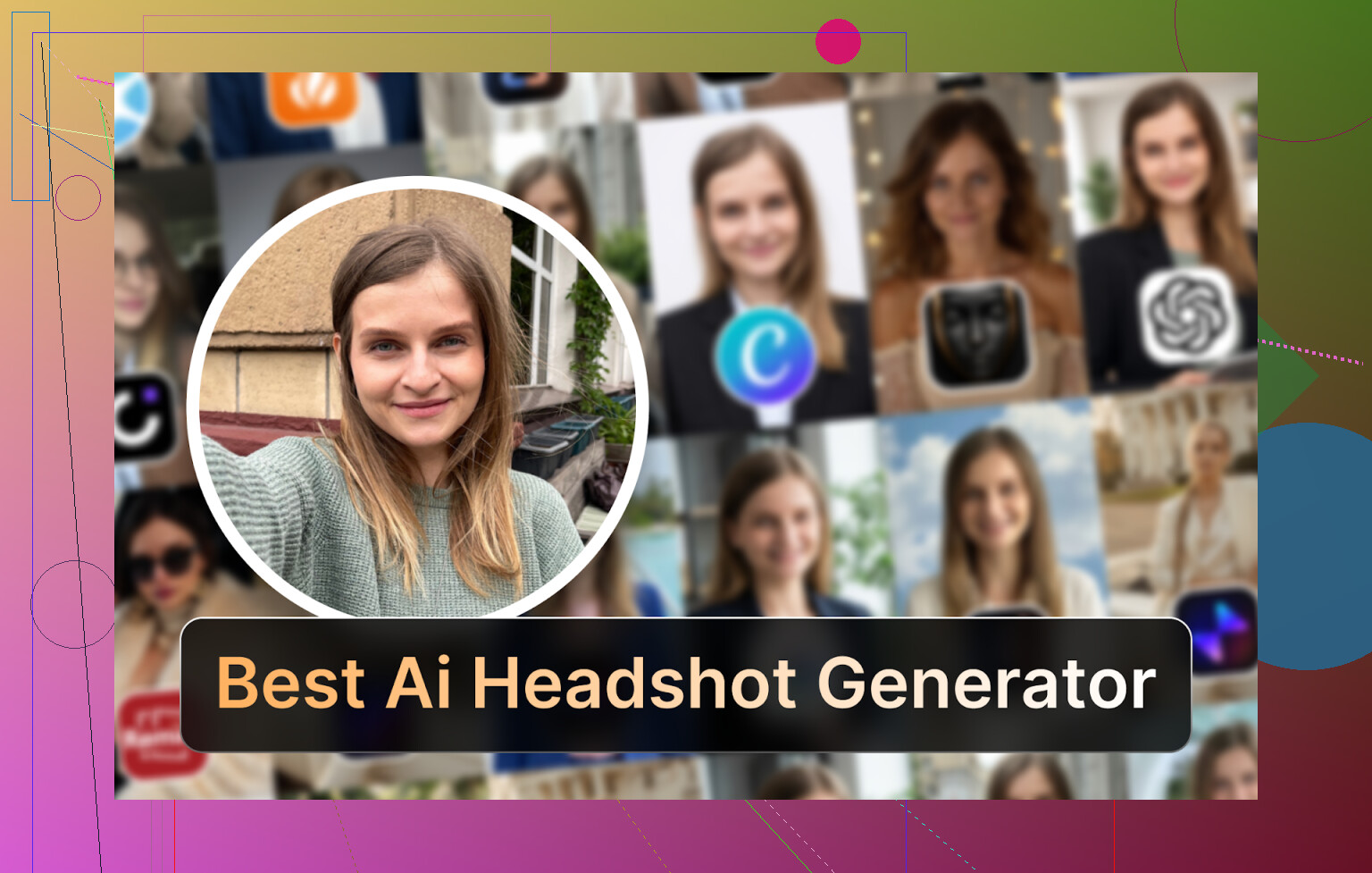
I hit the same wall a lot of people hit lately. I needed a decent headshot for LinkedIn and some conference stuff, did not want to pay a photographer, and my phone selfies looked like I was hiding from the IRS.
My feed was already flooded with AI headshot ads, so I spent a few evenings going through the usual suspects. Web SaaS, iOS, Android, and some “free” hacks with ChatGPT and Gemini.
This is what I ended up with, what worked, what wasted my time, and what I would tell a friend to use.
Eltima AI Headshot Generator, iOS, the one that surprised me
Link:
App Store, Eltima AI Headshot Generator App - App Store
I went into this one with low expectations because most “AI avatar” apps feel like filters glued on top of your face. This one did not.
Things I liked in practice:
-
Free daily generation
You get one free photo per day. I used that for a week before paying anything and kept testing new styles. That helped a lot with not regretting a subscription. -
Minimal setup
You start with one photo. I used a casual selfie near a window. No 20-photo upload drama. -
Group photos
It handles up to 3 people in one shot. I tried it with two colleagues for a “team” style. Output looked like a staged studio shoot. -
Video generation
You can turn your photo into a short video. I do not care much about this for professional use, but it exists. -
Realism
This is where it stood out. It kept my face shape, skin tone, and small details like moles. Less plastic doll, more “I paid a real photographer once in my life.” -
Templates
Over 800 templates. At first I thought that was marketing fluff, but it mattered. I picked a few “tech founder” and “corporate casual” looks, then some softer lifestyle ones for socials.
How it behaved:
Photo realism
Looked like me on a good day with a decent lens. Skin smoothing was present but not insane. There is a beauty mode toggle if you like that, I set mine low.
Style range
Formal suits, hoodies, startup vibe, outdoor scenes, studio backgrounds. I used one for LinkedIn, one for conference badges, a couple for my website “About” section.
Pricing
7.99 per week or 49.99 per year, plus the one free photo per day deal. I used the free daily generation to find a base style, then paid a week to batch out a ton.
Speed
Fast on Wi-Fi. A few seconds for single images.
My real-world verdict
This is the only iPhone app from the entire batch I would feel comfortable recommending for professional use. I swapped my old photographer headshot on LinkedIn for an Eltima one and nobody questioned it.
App Store again for convenience,
They also have a product page with more detail,
Quick walkthrough video,
There is also a Reddit thread where people discuss options in general,
https://www.reddit.com/r/DataRecoveryHelp/comments/1qi12pn/best_ai_headshot_generator/
The big web players, Canva, Aragon, HeadshotPro
I went to Google, typed “AI headshot generator”, and clicked the obvious three that always appear. Canva, Aragon, HeadshotPro. All paid, all positioned as serious tools, not toy apps.
Canva
Website, https://www.canva.com/
I already used Canva for presentations and social posts, so I did not need to learn the interface.
How it works
You upload a photo, pick a style from the sidebar, and let it render. For an “official looking” shot, it did fine.
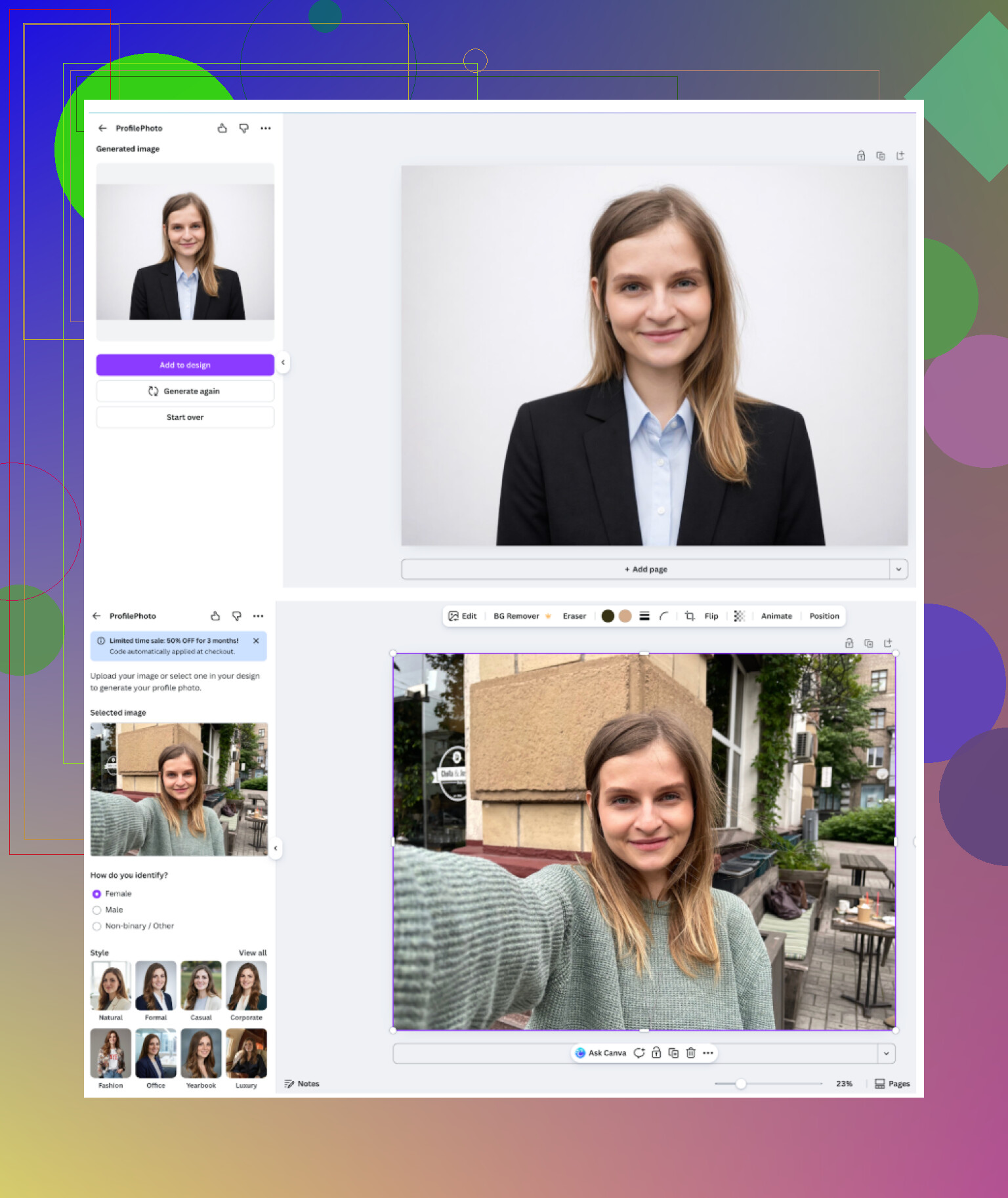
You can then pay with their coin system to upscale or tweak specific images.
My notes:
-
Overall feel
Feels like exactly what it is, a general design tool that bolted on a portrait generator. It is good enough for quick work profiles. -
Upsides
Plenty of presets, easy post-editing, you already have access if you use Canva for other stuff. -
Downsides
Price is high once you commit to Pro. Faces sometimes look a bit plastic, especially the skin. You might need to reduce the retouching look. -
Price
Around 120 per year for Pro, usually with some sale or bundle going on.
I would use it for: internal company profiles, slides, simple marketing materials. I would not pick this as my main “flagship” LinkedIn headshot if I have better options.
Aragon AI
Website, https://www.aragon.ai/
Aragon greeted me with a long questionnaire about my role, industry, and where I planned to use the photo. It felt excessive but I get the idea, they try to tune styles before you upload anything.
Then you upload a bunch of photos. Not one, not three. A bunch.
<img alt=‘Part 4: The ‘Free’ Way (ChatGPT, Gemini, & Hustle)’ src=‘https://forum.babelgum.com/uploads/default/original/image-1768927092.png’ height=‘537’ width=‘381’>
What stood out:
-
Likeness
This service preserved my face shape and expression better than most web tools. The “that is me” factor was strong. -
Upsides
Good likeness retention, often mentioned on Reddit for that reason. Turnaround time was reasonable. -
Downsides
You need to feed it multiple photos. I had to dig through my Google Photos and find a spread of angles. No free run, everything is paid from the first generation. -
Price
Starts roughly around 12 to 25 for a pack, depending on what promos you catch.
I would use it for: one-time batch if you do not mind upfront cost and can supply 6+ decent selfies from different angles.
HeadshotPro
Website, https://www.headshotpro.com/
This one screams “corporate” from the second you open the site. A lot of talk about security and data handling, which HR people like.
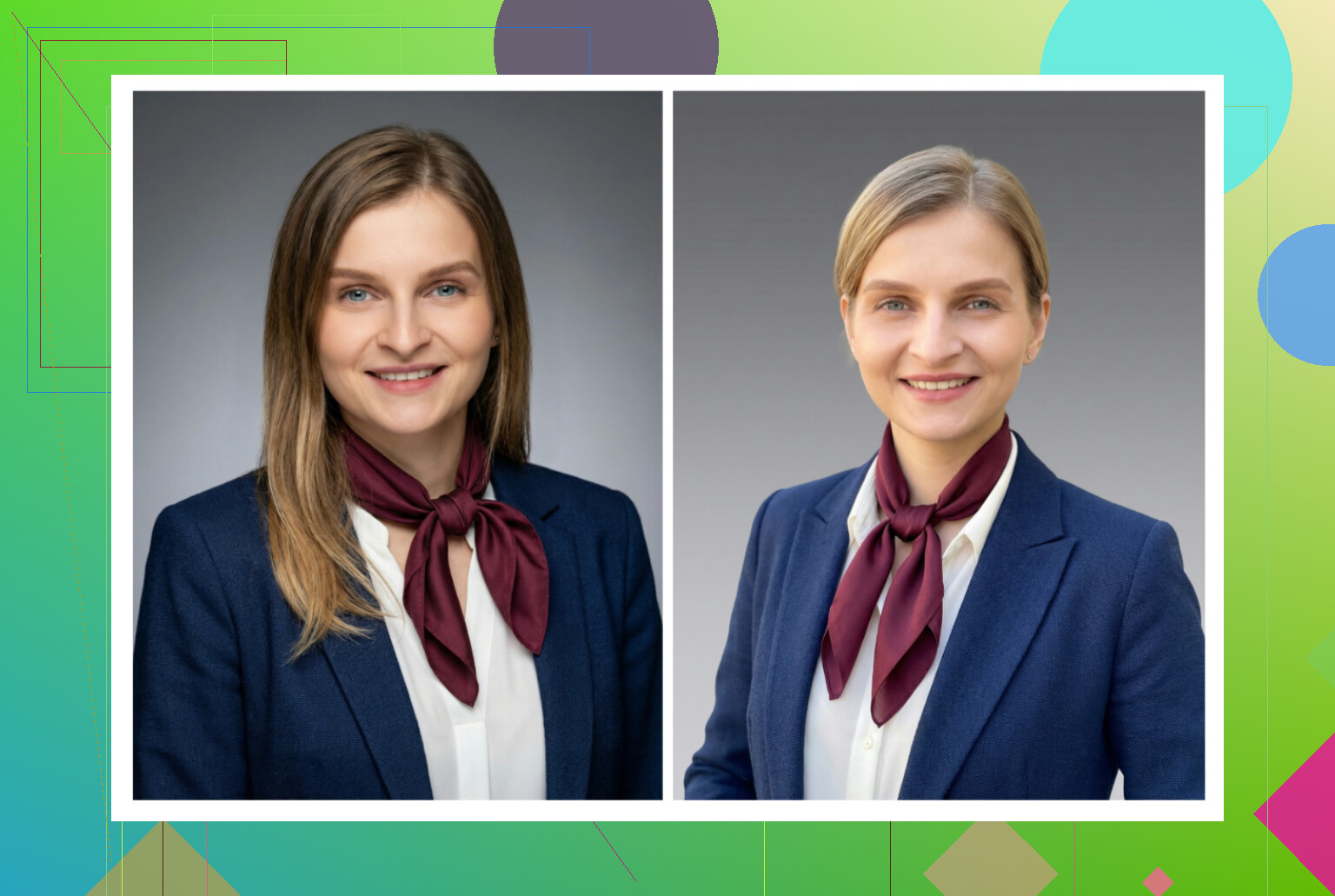
Experience:
-
Look and feel
The generated shots are consistent. Same lighting vibe, same posture range, same neutral backgrounds. -
Upsides
Perfect if your company needs everyone on the site to look like they stood in the same fake studio in the same fake city. Finance, legal, big SaaS, that type of thing. -
Downsides
Low creativity. Feels stiff. If you work in design or tech and prefer something a bit more relaxed, this might feel too rigid. -
Price
Starts around 29 per pack.
I would use it for: teams where branding and uniformity matter more than personality.
iOS headshot apps I went through
I sat down, charged my iPhone, and went one by one through the usual App Store suspects:
- Remini
- Fotorama
- Collart
- IRMO
- Eltima
My filters were simple:
• Is it easy to use
• Does the output actually look like me
• Are there enough style options
• Is there something free, even limited
• How long do I wait per generation
Remini, iOS
App Store,
Remini is everywhere in TikTok and IG stories. It is mostly marketed as a photo enhancer with extra features.
What I saw:
-
Interface
Clear, simple, no tutorial needed. Upload, pick a mode, wait. -
Video from photo
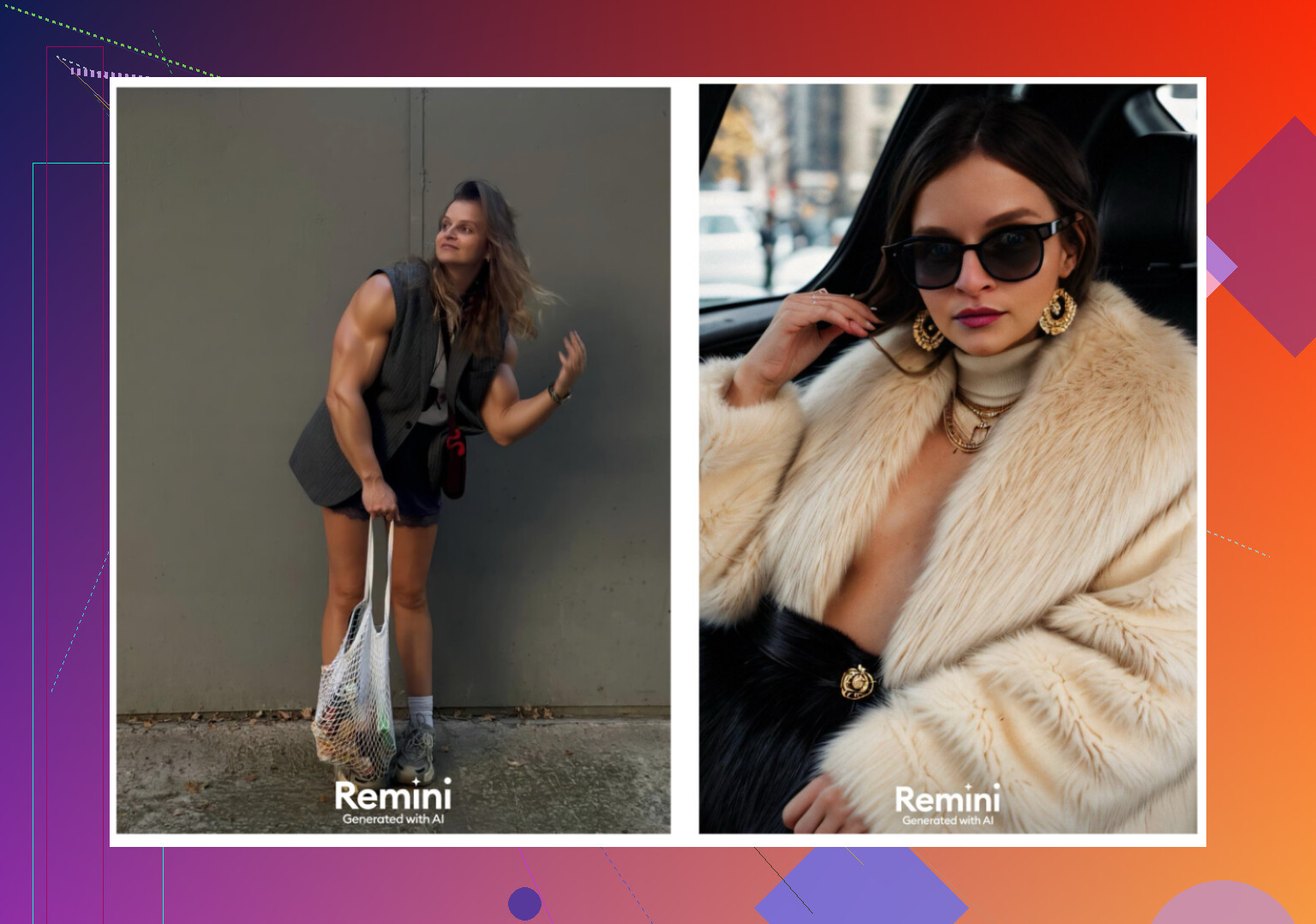
I tried the video feature. It generated a clip where it “animated” a frame with a kid under some stairs. Very uncanny, nothing like the original view, details went off the rails. -
Realism
Video faces looked fake. Too many filters. Clothing frequently warped or changed in odd ways. -
Style range
You can get LinkedIn style outputs, but the quality swings. Some look reasonable, others push you into beauty filter territory. -
Price
9.99 per week or 79.99 per year, free trial for one week. -
Speed
My video generation took about 13 minutes. For stills it is faster, but not instant.
My verdict
Good for fun and social, unreliable if you need something precise. I would not trust it for job applications or client-facing profiles.
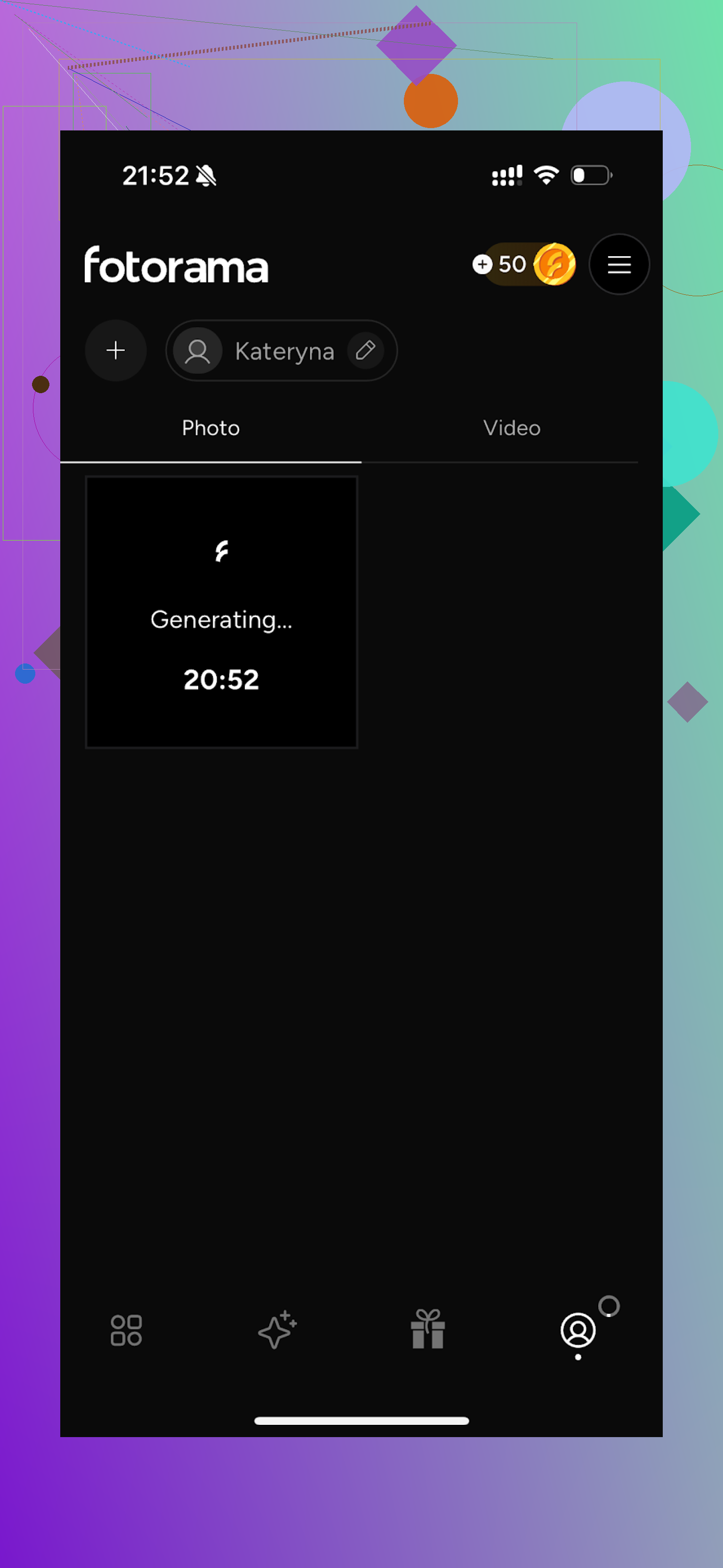
Fotorama AI Photo Generator
App Store,
This one looked promising from the screenshots. Reality was different.
What happened:
-
Interface
Usable layout, the categories and buttons were clear. -
Video from photo
Tried it once. It started “analyzing” my real photos, stayed on a loading screen for around 30 minutes. I closed the app. My coins disappeared. No output. -
Styles
They do have a big spread of themes, including more editorial and character-like sets. -
Price
11.99 per week or 79.99 per year. -
Speed
Too slow on my end. The first run was 30 minutes and still no result.
My verdict
Between the wait time, the coin system, and the failed generation, I dropped it. Even if the styles look strong, the friction and lost credits killed it for me.
Collart AI Photo Generator
App Store,
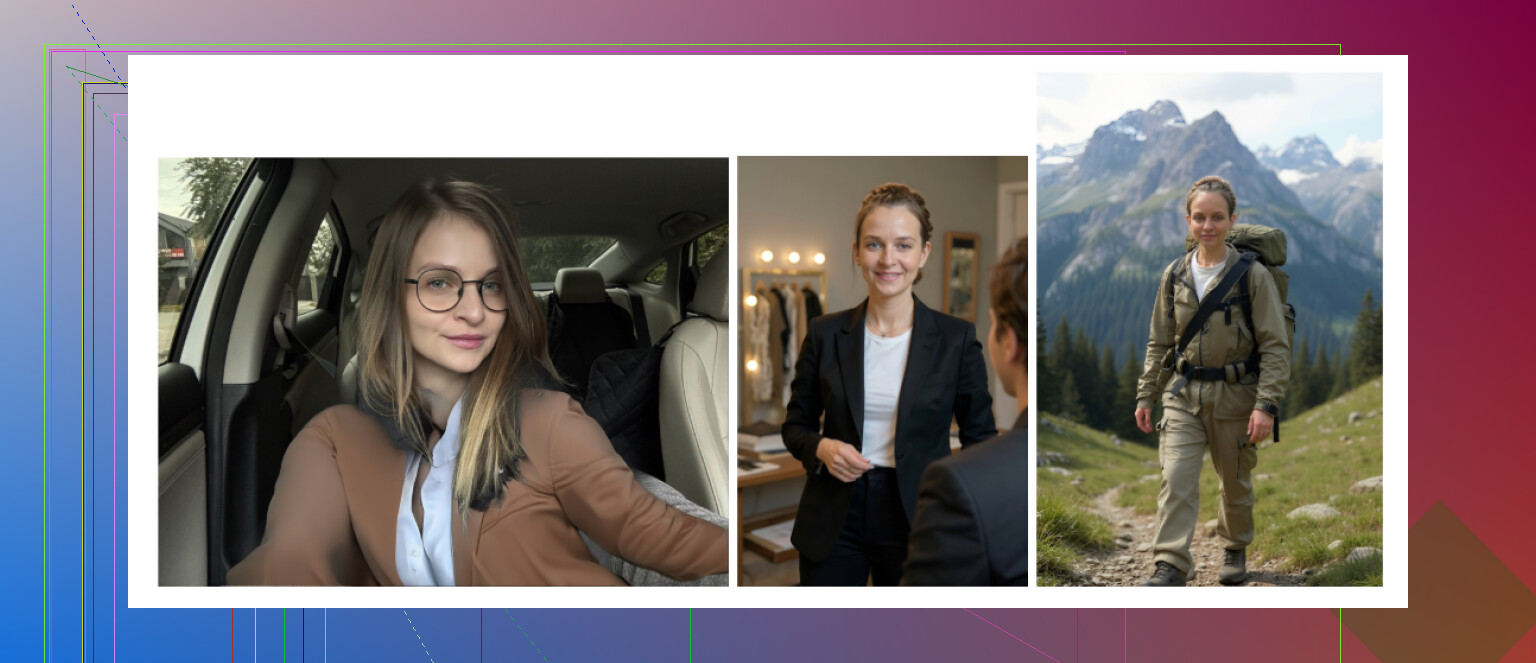
This one is a classic “tons of fun styles” app.
What I got:
-
Interface
Simple, no learning curve. -
Video
You can animate photos. I did one test, it worked technically, but not something I would use for work. -
Realism
Low. Most outputs did not look like me. Some looked like distant cousins. -
Styles
Huge variety, but the catch is they build from one reference photo. One selfie is not enough for consistent identity. -
Price
3.99 per week or 59.99 per year. -
Speed
Fast enough. No issue there.
My verdict
Fun to play with, not acceptable for professional headshots. Too many “who is this” moments.
IRMO AI Photo Generator
App Store,
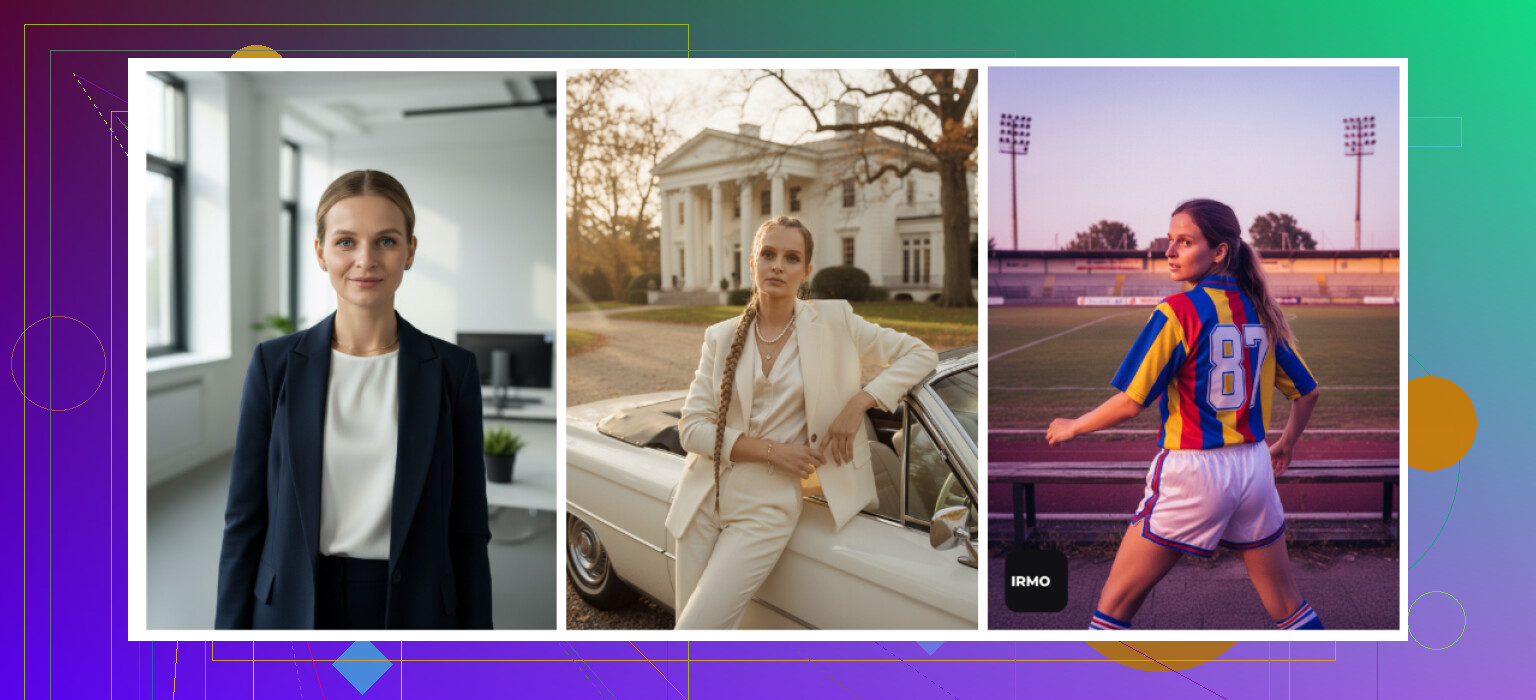
IRMO sits somewhere between Collart and more serious tools.
My notes:
-
Ease of use
Straightforward. I did not need a guide. -
Video
Photo to video works, nothing special, nothing horrible. -
Realism
Quality is okay, but again, it uses one reference shot. So likeness is loose. You recognize a hint of yourself, but not enough for “this is my headshot forever.” -
Styles
Plenty of options, from casual to staged portraits. -
Price
5.99 per week or 99.99 per year. -
Speed
About 2 to 6 minutes per photo.
My verdict
Good for playing around, not my choice for a serious profile. It feels generic, like an AI “version” of me, not me.
Android apps I tried
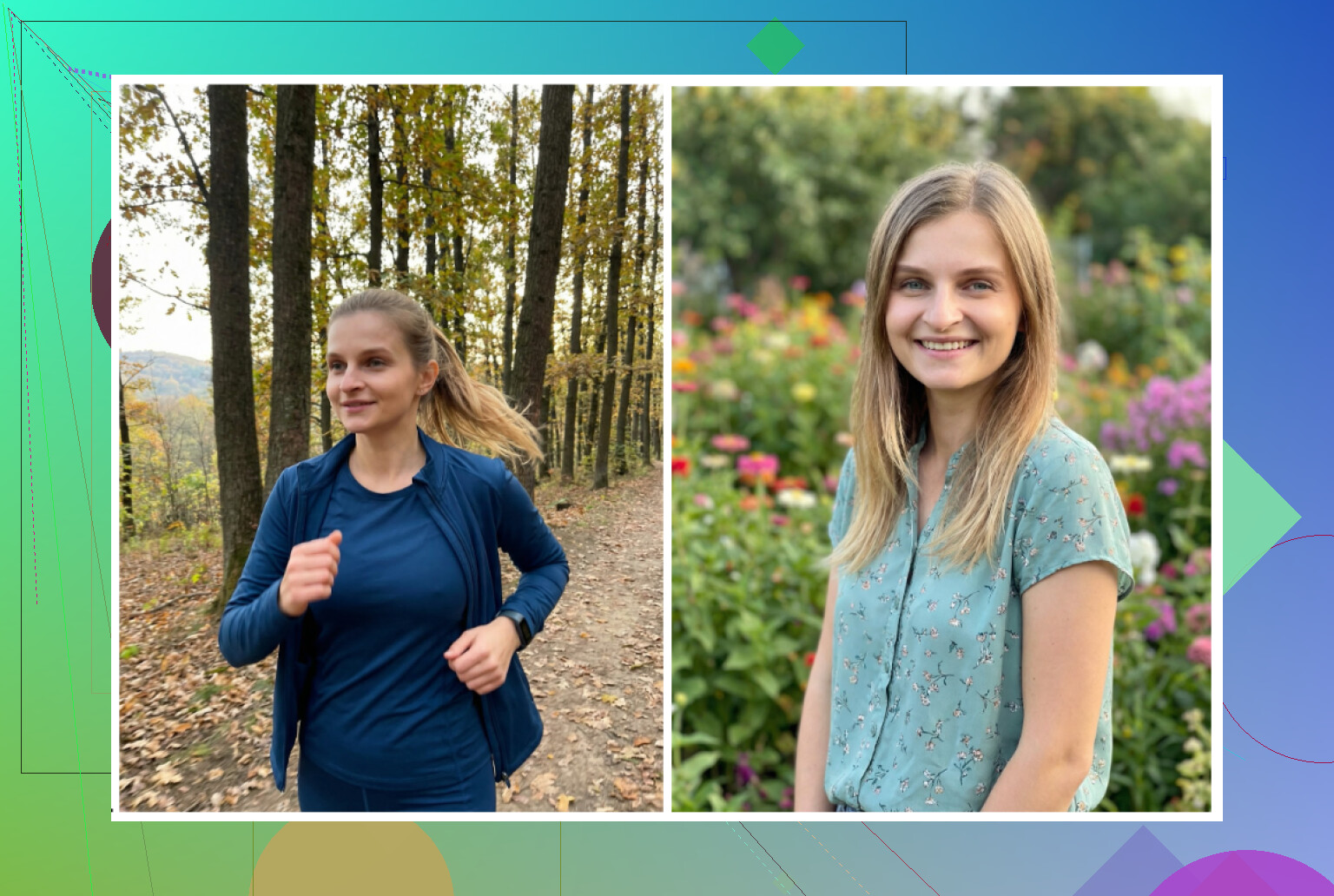
I was pickier on Android because the Play Store has a lot of low effort clones and aggressive ads. I stuck to the more visible apps.
- Remini
- GIO
- Momo
Remini, Android
Google Play,
Same story as iOS version. I used a few selfies and let it run.
My findings:
• Very easy workflow
• Results tend to glam you up heavily
• Even on “professional”, my face looked sharper, makeup-like, and more modeled than real
Great for social media, risky if your real life appearance differs a lot from the AI version and you are using it in hiring or business settings.
GIO, Android
Google Play,
Also on iOS, but I tried the Android build.
How it compared:
Pros
• Less artificial than Remini
• Clothing changes and outfit swaps performed fairly well
Cons
• Many failed generations
• Some outputs looked off, weird proportions, or low detail
My verdict
If Remini looks too fake to you, GIO is a decent alternative, but the inconsistency frustrated me. Some photos were fine, some went straight to the trash.
Momo
Google Play,
I went into this one after GIO and Remini for context.
Pros
• Output quality felt slightly better than GIO in my tests
• Enough for a “usable” shot if you are not comparing side by side with top tier tools
Cons
• Higher cost relative to what you get
• Not as polished or realistic as Remini in direct comparison
My verdict
Out of the quick Android trio, I would rate it above GIO in quality but below Remini in realism for faces. The higher pricing makes it a harder sell.

Trying to do it free with ChatGPT and Gemini
I wanted to see how far I could push things without paying for photo-specific apps, using only AI models and some patience.
The method I used
This loop worked with:
• ChatGPT image generation (DALL-E) at https://chatgpt.com/
• Gemini image generation at Gemini AI Nano Banana Pro: KI-Bildgenerierung und Bildbearbeitung von Google
I used this five step routine:
-
Find a reference photo
Not of me. I picked a headshot from the internet that had the lighting, pose, and vibe I wanted. -
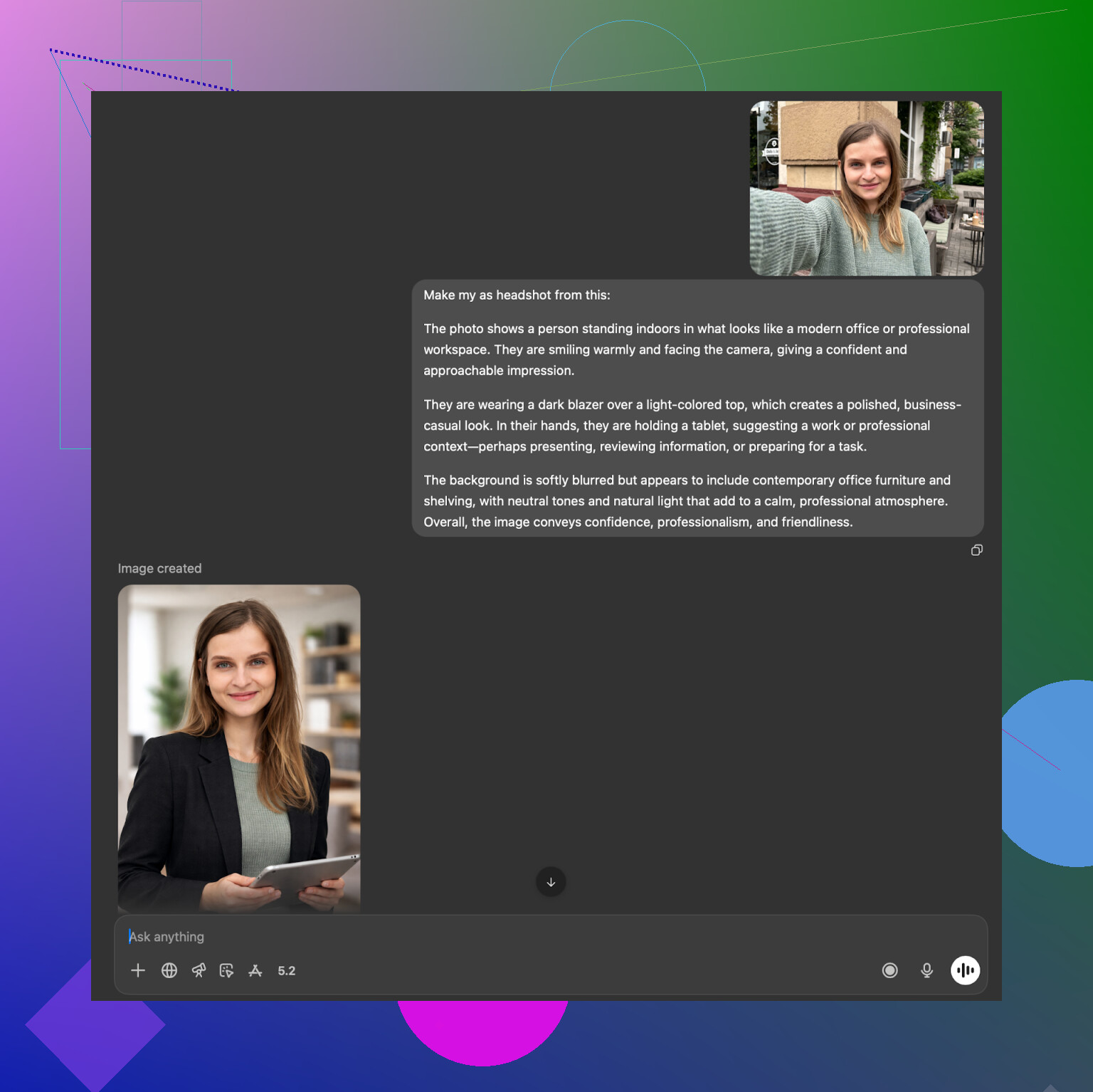
Ask the model to describe it
I uploaded that reference image and asked the model to describe it in detail. Lighting, pose, camera angle, clothing, mood. -
Copy the description
I took the long textual description and opened a fresh chat. -
Upload my selfie
In the new chat, I pasted the description and added my selfie and asked it to create an image of me in that described style. -
Use the image model
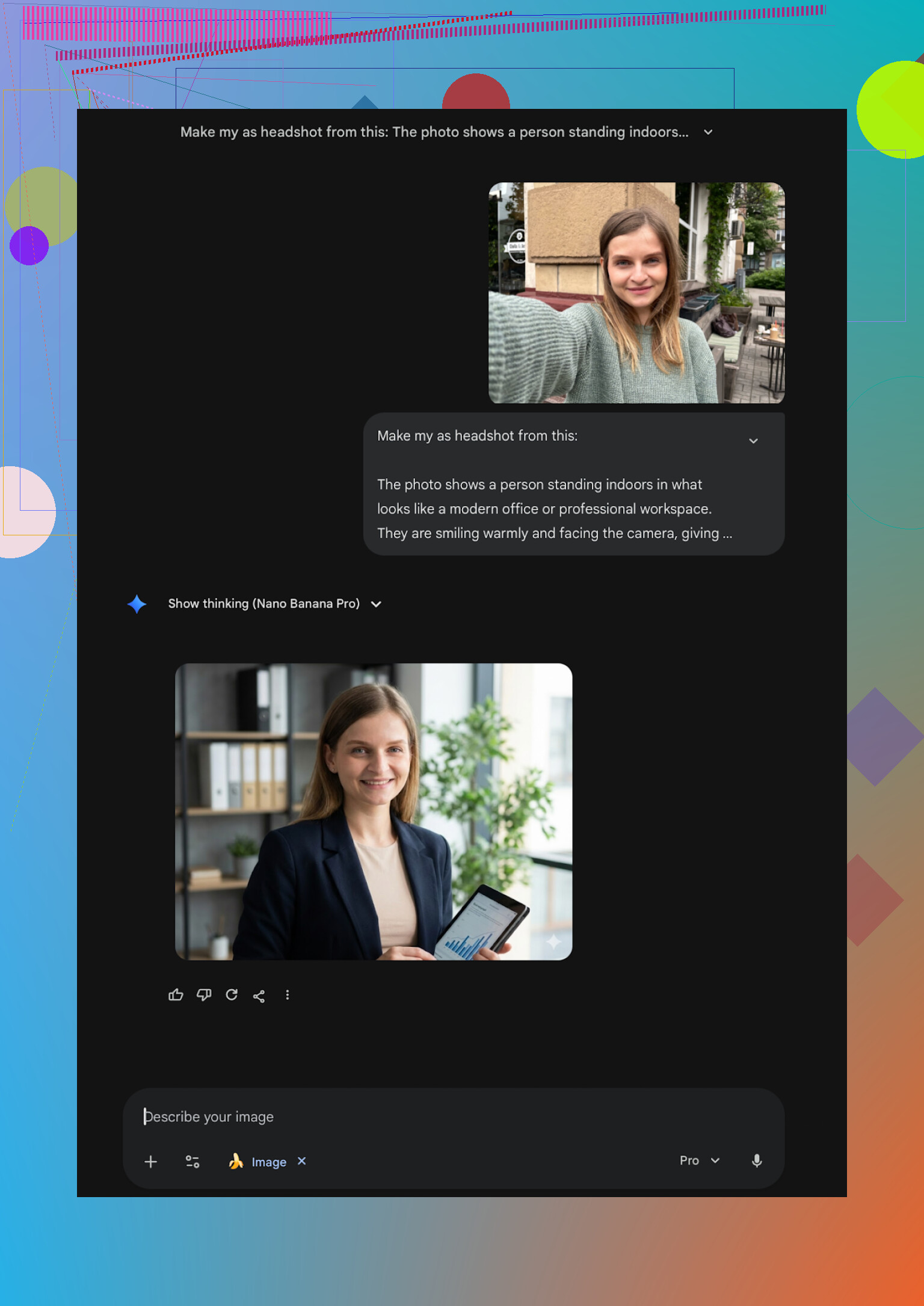
On ChatGPT I picked DALL-E. On Gemini I selected their photorealistic image model (at the time, Nano Banana Pro variant for images where available).
Results from ChatGPT, DALL-E
DALL-E tends to inject its own “style”. It does something like “a person that feels related to you”. Think sibling level similarity.
Website again,
https://chatgpt.com/
Pros
• Free in some usage patterns, depending on plan
• Good for testing poses and compositions
Cons
• Likeness is not precise enough for a headshot you would put on LinkedIn
• Slight stylization that you cannot fully remove
Results from Gemini
Using Gemini’s stronger image models, I got more photorealistic images. Skin, hair, and lighting looked closer to a real photo.
Website,
Pros
• Strong photorealism
• Handles lighting and background nicely
Cons
• Safety filters sometimes refuse anything that looks like a real person
• Likeness is still not as reliable as tools that train specifically on your set of photos
This whole hack works if you are broke or experimenting, but if you need something you are comfortable attaching to your legal name on professional platforms, it feels like a half measure.
Where I ended up using each type of tool
After a bunch of trial and error, this is how I use each category now:
• Dedicated iOS app (Eltima)
My main headshot source. Good enough that nobody noticed I switched from a real photographer.
• Web SaaS (HeadshotPro, Aragon, Canva)
Use when I want multiple versions for site, internal tools, different outfits. Aragon for likeness, HeadshotPro when uniformity matters, Canva if I am already inside it working on designs.
• Entertainment style apps (Remini, Collart, IRMO, Fotorama, Momo, GIO)
Fun for social, not something I rely on for professional identity.
• Free method with ChatGPT and Gemini
Useful to test new poses and compositions and to understand how descriptions influence the image style. I treat them as mockups, not final headshots.
What I would tell you to try first
If you use an iPhone, I would start with Eltima and abuse the free daily photo to see if the style fits you,
If you need a single one-off pack and do not mind paying on web, Aragon or HeadshotPro are safe picks,
If you are determined to stay at zero cost and you have time, the description loop with Gemini and ChatGPT is worth experimenting with, but expect some trial and error.
That is what worked on my face, on my hardware, with my patience level. Your mileage will depend on how picky you are with your own reflection.
11 Likes
Short answer from my side after a lot of the same pain: on iPhone, the best balance of realism, effort, and price right now is Eltima Ai Headshot Generator App, with a couple of web tools as backups.
I tried a similar set to what @mikeappsreviewer listed and landed in a slightly different pecking order:
- Eltima Ai Headshot Generator App (iOS, my top pick)
- Why it works for LinkedIn and portfolios:
• Needs only 1 starting photo, preferably a clear selfie near a window. No 20 photo training set.
• Likeness is strong. It keeps face shape, skin tone, and small marks. My coworkers recognized me instantly.
• Styles are work friendly. Suits, business casual, clean studio backgrounds, no weird “avatar” look.
• One free headshot per day lets you test a bunch of looks before paying. - How I would use it:
• Spend a week on the free daily pics to lock in a lighting and background style you like.
• Then grab a week subscription, generate a batch for LinkedIn, company bio, conference badge, and your portfolio. - My small gripe:
• Some templates look a bit too polished. You might want to lower any beauty slider so the result still matches how you look in meetings.
- Aragon AI (web, when you want one serious batch)
- Strong choice if you are ok using desktop.
- Needs ~6 to 12 photos from different angles.
- Likeness is strong, better than most browser tools I tried.
- Good if you want one big set of “professional photographer style” shots and then stop paying.
- HeadshotPro (web, team or company use)
- Best when you need a consistent “company directory” look.
- Output feels a bit stiff for creative roles, but it is solid for corporate, legal, consulting.
- I would not use it as a solo freelancer unless you want that strict studio vibe.
- Canva’s headshot feature (web and app)
- I disagree slightly with @mikeappsreviewer here. I think Canva is fine as a backup, but I would not lead with it for a flagship LinkedIn photo if you are picky.
- Faces sometimes look plasticky and over retouched, even with neutral styles.
- I use it to tweak backgrounds, crop, and adjust color after I already have a headshot from Eltima or Aragon.
- Remini, Collart, IRMO, Fotorama, etc. (iOS)
- These lean more toward glow-up filters and social content.
- For job hunting or client facing work, I had too many issues:
• Over smoothed skin.
• Slightly different face structure.
• Clothing that looks odd on closer inspection. - I would keep these for TikTok, dating apps, or fun, not for resume or portfolio.
If you want something simple and reliable on iPhone right now, my practical setup would be:
-
Start with Eltima Ai Headshot Generator App
• Pick one good selfie. Neutral expression. Plain shirt.
• Try 3 to 5 “business” or “smart casual” templates over a few free days.
• Note which backgrounds and crops feel most like you. -
When you see a style you like
• Get a short subscription.
• Generate 15 to 30 variants with small changes in outfit, angle, and background.
• Export your top 3 in high resolution. -
Optional cleanup
• Open the best one in Canva.
• Slightly adjust brightness and contrast.
• Crop to LinkedIn’s recommended framing, eyes around top third of the image.
You end up with a realistic, consistent headshot that does not look like a face filter, without spending hours testing random apps that take your money and give you a stranger’s face.
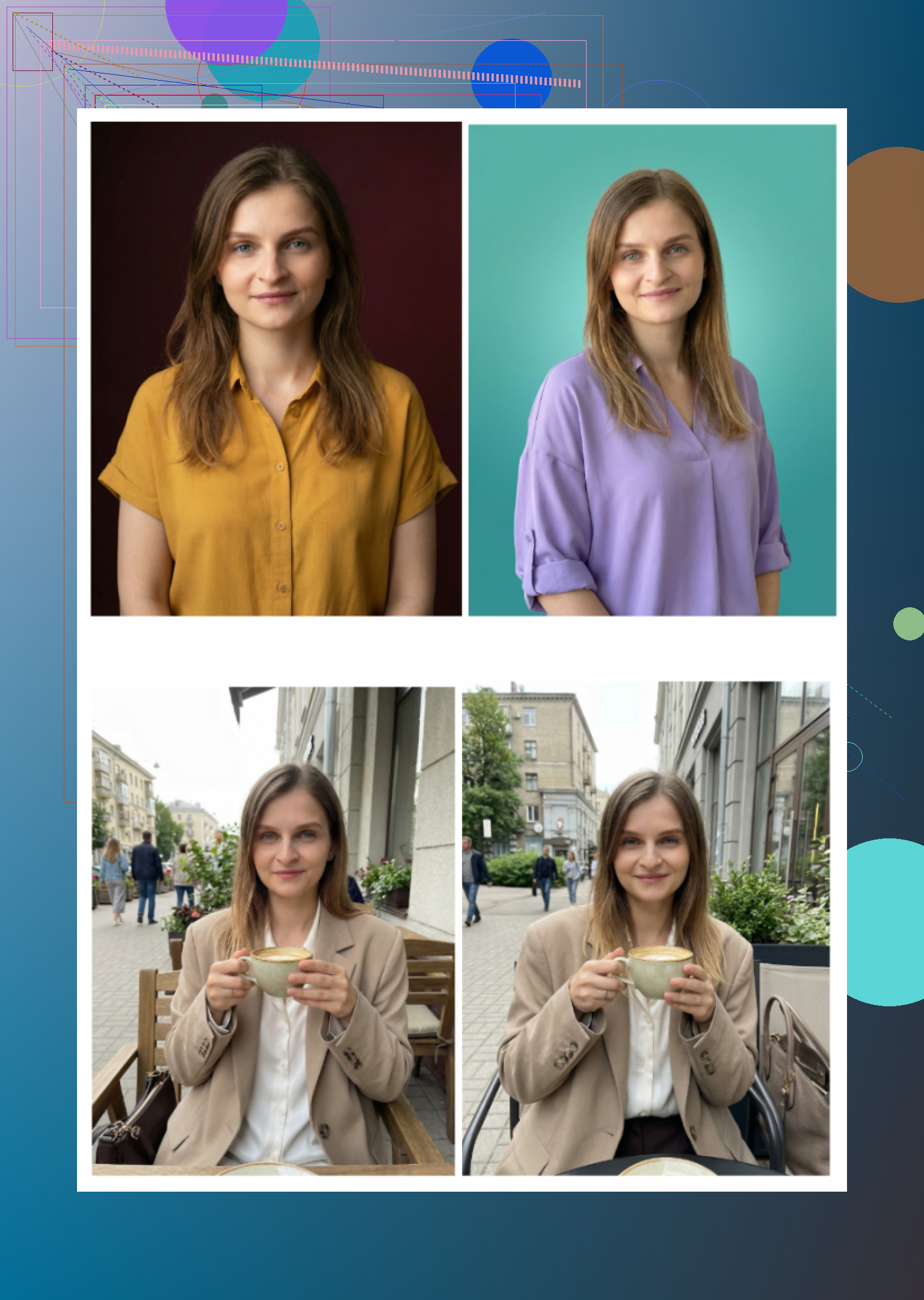
Short version: on iPhone right now, Eltima Ai Headshot Generator App is the only one I’d seriously trust for a LinkedIn / portfolio headshot, with a couple of web tools as backup if you’re extra picky.
I’ve read what @mikeappsreviewer and @boswandelaar wrote and broadly agree, but I’d tweak the ranking a bit:
1. Eltima Ai Headshot Generator App (iOS, main pick)
This is the one that actually feels built for “I need a real‑looking corporate photo,” not just “turn me into an anime sorcerer.”
What I found different from a lot of other apps:
-
One-photo setup
You really can start from a single clear selfie. Personally I still got better results feeding it one good, well lit, recent shot rather than some super stylized old pic. If your hair / weight changed a lot, retake the selfie first. -
Likeness vs. “Instagram filter”
I disagree slightly with both reviews here: I think the default beauty smoothing is a bit too strong for men and a bit too weak for some harsh lighting selfies. So I’d say:- If you already use flattering window light, turn the beauty slider almost off.
- If your only source pic is bad overhead lighting, you might actually want it in the middle so you do not look like you live under a fluorescent tube.
-
Templates that actually work for LinkedIn
Ignore 80 percent of the library. The “tech founder,” “corporate casual,” “studio neutral background,” and light outdoor bokeh styles are where the professional stuff lives. The louder themes are fine for socials but scream “AI” in a hiring context. -
Pricing vs. what you actually need
The weekly sub is plenty. This is the part almost nobody says clearly:- You do not need a year.
- Grab 1 week, generate 20 to 40 variants in one sitting, cancel.
- Keep 3 to 5 that hit the sweet spot across LinkedIn, portfolio, speaking bios, etc.
Stuff I’d watch out for that others gloss over:
- It loves to slightly upgrade outfits. If you start with a hoodie and pick a suit template, check the lapels and tie area at 100 percent zoom. Very occasionally you get weird folds.
- Hairlines can get “idealized” a bit. If that matters for authenticity, pick templates closest to your real haircut.
2. Aragon AI (web) when likeness really, really matters
Here I’m closer to @boswandelaar than @mikeappsreviewer. Aragon is strong if you can be bothered to upload 8 to 12 photos and you are cool using a browser.
Where it beats iPhone apps in my experience:
- Subtle asymmetry in your face stays. You still look like you, not your prettier sibling.
- If you need a batch for multiple platforms, Aragon gives more consistent results across poses.
Where I still prefer Eltima:
- Time to result. Eltima is “I have 10 minutes on my phone.”
- Price if you only need 3 good images instead of 100.
3. HeadshotPro (web) when your company wants a uniform look
Here I’m a bit harsher than both other posts. Yes, it is solid, but:
- Great for “all 40 people on our About page look like they were shot in the same studio.”
- Not amazing if you want any personality or a slightly creative / startup vibe.
- If you are solo and not in a very formal industry, Eltima plus a neutral background template usually looks less stiff.
4. Canva’s headshot feature as an editor, not a generator
I actually agree with the skeptics on this: for the core portrait, I would not start with Canva. Faces often trip into plastic-skin territory. Where Canva is useful:
- Take an Eltima Ai Headshot Generator App export.
- Use Canva only for:
- Cropping to LinkedIn’s frame
- Slight exposure / color tweaks
- Swapping to a more on-brand background color while keeping your face intact
Treat it like Lightroom-lite, not your main “create-a-face” tool.
5. Remini / Collart / IRMO / Fotorama and similar iOS apps
I’m even more negative here than @mikeappsreviewer:
- Remini: impressive for glow‑ups, but the “enhanced” version of you often does not match reality under office lighting. Risky if you care about not shocking people at interviews.
- Collart, IRMO, Fotorama: fun toys, not “put on your CV” tools. Too many uncanny noses / teeth / ears when you zoom in.
If you absolutley must use them, keep them for dating apps or IG stories, not LinkedIn.
Concrete path I’d use in your shoes
-
Grab Eltima Ai Headshot Generator App on your iPhone.
Take one new selfie near a window, neutral background, simple shirt, no heavy filters. -
Use the free daily generation for a few days.
Only test “business,” “corporate casual,” or “creative professional” types. Ignore the kitschy stuff. -
Once you see 1 or 2 styles that feel like “you, but rested”:
Take the 1‑week sub, generate a big batch in those few styles only. Do not hop endlessly between 50 templates. -
Pick 3 winners:
- Tight crop for LinkedIn.
- Slightly wider, maybe more relaxed for your portfolio / personal site.
- One ultra neutral for conference programs, press, whatever.
-
Optional: run your favorite through Canva just to adjust crop and brightness. Nothing crazy.
That way you sidestep 90 percent of the App Store noise, you avoid paying all year for something you use once, and you end up with headshots that coworkers will actually recognize as you.