My current USB over Ethernet setup keeps disconnecting devices and sometimes they’re not detected at all, even after reinstalling drivers and trying different cables and ports. I need a stable way to share a USB device over my network for remote access and can’t afford random dropouts during work. Are there dependable hardware or software alternatives that actually work long‑term, preferably with low latency and good Windows support?
If your current USB over Ethernet setup is randomly dropping devices, that usually means one of three things: junk hardware, flaky software, or trying to push a USB scenario that really wants a different solution.
A few alternatives that are actually reliable:
-
Native network-based alternatives
- If the USB device is a printer, scanner, camera, or storage, look for a network version instead.
- Network printers, IP cameras, NAS, and even some audio interfaces over Ethernet are way more stable than virtual USB tunneling.
-
Industrial-grade USB device servers
- Avoid the super cheap USB extenders from Amazon. They work fine until you actually rely on them.
- Look at business/industrial USB device servers from brands like Digi or Silex. They cost more but are built exactly for “USB over LAN and it must not drop.”
- These often have better drivers and actual support for isochronous devices if you are using audio or webcams.
-
Software-based USB over Ethernet
- If your current USB over Ethernet solution is one of those free / bundled tools, that explains a lot.
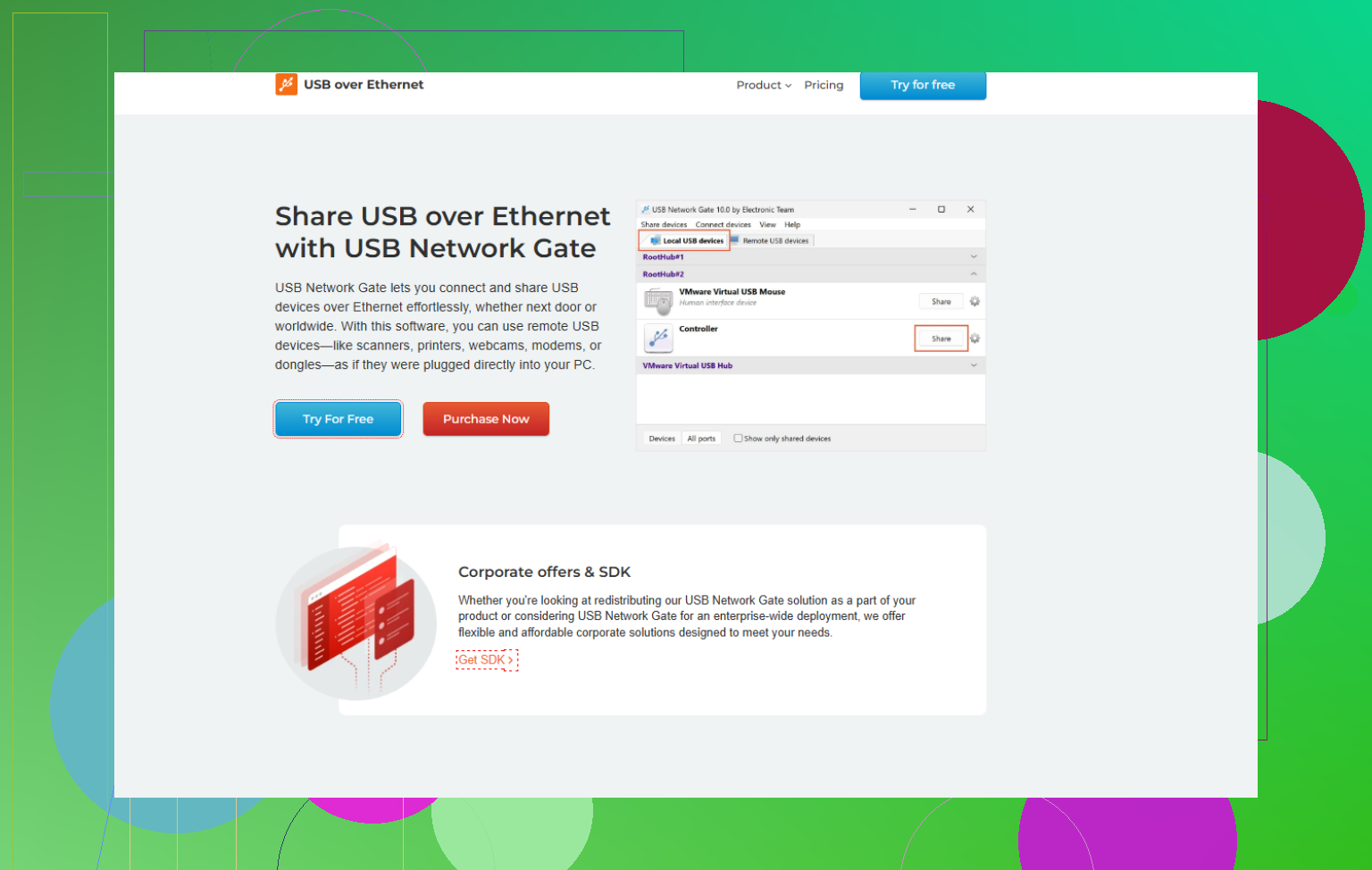
- A lot of people have had more stable results with USB Network Gate. It is a commercial USB over network tool that lets you share USB devices over LAN or even the internet with way fewer random disconnects compared to the usual cheap utilities.
- It is regularly updated for new Windows builds which really matters since each major Windows update tends to break low-level USB or networking hooks.
- If you want a bit more background on why some apps break especially after Windows updates, check this writeup:
why some USB over Ethernet tools fail on modern Windows.
Instead of just “best USB over Ethernet app,” think in terms of reliable USB over network software for Windows and macOS that supports stable long-term connections, proper driver handling, and remote access without random dropouts. That’s actually what you want to optimize for.
-
Check if your use case is even USB-friendly
Some USB gear just hates being tunneled:- VR headsets, game controllers with low-latency needs, pro audio gear, etc. often behave terribly over virtual USB.
- In those cases, consider remote desktop with GPU support, or running the software on the machine directly next to the device, and then just remote into that machine.
-
Physical alternatives
- Active USB over fiber extenders are way more reliable than USB over Ethernet drivers if your only need is “make the cable longer.”
- They basically behave like a long USB cable, not a virtual USB server over IP, which avoids some of the driver craziness.
If you want a software route and want to stop playing driver roulette, I would test USB Network Gate first, then if that still acts up, bite the bullet and go with a proper network native solution or an industrial USB device server. At some point the time you waste fighting disconnects costs more than proper gear.
11 Likes
Short blunt answer: there is no magic “alternative” to USB over Ethernet that’s perfect, but there are ways to stop the random drop‑fest you’re dealing with.
What @suenodelbosque said about junk hardware is spot on, but I’d tweak the priority list a bit:
-
Figure out what you’re actually trying to do
You didn’t say what the USB device is. That matters a lot.- Storage, printers, scanners: use network protocols, not virtual USB, whenever possible.
- SMB share on a machine close to the USB disk
- Network printer/print server
- Scanner that talks over TCP/IP
- Low‑latency or time‑critical stuff (MIDI, VR, gamepads, audio interfaces): USB over Ethernet usually sucks here. Even the fancy stuff. You’ll get lag, glitches, or random dropouts no matter what vendor promises.
I’d honestly start with this: If I didn’t have USB at all, how would I solve this over the network? If there’s a native protocol for that type of device, use that instead.
- Storage, printers, scanners: use network protocols, not virtual USB, whenever possible.
-
Ditch the “USB over Ethernet” boxes pretending to be switches
The little boxes that say “USB over Cat5e, 60m, no drivers needed” are almost always just doing USB over twisted pair, not actual IP. Those are cable extenders, and the cheap ones are hot garbage. If that’s what you’re using, no amount of driver reinstalls will fix it.
If you simply need distance, get:- Active USB 3.x cable from a known brand, or
- USB over fiber extender kits that act like a long transparent cable.
-
USB device servers are not all equal
I’ll mildly disagree with the idea that “industrial = always great.” I’ve seen pricey boxes from big brands still choke on webcams, dongles, or weird HID devices.
If you go that route:- Check compatibility lists for your specific device type.
- Verify support for isochronous transfers if it’s audio/video.
- Make sure firmware and drivers are actively maintained, not “last update: 2018”.
-
Use proper software USB over Network, not random bundled junk
If your current setup is some free utility that came with hardware or was last updated before Windows 10 existed, that’s a big red flag. For a pure software route, something like USB Network Gate is actually worth looking at. It’s a dedicated USB over network tool that:- Shares any USB device from one machine to another over LAN or even WAN
- Handles driver binding and re‑connection more gracefully than most freeware tools
- Actually gets updates when Microsoft breaks things with big Windows releases
You can grab it here:
download USB Network Gate for stable USB over networkNot a silver bullet, but in my experience it’s noticeably less flaky than the “included with adapter” apps.
-
Stop abusing USB for what should be remote access
Another angle: instead of hauling the USB device over the network, keep it plugged into a small PC or mini‑PC and just remote in:- Use RDP, Parsec, AnyDesk, RustDesk, etc.
- Machine sits right next to the device, so USB is local and stable.
- You only ship screen/keyboard/mouse over the network, which is what networks are actually good at.
This beats USB tunneling especially for:
- Dongle‑protected software
- DAWs and audio interfaces
- Debugging hardware, dev boards, etc.
-
Check the boring stuff that still matters
- Make sure the host machine’s USB ports are not power‑saving themselves to death. Disable USB selective suspend in Windows power options.
- Kill any “allow the computer to turn off this device to save power” in Device Manager for USB hubs and network adapters.
- Use a powered USB hub if your device pulls more juice than the port likes.
- Don’t run this over Wi‑Fi if you’re chasing reliability. Use wired Ethernet, no excuses.
If you share what the actual USB device is and how far it has to be from the host, people can probably tell you flat out: “forget USB over Ethernet, use X instead” or “yeah, USB Network Gate or a proper device server is your only realistic option.”